

Outgoing Message Logs: Every Email and SMS Sent from Your Platform, Logged
FireFlight Outgoing Message Logs gives every outbound email plus SMS a permanent ledger entry. Delivery status, timestamps, content snapshot, plus the trigger that generated the message live in one auditable record in 2026.
Can you prove what your platform sent, when it went out, plus who received it? Outgoing Message Logs answers that with a system-wide ledger. Every email and SMS your platform generates writes one entry carrying the recipient, the delivery status, the timestamp, plus a snapshot of the content. Auditors get a clean paper trail rather than a screenshot search through inboxes.

See how Outgoing Message Logs turns every credential reminder, work order notification, plus system alert into an auditable record. Deployments run in weeks, not months, with hosting and phone support included.
Request a Demo Contact SalesWhy does outbound message tracking fail without a ledger?
Most operations teams in 2026 still cannot answer a basic question about their automated messages. Did the credential reminder reach the field tech before the cert expired? Was the work order notification actually delivered? When a regulator or an attorney asks for proof of notification on a specific date, the answer often involves a manual sweep through email logs that nobody owns.
The problem is that most systems treat outbound messages as fire-and-forget events. The platform sends. The recipient may or may not receive. Nothing keeps a structured record of what the content actually said at the moment of sending.
Outgoing Message Logs fixes this by writing every send to a system-wide ledger. The content snapshot captures exactly what went out. The delivery status records what happened next. The trigger record shows which user or which system event caused the message to fire in the first place.
How does the app handle message previews and traceability?
Each log entry stores a preview of the message as it was sent. Subject line, body, recipient address, plus any merged data tokens. When somebody asks what the customer actually saw on a given Tuesday afternoon, the answer comes from the log rather than from a guess at what the template looked like that week.
Traceability runs in both directions. Forward from the trigger, so you can ask which messages a specific work order generated. Backward from the message, so you can ask which user action or scheduled job sent that particular email at that particular hour.
Failures, retries, plus user alerts are tracked alongside successful sends. When a message bounces or the SMS gateway returns an error, the log entry shows the failure code and the retry history. Operations sees the problem the same day rather than the next quarter.
What apps does Outgoing Message Logs connect to?


Secure Visibility plus Role-Based Access
Every log entry sits behind role-based access control. Compliance officers see the full audit history. Operations sees the messages tied to their workflows. Outsiders see nothing. Visibility is decided at the role level, not improvised per query.
Backups run on the FireFlight infrastructure hosted by PCG. The log is append-only at the data layer, so a deleted record still leaves a trace for the auditor.

Your guide for every field, every screen
Ikhana walks new users through filtering the log by date range, drilling into delivery status, plus tracing a message back to its trigger. Hover, tap, read the answer, keep working.
New hires reach productivity in hours instead of weeks. Onboarding stops being a separate project.
Learn more about IkhanaWhat does Outgoing Message Logs give your team?
 A centralized audit log of every outbound email plus SMS your platform generates. One ledger, queryable by anyone with the right role.
- Filter by date range, recipient, message type, or delivery status.
- Message previews stored at send time. Timestamps plus delivery confirmations attached to each entry without manual logging.
- Trace every message back to the user or system trigger that generated it. The path from event to inbox stays auditable.
- Role-based access control. Internal-only views for compliance, operational views for staff who run the workflows.
- Failures, retries, plus user alerts tracked on the same record.
- Integrated with the Email Template Manager plus the SMS Template Manager, so a template change shows up clearly in the log entry for that version.
- Deployment runs in weeks, not months. Hosting sits on PCG infrastructure.
"We finally have a clean paper trail for every reminder, update, plus notification sent system-wide."Compliance CoordinatorMulti-Location Healthcare Group
Ask your message log a question in plain English
Phoenix Consultants Group has built custom database software since 1995. Across 31 years and 500+ applications, roughly a third of that work has involved compliance audit trails plus operational reporting for private-sector clients.
FireFlight adds an AI reporting layer on top of your live message log. Type "show every credential reminder sent in the last 90 days that failed delivery to a technician with an active certification expiring this quarter" and the answer comes back as a working report rather than a ticket assigned to IT. The query happens in weeks, not months of canned-report development.
What changes operationally after deployment?
- Compliance stops digging through email exports to answer audit questions. The log returns date-bounded proof of notification in seconds, with the snapshot of what the recipient actually saw at the time the message went out.
- Operations catches delivery failures the same day they happen. The retry history shows whether the gateway issue self-corrected or whether a human still needs to step in.
- Customer service stops debating whether a notification was sent. The log carries the timestamp plus the content snapshot. The conversation moves to the next step.
- When a regulator requests proof on a specific date, the answer comes from a query. Not a week of email forensics.
- New employees learn the log from Ikhana on screen, so onboarding compresses from weeks of shadowing into a few hours of guided work inside the actual app.
Frequently Asked Questions
What gets recorded in the outgoing message log?
What gets recorded in the outgoing message log?Can we prove a notification was sent on a specific date for an audit?
Can we prove a notification was sent on a specific date for an audit?How are delivery failures and retries tracked?
How are delivery failures and retries tracked?Who can see the outgoing message log?
Who can see the outgoing message log?Can we trace a message back to the trigger that generated it?
Can we trace a message back to the trigger that generated it?How long does Outgoing Message Logs take to deploy?
How long does Outgoing Message Logs take to deploy?Can we query the message log using natural language?
Can we query the message log using natural language?Prove what was sent and when it went out
One auditable ledger for every outbound email plus SMS. Filter, trace, plus query in seconds. Deployments measured in weeks, not months. Hosting by PCG with phone support included.
Request a Demo Contact SalesPhoenix Consultants Group, founded 1995. FireFlight Data Systems is a proprietary platform hosted by PCG. Page last updated May 2026.








Multi-Warehouse Support: One Network, Auto-Routed Fulfillment Across Every Facility You Operate
Multi-Warehouse Support is the FireFlight app that coordinates inventory plus operations across many facilities. Cross-warehouse visibility, facility-specific reorder rules, plus an auto-suggest routing engine that picks the right fulfillment location by proximity or availability. Role-based access by location keeps each regional team in its own lane. ERP plus inventory integrations included.
Can FireFlight coordinate inventory plus fulfillment across multiple warehouse locations with auto-routing plus per-facility rules? Yes. Multi-Warehouse Support delivers cross-warehouse visibility, centralized dashboards with site-specific filters, plus an auto-suggest routing engine based on proximity or availability. Each facility carries its own reorder rules plus safety stock levels. Role-based access by location or region. ERP plus inventory connections built in. Deployment runs weeks, not months.

See how an order lands, the routing engine reads stock across every warehouse, plus the right facility gets the fulfillment based on proximity to the customer plus available units. Live demo or a direct call.
Request a Demo Contact UsWhy does scaling from one warehouse to four break every system that was working fine at one site?
In 2026, most operations that grow past their original warehouse hit the same wall. The system that handled the first facility was never designed to coordinate four. Each new site gets a parallel spreadsheet, a separate inventory file, plus its own reorder process run by the local manager. Orders from the website route to whichever warehouse the customer service team thinks has stock. Half the time they guess wrong, the order ships from the wrong site, plus the customer waits an extra week.
The financial cost is significant. Stock sits idle at one warehouse while another runs short of the same SKU. Reorder triggers fire from each facility independently, so purchasing places three separate orders for the same vendor in the same month at three different prices. Inter-warehouse transfers happen on email plus phone calls because no system tracks them properly. Cycle counts produce different variances at every site, plus the controller cannot consolidate a single inventory number with confidence by quarter-end.
Multi-Warehouse Support replaces that chaos with one network. Every warehouse plugs into the same inventory model. Cross-site visibility shows stock levels at every location in one view. The auto-suggest routing engine reads the network plus recommends which facility should fulfill each order based on proximity to the customer or current availability. Reorder rules run per facility with safety stock levels that match each site's actual demand pattern. Role-based access keeps the West Coast team out of East Coast operations without locking executives out of either view.
How does the auto-suggest routing engine decide which warehouse fulfills the order?
The routing engine reads the network state at the moment the order arrives. Available stock at each warehouse. Distance from each warehouse to the customer's ship-to address. Configured priority rules: ship-from-nearest, ship-from-fullest, ship-from-lowest-cost, or a custom hybrid. Carrier transit times by lane. Open commitments already routed but not yet shipped. The output is a ranked list of acceptable warehouses for the order, with the top recommendation already populated for the customer service rep or the automated fulfillment process to confirm.
Configurable rules adjust the ranking per business segment. B2B orders for industrial customers can prioritize ship-from-nearest because freight is the dominant cost. B2C ecommerce orders can prioritize ship-from-fullest to consolidate split shipments. Subscription replenishment can prioritize a designated regional hub. Hazmat or controlled goods route only to facilities licensed to ship them. The engine surfaces the rule that drove each recommendation so the operations lead can audit the routing decisions plus tune the rules as the business shifts.
The same engine handles inter-warehouse transfers when no single site has the full quantity. An order for 200 units that can be filled with 120 from the East warehouse plus 80 from the Midwest hub gets routed as a coordinated multi-site fulfillment plus an internal transfer where appropriate. The customer sees one shipment timeline. The internal accounting captures the cross-site activity. The audit trail records the routing logic plus the resulting movements so the next quarterly review knows exactly how the network was running.
What apps does Multi-Warehouse Support connect to inside FireFlight?


A multi-site network amplifies every security gap. We treat it that way.
Multi-warehouse data lives in encrypted storage hosted by PCG. Role-based access by location plus region means the West Coast operations team sees West Coast sites, the Midwest hub manager sees Midwest, plus the executive view shows the full network. Cross-site transfers require approval at both ends.
Every routing decision, every cross-site movement, plus every facility-level override is logged with user identity, timestamp, plus the rule that drove it. The audit trail shows how each order was routed, why, plus what stock moved between facilities to support it, ready for an internal review, a customer escalation, or a regulatory examination.
Ikhana shows your team how to read the network view, route an order across warehouses, plus configure facility-specific rules.
Every dashboard, every routing prompt, every cross-site permission is explained the moment somebody asks. New regional managers run their first cross-warehouse order the same week they start. No training queue. No tickets to IT.
Learn more about IkhanaWhat does Multi-Warehouse Support give your operations team?
- Cross-warehouse inventory visibility on one screen. Every facility's stock level surfaces in a single view that updates as transactions post.
- Centralized dashboards with warehouse-specific filters. The executive view shows the network. The regional view shows only the territory each manager runs.
- Warehouse-level plus global reporting views. Variance reports, fulfillment rates, plus stock turn metrics roll up from per-site to total network in one filter.
- Inter-warehouse transfer management. Internal movements between facilities track with the same approval workflow plus audit trail as external receipts.
- Facility-specific reorder rules plus safety stock levels. The reorder point at the Midwest hub does not have to match the East Coast site that runs different velocity.
- Role-based access by location or region. Local staff stay in their facility scope while executives plus regional directors see the full picture they need.
- Location-specific bin, product, plus stock settings. Each warehouse keeps its own physical layout rules while sharing the master product catalog.
- Configurable naming plus region mapping for each warehouse. Site codes, regional groupings, plus territorial assignments all carry through to every report the executive team reads.
- Auto-suggest warehouse routing engine driven by proximity, availability, plus the configured priority rules. The right facility gets each order without a customer service rep guessing.
- Direct integration with ERP plus the broader inventory operations stack. The network view sits on the same data that drives every other FireFlight app.
"We went from managing 3 separate spreadsheets to a unified view across 6 warehouses."Logistics DirectorNationwide Wholesaler
31 years of operational software, with AI reporting built in for 2026.
Phoenix Consultants Group has built custom operational software since 1995. Multi-Warehouse Support is one app inside the FireFlight platform, the same platform running fleet fueling for municipal operators, physician credentialing for staffing firms, plus airport ground equipment management for aviation services.
The AI layer added in 2026 means a logistics director can query Multi-Warehouse Support in plain English. "Show me every order in the last 30 days that was routed to a non-nearest warehouse, grouped by reason code plus the resulting freight cost delta." The system answers from live data. No report request to IT. No waiting.
What changes operationally after Multi-Warehouse Support goes live?
- Orders stop shipping from the wrong warehouse. The routing engine reads stock plus distance at the moment of order capture, no more guesswork.
- Duplicate purchasing stops. Each facility's reorder triggers run against the network view, not against its isolated stock count.
- Inter-warehouse transfers happen on data, not on phone calls. Approvals route through the same workflow as every other movement in the system.
- Stock imbalance gets caught early. The regional view surfaces overstocked sites against understocked sites so the operations lead can rebalance proactively.
- The controller closes the quarter with one consolidated inventory number. Per-facility reports plus the network roll-up reconcile from the same source data.
Frequently Asked Questions
How is Multi-Warehouse Support different from Warehouse Management?
How is Multi-Warehouse Support different from Warehouse Management?
How does the routing engine decide which warehouse fulfills an order?
How does the routing engine decide which warehouse fulfills an order?
Can each warehouse have its own reorder rules plus safety stock levels?
Can each warehouse have its own reorder rules plus safety stock levels?
How does role-based access work when staff cross between sites?
How does role-based access work when staff cross between sites?
What happens when no single warehouse has the full quantity for an order?
What happens when no single warehouse has the full quantity for an order?
Does Multi-Warehouse Support integrate with our existing ERP?
Does Multi-Warehouse Support integrate with our existing ERP?
How long does Multi-Warehouse Support take to deploy?
How long does Multi-Warehouse Support take to deploy?Phoenix Consultants Group founded 1995. FireFlight Data Systems is the proprietary modular platform hosted by PCG. Page prepared May 2026.
Materials Management: See Every Material Move From Jobsite to Inventory Bin
Materials Management tracks the physical flow of raw goods, bulk material, plus project-linked resources through your operation. See live stock status by location and warehouse, tied to the work orders and projects each material serves.

Why do materials go missing between the jobsite and the inventory bin?
Materials move faster than most tracking systems. A pallet of raw goods gets signed for at receiving, then half of it walks out to a job site before anyone logs where it went. By the time procurement runs a count, the numbers on the screen and the material on the floor tell two different stories.
That gap costs real money. Crews reorder stock that already sits in a bin two aisles over. Project leads bill for materials nobody can locate. In 2026, with margins tight and lead times unpredictable, guessing is not a plan.
Materials Management closes the gap by tracking the physical flow of every load and lot as it changes hands. Receiving, allocation, consumption, surplus. Each movement lands in one record everyone reads.
How does Materials Management keep stock accurate across every location?
Every material gets a live status the moment it enters the system. Available, allocated, in use, consumed, surplus. You see what is on hand at every location and warehouse, mapped to the project it belongs to, without waiting for a month-end reconciliation.
Materials link straight to work orders, kits, plus templates, so allocation happens against real jobs instead of loose estimates. Batch and lot tracking switches on where it applies. When a regulator or an auditor asks for the trail, it is already there.
Most deployments run in weeks, not months. Your data comes over clean, and your receiving logs tie straight into purchase order fulfillment. Your team stops chasing numbers that do not match. That is the difference between a count you trust and a count you hope is right.
What apps does Materials Management connect to?
 Inventory Control
 Purchase Orders
 Stock Transfers
 Work Orders
 Goods Receipt Management
 Manual Library
 Warehouse Management
How is your material data protected?
Your material records sit on a platform hosted by Phoenix Consultants Group, not handed off to a third party you never chose. Access is controlled by role, so a site crew sees what it needs and nothing it does not.
Every adjustment is logged with a full audit trail, which is exactly what an auditor wants to see when the question is who moved what and when.
What does Materials Management give your team?
- Live material stock status at every location and warehouse, mapped to the project it serves.
- Materials link straight to work orders and kits.
- Live status as material moves: available, allocated, in use, consumed, surplus.
- Custom flags for expiration and critical-use materials.
- Receiving logs tie straight into purchase order fulfillment, so what arrives matches what was ordered.
- Reconciliation tools surface overuse and waste early.
- A full audit trail of every material movement and adjustment, ready when an auditor asks.
- Batch and lot tracking where it applies.
We always struggled to track raw materials separately from parts. Now it is effortless, and every project has what it needs.Production ManagerFabrication Facility
Built by people who pick up the phone
Phoenix Consultants Group has built custom software since 1995. About a third of that work has been compliance and operations tracking for environmental and industrial firms. Materials Management comes from that same line of work, not from a template someone bought last year.
The same platform now adds AI reporting. Your team can ask a plain-English question about material stock and get an answer back from live data, with no canned report and no waiting on IT. Most deployments still run in weeks, not months.
What changes operationally after deployment?
- Crews stop reordering stock that already sits in a bin down the aisle.
- Project leads bill for materials they can find.
- Month-end reconciliation turns into a quick confirmation instead of a guessing exercise.
- Auditors get the movement trail on the first ask, not after a week of digging.
- Procurement plans around real stock levels, not stale spreadsheet counts.
Ikhana walks your team through every field
From the first click to the last entry, Ikhana sits on the page as your on-screen tutor. Every field, every button, explained the moment you need it. No thick manual, no support ticket.
Learn moreFrequently Asked Questions
Can FireFlight track raw materials separately from finished parts?
Can FireFlight track raw materials separately from finished parts?How does the app know what material is on a job site versus in the warehouse?
How does the app know what material is on a job site versus in the warehouse?Does Materials Management handle batch and lot tracking?
Does Materials Management handle batch and lot tracking?How long does it take to get Materials Management running?
How long does it take to get Materials Management running?What happens when material is overused or goes to waste?
What happens when material is overused or goes to waste?Can my procurement and site teams see the same material data as project leads?
Can my procurement and site teams see the same material data as project leads?Stop counting twice. Start trusting the count.
Every week you run on spreadsheet guesses is a week of reorders you did not need and materials you cannot find. See what one live record does to that.
Request a Demo Contact UsPhoenix Consultants Group. Founded 1995. FireFlight Data Systems is PCG's hosted platform. Last updated June 2026.
Materials & Parts List: one catalog your whole procurement team trusts
A purchase order is only as accurate as the part record it pulls from. This app is the master catalog that every requisition, PO, plus BOM references: vendor-backed part records with preferred supplier tags, price history, UoM conversions, spec sheet links, plus obsolescence flags. What you can buy, from whom, at what unit, at what last price.
Yes. Materials & Parts List stores vendor-backed part master records with multiple vendor assignments per item, preferred vendor tags, vendor part numbers, price history, UoM setup, category classification, plus linked spec sheets and compliance documents. Every purchase requisition and PO in FireFlight pulls from this catalog as the authoritative lookup source. Deployments take weeks, not months.

Procurement teams in 2026 that maintain parts data in multiple spreadsheets or across vendor-specific files discover the inconsistency when a requisition pulls the wrong part number or a PO goes to the wrong supplier at an outdated price. See it on a live FireFlight dataset built from real vendor data.
Request a Live Demo Contact UsWhy do duplicate part records keep appearing even when teams try to prevent them?
Every time someone in procurement cannot find an existing part record fast enough, they create a new one. The existing record might be filed under a slightly different description, categorized differently than the buyer expected, or only visible to the team that originally entered it. A new record gets created with the same component under a different internal number. Six months later, the same physical part has three records, two different vendor numbers, plus a price history that has diverged because different buyers were updating different records. The inconsistency is invisible until a discrepancy shows up on a supplier invoice or a cycle count.
The deeper problem is that parts data is not the same as inventory data. Inventory tracking tells you what quantity is on hand. Parts master data tells you what the item is, where it comes from, what it costs per unit, plus which vendor number to use when ordering. These two things require different structures and different ownership. When they live in the same spreadsheet or the same inventory module with no formal separation, the parts master degrades into whatever the last person who touched it left behind.
In 2026, procurement teams managing more than 200 active part numbers without a dedicated parts master are carrying invisible risk on every PO. The preferred vendor might have changed. The unit of measure might have been updated by one buyer and not reflected elsewhere. The spec sheet attached to a part might be two revisions behind the current version. None of that is visible until something goes wrong.
How does the app serve as the single lookup source for every procurement transaction?
Every part record in FireFlight's Materials & Parts List carries a structured set of fields that a purchase order or requisition needs before it can be created accurately. The internal part number, the vendor's part number for each approved supplier, the preferred vendor designation, the last price paid, the unit of measure, plus the purchasing type tag that tells the system whether this item is stocked, non-stocked, consignment, or specialty order. When a buyer opens a new PO line and searches for the part, these fields populate automatically from the master record. The buyer does not retype the vendor number or the unit.
That reflects how procurement actually works. A critical component might have a primary supplier plus two approved alternatives. All three carry their own vendor part numbers plus their own price histories in the same master record. When the primary supplier is on allocation, the buyer selects the alternate directly from the same part record rather than searching a separate vendor file for the right number. The preferred vendor tag ensures the default selection is correct without requiring the buyer to know vendor preference from memory.
Obsolescence flags plus replacement pointers keep the catalog from accumulating dead records. When a part is discontinued, the record gets an obsolescence flag rather than being deleted. Any buyer who searches for the obsolete part number sees the flag plus a pointer to the current replacement. Price history stays intact on the old record for cost tracking purposes. The replacement record carries the approved vendor list plus current pricing into active use. Procurement history does not disappear when a part changes.
What apps does Materials & Parts List connect to?
The parts catalog is only useful when every downstream procurement transaction references it rather than maintaining its own local copy of the same data. These connections make the catalog the authoritative source across all purchasing activity.


Parts master data that does not change without a record of who changed it
FireFlight is hosted by Phoenix Consultants Group on infrastructure PCG owns and manages directly. Your parts catalog, vendor assignments, price history, plus document links are stored on PCG-controlled infrastructure with no dependency on a third-party SaaS vendor's availability decisions. PCG has managed its own hosting environment since 1995.
Role-based access means a buyer can search the catalog and create requisitions, a procurement manager can add new part records plus update vendor assignments, plus a compliance officer can view spec sheet links and obsolescence flags without modifying master data. Every change to a part record carries a user stamp, a timestamp, plus the prior value so the full change history is visible on any record at any time.
New buyers search and order from the catalog correctly
Ikhana walks every user through the parts catalog lookup workflow directly on the screen they are using. How to search by category or vendor part number. What the purchasing type tags mean. How to read an obsolescence flag plus follow it to the replacement record. A new buyer placing their first PO from the catalog selects the right part, the right vendor, plus the right unit without calling someone for clarification.
Learn more about IkhanaWhat does Materials & Parts List give your team?
-
Vendor-backed part master records with multiple vendors per item. A critical component with a primary supplier plus two approved alternates carries all three vendor numbers, their individual price histories, plus preferred vendor designation in one record rather than three separate entries that diverge over time.
-
Vendor part numbers, preferred vendor tags, plus price history per item. The buyer who opens a PO line sees the vendor's own part number alongside the internal number, the default supplier already tagged, plus the last price paid. None of that requires manual lookup or memory.
-
Unit of Measure setup with conversion logic per part. A component purchased by the box but consumed by the unit carries both UoMs in the same record with the conversion defined. Requisitions and POs use the purchasing UoM. Inventory and BOM references use the consumption UoM. The conversion happens in the system rather than in a buyer's head.
-
Category-based classification plus search filters. Parts are findable by category, by vendor, by purchasing type, plus by keyword against description or vendor part number. A buyer who does not know the internal part number can still locate the correct record in a catalog of thousands by narrowing with two filter selections.
-
Attached spec sheets, MSDS files, plus supplier documents per part record. The technical documentation for a part lives on the part record itself. An engineer pulling a spec sheet and a buyer creating a PO both access the same document from the same place rather than from separate shared drives that may or may not have the current version.
-
Purchasing type tags: stocked, non-stocked, consignment, plus specialty order. The tag tells the purchasing system how this item typically moves. Stocked items feed into reorder point calculations. Non-stocked items generate one-time requisitions. The distinction is in the master record rather than in the buyer's knowledge of which items are stocked.
-
Obsolescence flags with replacement pointers. A discontinued part does not disappear from the catalog. It gets flagged as obsolete plus points to its replacement. Any buyer who searches for the old number sees both the flag and the current replacement immediately, with the original record's price history preserved for cost comparison.
-
Authoritative lookup source for every PO and requisition in FireFlight. Purchase Orders plus Purchase Requisitions pull part data from this catalog rather than from locally maintained lists. One update to a part record propagates to every future transaction that references it. There is no secondary list to keep in sync.
"We finally have one place to store every vendor-approved part we order. It is a digital catalog we control, not a spreadsheet someone has to remember to update before every PO run."Director of Procurement
Parts catalog questions that used to require a custom report
In 2026, procurement managers who know their catalog health in real time make better sourcing decisions faster than those who discover problems on a quarterly audit. FireFlight's AI reporting layer runs directly against your parts master data. Which active part records have not had a price update in more than 18 months and are currently on open purchase orders. Which part categories carry the highest ratio of obsolete to active records. Which parts have a single approved vendor with no alternate sourced, representing single-source exposure the procurement team may not have reviewed recently. Those questions run against your live catalog, not a snapshot someone exported last week.
Phoenix Consultants Group has been building custom procurement and operations software since 1995. The AI layer sits on the same database your buyers use for every requisition plus every PO lookup. PCG built it for procurement teams who need catalog intelligence without waiting for a quarterly audit cycle to surface problems that are already affecting purchasing accuracy today. Over 500 applications built across 31 years. The same people who built the platform answer the phone when something needs adjusting.
What changes operationally after deploying this app?
-
Duplicate part records stop accumulating because every buyer searches the same catalog before creating anything new. A part that already exists surfaces in the search rather than triggering a duplicate entry from a buyer who could not find it fast enough.
-
PO accuracy improves because vendor part numbers, preferred supplier designations, plus current unit pricing populate from the master record rather than from a buyer's memory or a local spreadsheet that may not reflect the latest negotiated price.
-
Spec sheet version control stops being a manual process. The document attached to the part record is the current version. Engineers plus buyers both pull from the same source rather than from separate shared drives that drift out of sync.
-
Obsolete part numbers stop generating bad POs. The obsolescence flag plus replacement pointer intercept the order before it goes to a discontinued item, directing the buyer to the current replacement without requiring anyone to maintain a separate crosswalk list.
-
New procurement staff reach full accuracy faster because the catalog carries the institutional knowledge that experienced buyers hold in memory: approved vendors, correct units, preferred sources, plus relevant compliance documentation, all accessible from one search.
Frequently Asked Questions
How is the Materials & Parts List different from an inventory or stock record?
How is the Materials & Parts List different from an inventory or stock record?
Can a single part record carry multiple vendor assignments with different part numbers and pricing?
Can a single part record carry multiple vendor assignments with different part numbers and pricing?
What types of documents can be attached to a part record?
What types of documents can be attached to a part record?
How does the obsolescence flag work when a part is discontinued?
How does the obsolescence flag work when a part is discontinued?
Can we migrate an existing parts list from a spreadsheet into FireFlight?
Can we migrate an existing parts list from a spreadsheet into FireFlight?
Who can add or edit part records, and how is that access controlled?
Who can add or edit part records, and how is that access controlled?
How long does it take to migrate and go live with an existing parts catalog?
How long does it take to migrate and go live with an existing parts catalog?
Phoenix Consultants Group. Founded 1995. FireFlight Data Systems is a proprietary platform developed and hosted by PCG. Page last reviewed May 2026.
Material Requirements Planning: the right materials, present before production needs them
A production line that stops because a component did not arrive on time is a planning failure, not a supply chain failure. This app calculates net material requirements from real demand and forecast data, accounts for lead times at the component level, generates purchase orders before shortages occur, plus keeps every planning decision in an auditable log.
Yes. The MRP app calculates time-phased net requirements from actual demand plus forecast data, accounts for lead times at each BOM level, generates purchase order suggestions before shortages occur, plus flags exceptions when the plan cannot be met with current supplier lead times. Operations running high-volume production report eliminating 90% of material shortages after deployment. Deployments take weeks, not months.

Production teams in 2026 that plan material needs from a spreadsheet and a gut feel are discovering shortages the day the line stops rather than three weeks before it would have. See how time-phased MRP looks against your actual BOM structure on a live FireFlight dataset.
Request a Live Demo Contact UsWhy do material shortages keep hitting production lines that plan ahead?
Planning ahead on a spreadsheet means planning with data that is already stale. A forecast built Monday morning does not reflect the purchase order that came in Tuesday afternoon or the inventory adjustment from the cycle count that ran Thursday. By the time a production planner runs the next material review, the numbers they are working from do not match the numbers the warehouse is actually holding. The shortage was there in the data the whole time. Nobody saw it because the calculation ran on last week's snapshot.
Multi-level BOMs compound the problem in a way that spreadsheet planning cannot handle well. A finished goods shortage is obvious. A shortage on a sub-component three levels down in the BOM is not obvious until the assembly that uses it cannot be completed, which is only apparent when the line is already stopped. Manual BOM explosion is time-consuming enough that planners do it infrequently, which means the lower-level requirements stay invisible until the production schedule forces them into view at exactly the wrong time.
Lead time variability is the third failure point. A reorder point calculation that assumes a 14-day lead time from a supplier who currently runs 21 days generates a purchase order too late on every cycle. The planner who knows lead times have stretched updates their personal spreadsheet. The system keeps using the old number. The gap between what the system believes and what is operationally true widens with every order cycle until a shortage makes it visible.
How does the app calculate what needs to be ordered before the line knows it needs it?
The MRP calculation in FireFlight runs against live inventory balances, open purchase orders, confirmed production schedules, plus current demand forecast data simultaneously. It is not a periodic batch job run once a week. When a new sales order hits or a purchase order is received, the requirements calculation reflects the change. A planner checking material coverage on Wednesday afternoon sees numbers that include the order that came in Wednesday morning, not a summary from the last batch run.
BOM explosion runs to all levels. When the system calculates requirements for a finished assembly, it follows the BOM down through every sub-assembly and purchased component at every level, offsetting each requirement backward by that component's current lead time. The output is a time-phased picture of what needs to be ordered, when the order needs to be placed to meet the production date, plus which items are already at risk given current lead times. Exception reporting surfaces only the items that need attention rather than requiring the planner to review the full requirements list to find the problems.
On-screen overrides let planners adjust the system's suggestions before purchase orders are generated. A planner who knows a supplier is running long can change the lead time for that supplier directly in the planning screen. The system recalculates affected requirements immediately. Every override is logged with the user, the timestamp, plus the original system value so the audit trail reflects both what the system recommended and what the planner chose.
What apps does Material Requirements Planning connect to?
MRP is only as accurate as the data it runs against. These connections mean the calculation uses live inventory balances, current supplier records, plus actual demand data rather than yesterday's export.

Planning data that cannot be altered without a trace
FireFlight is hosted by Phoenix Consultants Group on infrastructure PCG owns and manages directly. Your MRP calculations, planning override history, BOM structures, plus procurement schedule records are stored on PCG-controlled infrastructure with no dependency on a third-party vendor's uptime. PCG has managed its own hosting environment since 1995.
Every planning override carries a user stamp, a timestamp, plus the original system-calculated value alongside the planner's adjustment. Role-based access means a production planner can view and override their own material requirements, a supply chain manager sees the full planning run across all product lines, plus a finance lead sees the cost implications of the current plan without access to override planning decisions. The audit log is permanent and cannot be deleted from the record.
What does Material Requirements Planning give your team?
-
Time-phased material planning from live demand plus forecast data. When a new sales order arrives or inventory is adjusted, the requirements calculation reflects that change immediately. The plan your team reviews this afternoon includes everything that moved this morning.
-
Automatic net requirements calculation after netting on-hand inventory and open orders. The system deducts what is already in stock plus what is already on order before calculating what still needs to be procured. Planners see what is genuinely short rather than gross requirements that ignore existing coverage.
-
Multi-level BOM explosion down to purchased components. Requirements cascade through every sub-assembly level in the BOM, offset by each component's current lead time. Lower-level shortages surface in the planning run, not when the assembly line hits them.
-
Purchase order suggestions generated from planning output. The MRP run produces a list of recommended purchase orders with quantities and required-by dates. Planners review, adjust if needed, plus release directly to the Purchase Orders module without rekeying the data.
-
Lead time and reorder point logic maintained at the component level. Each purchased item carries its own lead time record. When a supplier's lead time changes, updating that record immediately affects every future planning calculation that involves that component, not just the ones the planner thinks to adjust manually.
-
Exception reporting that surfaces only the items that need a decision. The system flags items where current lead times make it impossible to meet the required date, items approaching reorder points without an open purchase order, plus items where the plan has changed since the last review. Planners spend time on problems rather than on scanning a complete requirements list for issues.
-
On-screen overrides with immediate recalculation plus full audit trail. A planner who adjusts a lead time or overrides a suggested quantity sees the updated requirements immediately. The original system value and the override are both preserved in the planning log.
-
Full integration with purchasing and inventory so the plan stays connected to execution. Released orders land in the Purchase Orders module in the same step. When goods arrive and a receipt closes, the inventory update flows back into the next planning run without a manual sync step.
"We eliminated 90% of our material shortages by implementing MRP, and production never skipped a beat. The exceptions list tells us exactly where to focus each morning. Everything else runs."Supply Chain DirectorHigh-Volume Manufacturer
Supply chain questions that used to require a data analyst
In 2026, the supply chain managers who catch cost exposure before it becomes a production crisis are the ones interrogating their own live planning data rather than waiting for a weekly report. FireFlight's AI reporting layer runs directly against your MRP data. Which components have shown lead time growth of more than 20% over the last six months and currently have no safety stock buffer. Which suppliers are responsible for the highest percentage of exception flags across all planning runs this quarter. Which finished goods SKUs are most frequently generating emergency procurement because their BOM components were not covered by the regular planning run. Those questions go to the data your planning team is already generating every day, with no data analyst required to package them first.
Phoenix Consultants Group has been building custom manufacturing and operations software since 1995. The AI layer runs against the same planning database your team uses for MRP execution. PCG built it because the operations managers who need supply chain answers fastest are the ones least likely to have a dedicated analyst available when a production disruption is developing. Over 500 applications built across 31 years. The same people who built the software answer the phone when something needs adjusting.
What changes operationally after deploying this app?
-
Material shortages surface three to four weeks before they would stop production rather than the day the line is already waiting. The time-phased calculation shows the gap while there is still time to expedite or substitute.
-
Excess inventory stops accumulating because procurement quantities are calculated from actual net requirements rather than from round-number reorder quantities a planner set years ago and nobody has revisited.
-
Lower-level BOM component shortages get caught in the planning run rather than at the assembly station. A sub-component that was short shows up as an exception before the finished goods build starts rather than after materials have been kitted.
-
Supplier lead time changes get reflected in procurement timing the same day they are updated rather than living in a planner's personal notes while the system keeps generating late purchase orders.
-
Planning decisions become auditable. When a supply chain audit or a production post-mortem asks why a particular purchase order was placed late or why a quantity differed from the system suggestion, the planning log shows the exact override, who made it, plus what the system had originally recommended.
New planners read the MRP output correctly from day one
Ikhana walks every planner through the MRP screen directly as they use it. What each column in the time-phased requirements view means. How to read an exception flag. Where to override a lead time without affecting the underlying supplier record. A planner running their first MRP review in FireFlight completes it without a separate training session before they touch the system.
Learn more about IkhanaFrequently Asked Questions
How many BOM levels does the MRP calculation handle?
How many BOM levels does the MRP calculation handle?
Can planners override MRP suggestions without affecting the underlying system parameters?
Can planners override MRP suggestions without affecting the underlying system parameters?
How does the app handle components that are shared across multiple finished goods BOMs?
How does the app handle components that are shared across multiple finished goods BOMs?
Does MRP use forecast data, actual orders, or both?
Does MRP use forecast data, actual orders, or both?
How does exception reporting work and what triggers an exception flag?
How does exception reporting work and what triggers an exception flag?
Can MRP generate purchase orders automatically or does a planner always review first?
Can MRP generate purchase orders automatically or does a planner always review first?
How long does MRP deployment take for a manufacturer currently planning from spreadsheets?
How long does MRP deployment take for a manufacturer currently planning from spreadsheets?
Phoenix Consultants Group. Founded 1995. FireFlight Data Systems is a proprietary platform developed and hosted by PCG. Page last reviewed May 2026.
Manual Library: Every Manual, Spec Sheet, plus Warranty Tied to the Equipment It Belongs To
Manual Library is the FireFlight app for equipment documentation. Operator manuals, technical specs, warranties, plus setup guides are stored as encrypted files attached directly to the inventory item, asset, or kit they describe. Version-controlled. Role-permissioned. One click from any linked record.
Can FireFlight store equipment manuals tied to the actual asset records they belong to? Yes. Manual Library uploads documents into encrypted database filestreams plus links each file to a specific inventory item, kit, asset, or piece of equipment. Filter by manufacturer, equipment type, or use-case. Version history is preserved. Role-based access controls govern who reads what. Deployment runs weeks, not months.

See how a technician opens an asset record on the floor plus pulls the right manual on the right revision in one click. Live demo or a direct call.
Request a Demo Contact UsWhy does the right manual never get to the floor when the team needs it?
In 2026, most operations teams still keep their equipment documentation in a shared drive that nobody trusts. PDFs sit in folders named after the person who created them six years ago. The current revision is somewhere. The previous revision is also somewhere. Half the time a technician on the floor pulls a manual that turns out to be for the prior model, the wrong voltage variant, or a warranty that expired in 2022.
The damage shows up as wasted hours plus warranty disputes. A piece of equipment goes down. The tech needs the torque spec on a specific bolt. The manual is on a laptop in the office. By the time somebody emails the right PDF, the line has been stopped for forty minutes. A vendor argues the failure was operator error, plus nobody can produce the setup guide that was followed at install.
Manual Library fixes this by tying the document to the record. Every manual, spec sheet, plus warranty lives on the equipment record itself. When the tech opens the asset, the documentation is already there at the current revision. No shared drive search. No emails. No guessing which file is the right one.
How does Manual Library protect document integrity across versions?
Documents upload into encrypted filestreams hosted by PCG. Files are not scattered across third-party cloud folders or staff laptops. Every upload, edit, or replacement carries a version stamp recorded with user identity plus timestamp. The current revision sits at the top of the document history. Prior revisions remain accessible so a tech investigating a six-month-old issue can pull the manual that was active when the work was done.
Role-based permissions govern access at the file level. A field technician sees operator manuals. A maintenance lead sees service manuals plus calibration specs. An accounting supervisor sees warranty terms plus purchase documentation. Sensitive engineering drawings stay restricted to the staff who need them, without removing them from the audit trail.
Embedded viewers handle the supported document types inline, so a tech does not have to download the file just to read a torque spec. The same record is visible from any linked inventory form, work order, or project template. One source of truth, one click away.
What apps does Manual Library connect to inside FireFlight?


Your documentation is your liability shield. We treat it that way.
Manual Library files live in encrypted filestreams hosted by PCG. Documents are not scattered across third-party cloud folders or staff laptops. Every upload, edit, plus replacement is logged with user identity, timestamp, plus version number.
Role-based access governs who reads which documents. Sensitive engineering drawings, warranty contracts, or service-restricted manuals stay visible only to authorized staff. Prior revisions are preserved so warranty disputes plus regulatory inquiries can be answered from the version that was active when the work happened.
Ikhana shows your team how to upload, filter, plus link a manual in seconds.
Every field, every dropdown, every permission setting is explained the moment somebody asks. New hires upload their first manual the same week they start. No training queue. No tickets to IT.
Learn more about IkhanaWhat does Manual Library give your team?
- Documents attached directly to inventory items, kits, assets, or equipment records. Each file lives where the equipment lives.
- Filterable by equipment type, manufacturer, or use-case so a tech finds the right document without scrolling through unrelated files.
- Uploads land in secure database filestreams hosted by PCG. Files do not get scattered across shared drives or third-party cloud folders.
- Built-in version control plus document history. Prior revisions remain accessible while the current revision sits at the top.
- One-click access from any linked inventory form, asset record, work order, or project template. The manual is already there.
- Embedded viewer for supported document types. A tech reads a torque spec inline without downloading anything.
- User-level plus role-level access permissions. Operator manuals for the floor, service manuals for maintenance, warranty terms for accounting.
"We no longer waste time hunting down manuals. They are exactly where our team needs them, when they need them."Facilities ManagerNational Logistics Group
31 years of operational software, with AI reporting built in for 2026.
Phoenix Consultants Group has built custom operational software since 1995. Manual Library is one app inside the FireFlight platform, the same platform running fleet fueling for municipal operators, physician credentialing for staffing firms, plus airport ground equipment management for aviation services.
The AI layer added in 2026 means a maintenance lead can query Manual Library in plain English. "Show me every asset whose operator manual was last revised before 2023." The system answers from live data. No report request to IT. No waiting.
What changes operationally after Manual Library goes live?
- Technicians stop losing hours hunting through shared drives. The manual is on the asset record at the current revision.
- Warranty disputes get resolved from the file. The version of the setup guide that was active at install is preserved plus producible.
- Sensitive engineering documents stop circulating in staff inboxes. Access is governed at the file level, not the folder level.
- Equipment downtime shrinks because the spec, the procedure, plus the warranty live on the same record the tech is already working from.
- When a piece of equipment gets retired or replaced, its documentation history stays with the asset record for the lifetime of the audit trail.
Frequently Asked Questions
How is Manual Library different from a shared drive or SharePoint folder?
How is Manual Library different from a shared drive or SharePoint folder?
What file types does Manual Library support?
What file types does Manual Library support?
Can the same manual be linked to multiple assets at once?
Can the same manual be linked to multiple assets at once?
What happens to old versions when we upload a revised manual?
What happens to old versions when we upload a revised manual?
How are sensitive documents like engineering drawings protected?
How are sensitive documents like engineering drawings protected?
Can we bulk-import existing manuals during deployment?
Can we bulk-import existing manuals during deployment?
How long does Manual Library take to deploy?
How long does Manual Library take to deploy?Phoenix Consultants Group founded 1995. FireFlight Data Systems is the proprietary modular platform hosted by PCG. Page prepared May 2026.
Maintenance Scheduling for Assets: Prevent Failures Before They Happen
Automate preventive maintenance across IT hardware, machinery, and operational tools. Recurring schedules generate work orders automatically. Overdue tasks flag before they become failures. Full compliance audit trail on every completed service event.

In 2026, unplanned downtime costs more than the repair. It costs the production time lost while waiting for parts that were not stocked, the emergency labor rate for a technician called in outside normal hours, and the compliance exposure when a maintenance record cannot be produced for an auditor. FireFlight's Maintenance Scheduling app replaces reactive maintenance with a scheduled, documented, and auditable preventive program that runs without someone manually creating each task.
Schedule your free consultationHow does automated preventive maintenance scheduling work in FireFlight?
Maintenance schedules in FireFlight define the service type, frequency, assigned team, required checklist, and any parts needed for each asset or asset class. When a scheduled task comes due, a work order generates automatically and routes to the assigned team or technician. No one needs to remember to create the task. No service milestone gets missed because the person who used to track it manually left the organization.
Schedules run by time interval, usage threshold, or trigger event. A server might have a monthly inspection on a time interval and an immediate service trigger when a specific performance threshold is crossed. A piece of machinery might have a daily checklist, a quarterly lubrication schedule, and an annual calibration, each running on its own frequency and generating its own work order independently.
PCG has been building maintenance management systems for industrial, healthcare, and compliance-driven operations since 1995. The most consistent source of avoidable equipment failure across every industry is the same: a service that was supposed to happen on a schedule, was tracked manually, and was missed when the person tracking it was busy with something else. Automated scheduling removes that human dependency from the process entirely.
How does FireFlight track overdue maintenance and generate compliance documentation?
The Maintenance Scheduling app tracks upcoming, in-progress, overdue, and completed tasks from a single dashboard. Overdue tasks flag the moment their due date passes without a completion record. Missed service logs capture when a scheduled task was not completed and capture the reason. Early warning triggers notify responsible teams before a task becomes overdue rather than after, giving them time to act before the miss becomes a compliance finding.
Every completed maintenance task logs with the technician, completion date, checklist results, and pass/fail validation outcomes. For regulated industries where maintenance documentation is a compliance requirement, this record is the audit trail. Equipment certification reviews, regulatory inspections, and insurance audits are answered from the system record without requiring a manual report assembly from paper logs and technician recollection.
What apps does Maintenance Scheduling integrate with?


What reactive maintenance actually costs compared to a scheduled program: The repair cost is the visible number. The invisible costs are larger: production downtime while waiting for an unplanned repair, emergency parts procurement at full price because there was no advance notice to stock the required components, labor at emergency rates, and the compliance exposure when a regulator asks for maintenance records and the answer is a collection of paper work orders that may or may not cover every required service interval.
A preventive maintenance program eliminates most of those costs for the same assets. The service is scheduled, the parts are in stock, the technician arrives prepared, and the documentation exists before the auditor asks. PCG has been building maintenance management systems for regulated and industrial operations for over 30 years. The operations that run the most reliable equipment are not the ones with the newest assets. They are the ones with the most consistent maintenance programs. FireFlight's Maintenance Scheduling app is how that consistency gets built into the system rather than depending on individual discipline.

Your Personal Guide on Every Page
From the first click to the final step, Ikhana, your on-screen tutor, shows you how it all works. Every field, every button, every page explained with clarity, right where you need it.
In the Maintenance Scheduling app, Ikhana walks maintenance managers and technicians through schedule template setup, checklist configuration, routing logic, and compliance audit trail navigation. New team members are managing preventive maintenance programs accurately from their first week without a dedicated onboarding engagement for each workflow.
Learn more about IkhanaWhat does the Maintenance Scheduling for Assets app actually do?
-
Recurring schedule templates by time, usage, or event: Schedules run on daily, weekly, monthly, annual, or fully custom intervals. A single asset supports multiple simultaneous schedules at different frequencies. When a task comes due, the work order generates automatically without requiring manual creation.
-
Service type templates for PM, inspection, calibration, and cleaning: Each service type has its own template with required checklist fields, pass/fail validation criteria, and any parts needed. Templates apply consistently across every instance of that service type so the same inspection runs the same checklist every time regardless of which technician executes it.
-
Auto-generation of work orders with asset assignment and routing logic: Work orders generate automatically when scheduled tasks come due and route to the assigned team by location, department, or specific technician. Multi-site maintenance operations route tasks to the right site team without manual intervention for each assignment.
-
Overdue tracking, missed service logs, and early warning triggers: Overdue tasks flag automatically. Missed service events log with the reason for non-completion. Early warning notifications fire before a task becomes overdue so the responsible team has time to act before the miss creates a compliance gap.
-
Inventory linkage for parts required per maintenance task: Parts required for each scheduled task are listed in the template. When the work order generates, required parts are visible before the technician goes to the asset. If parts are not in stock, the inventory system flags it in advance of the service date rather than at the moment the technician arrives unprepared.
-
Compliance certification and audit trail logging: Every completed task logs with technician, date, checklist results, and pass/fail outcomes. The audit trail supports equipment certification reviews, regulatory inspections, and insurance audits without requiring a manual report assembly from paper records.
What PCG learned building preventive maintenance systems across 31 years of industrial and regulated environments: The most reliable equipment in any operation is not necessarily the newest. It is the equipment with the most consistent service history. That consistency does not come from individual discipline. It comes from a system that generates the task, routes it to the right person, confirms it was completed, and flags it when it was not.
FireFlight's Maintenance Scheduling app is that system. The schedule runs whether or not the person who set it up is still with the organization. The work order generates whether or not the maintenance manager remembered to create it. The compliance trail exists whether or not anyone thought to document it. Deployments complete in weeks, not months, and existing asset and maintenance history integrates as part of the process.
"Scheduling preventive maintenance through FireFlight cut our unplanned downtime significantly across both equipment and IT gear. The difference between scheduled and reactive is not just cost. It is control."Maintenance DirectorRegional Healthcare Provider
What changes after deploying Maintenance Scheduling for Assets?
-
Unplanned downtime from missed preventive maintenance drops. Scheduled service happens before failures rather than after, and the parts needed are in stock because the system flagged the requirement in advance.
-
No service milestone gets missed because a person forgot or was too busy. Work orders generate automatically. The schedule runs whether or not the person who configured it is available.
-
Compliance audits for maintenance documentation are answered from the system record. Every completed service event has a timestamped log with checklist results and technician attribution. Paper log reconstruction is no longer the answer to an auditor's question.
-
Multi-site maintenance runs from one scheduling system. Each site's team receives the tasks relevant to their location without requiring a separate scheduling process for each site.
-
Asset service history accumulates automatically from the first work order. When a piece of equipment reaches end of life or a warranty claim requires service documentation, the full history is in the system rather than assembled from paper records that may no longer be complete.
Questions about FireFlight Maintenance Scheduling for Assets
How does FireFlight automate preventive maintenance scheduling for assets?
How does FireFlight automate preventive maintenance scheduling for assets?
What schedule frequencies does FireFlight maintenance scheduling support?
What schedule frequencies does FireFlight maintenance scheduling support?
How does FireFlight track overdue maintenance and missed service events?
How does FireFlight track overdue maintenance and missed service events?
Can FireFlight maintenance scheduling generate compliance audit trails?
Can FireFlight maintenance scheduling generate compliance audit trails?
How does maintenance scheduling connect to inventory and parts management?
How does maintenance scheduling connect to inventory and parts management?
Can FireFlight maintenance schedules route to different teams by location or department?
Can FireFlight maintenance schedules route to different teams by location or department?
How long does it take to deploy Maintenance Scheduling for Assets in FireFlight?
How long does it take to deploy Maintenance Scheduling for Assets in FireFlight?
In 2026, every unplanned failure that a scheduled service could have prevented is a recoverable cost that did not get recovered. FireFlight's Maintenance Scheduling app puts preventive maintenance on a schedule that runs automatically, documents every completed service event, and flags every missed one. Deployments complete in weeks, not months.
Schedule your free consultation
FireFlight Data Systems is a product of Phoenix Consultants Group. PCG founded 1995. All system configurations are custom-built for each deployment. Implementation timelines, module availability, and integration scope vary by organization. Contact PCG directly to discuss requirements specific to your operation.
Lead Time Management: Turn Delivery History Into Predictive Power
Lead Time Management calculates, tracks, plus refines supplier delivery times from your own receiving history. Compare quoted against actual lead times by vendor or item, so planning runs on reliable data instead of optimistic promises.

Why do supplier lead times keep burning the plan?
Most planning runs on the lead time a vendor quoted once, years ago. The quote says two weeks, the part actually shows up in four, and the schedule was built on the wrong number the whole time. Nobody tracked the gap, so it repeats on the next order.
The cost lands as late jobs and panic buys. A line stalls waiting on a part everyone assumed would arrive on time, or a buyer overstocks to cover a vendor they secretly do not trust. In 2026, with lead times still moving, planning on a stale promise is planning to be wrong.
Lead Time Management replaces the guess with the record. It learns the real delivery time from every receipt, plus shows you which vendors hit their dates and which slip. The plan starts using numbers that actually happened.
How does Lead Time Management sharpen the forecast?
Every PO carries a quoted lead time and, once goods arrive, an actual one. The app compares the two per line item and rolls the result into a supplier-specific average that updates with each receipt. The number you plan against gets more accurate the more you order.
From there, the patterns do the work. Vendors and items with frequent delays get flagged, the real averages feed your reorder points and safety stock, and you slice the view by vendor, product, category, or region. A supplier that quotes tight and ships late has nowhere to hide.
Most deployments run in weeks, not months. Your PO and receiving history comes over clean, and the app ties into the purchasing tools you already run. The team stops planning around a number nobody has checked in years.
What apps does Lead Time Management connect to?
 Procurement
 Supplier Management
 Vendor Catalog ManagementGoods Receipt Management
 Returns & RMA ProcessingInventory Control
 Ad-Hoc Reporting
 Custom ReportingPurchase Orders
How is your lead time data protected?
Your delivery history, the supplier averages built from it, plus the planning numbers it feeds sit on a platform hosted by Phoenix Consultants Group, not handed to a third party you never picked. Access is set by role, so a planner sees the data they work with and nothing they do not.
Every receipt that updates an average is part of the record, so a lead time figure can always be traced back to the orders behind it.
What does Lead Time Management give your team?
- Quoted against actual lead times tracked per PO or line item.
- Supplier-specific lead time analytics.
- Lead time averages that auto-update with each receipt.
- Flags for vendors or items with frequent delays.
- Real averages that inform reorder points and safety stock.
- Full tie-in with PO and receiving workflows.
- Views by vendor, product, category, plus region.
After enabling lead time tracking, we shaved weeks off our planning delays and finally held vendors accountable to their quoted dates.Jamie R.Logistics Planner
Built by people who answer the phone
Phoenix Consultants Group has built custom software since 1995. About a third of that work has been operations and compliance tracking for environmental and industrial firms, where a late part stalls a whole job. Lead Time Management comes from that experience.
The same platform now adds AI reporting. A planner can ask a plain-English question about which vendors run late or how a supplier's lead time has drifted and get an answer from live data, with no canned report and no waiting on IT. Most deployments still run in weeks, not months.
What changes operationally after deployment?
- Planning runs on real delivery times, not stale quotes.
- Chronic late vendors get flagged automatically.
- Reorder points reflect how long a part really takes.
- Buyers stop overstocking to cover a vendor they do not trust.
- Vendors get held to the dates they quoted.
Ikhana walks your team through every field
From the first click to the last entry, Ikhana sits on the page as your on-screen tutor. Every field, every button, explained the moment you need it. No thick manual, no support ticket.
Learn moreFrequently Asked Questions
Can FireFlight predict supplier lead times from our own history?
Can FireFlight predict supplier lead times from our own history?How does the app know a vendor runs late?
How does the app know a vendor runs late?Do the averages update on their own?
Do the averages update on their own?Can lead time data drive reorder points?
Can lead time data drive reorder points?How long does it take to get Lead Time Management running?
How long does it take to get Lead Time Management running?Can I view lead times by region or category?
Can I view lead times by region or category?Phoenix Consultants Group. Founded 1995. FireFlight Data Systems is PCG's hosted platform. Last updated June 2026.
Item Categorization: Multi-Level Taxonomy With Inherited Attributes for Every Part, Material, plus Tool
Item Categorization is the FireFlight app that organizes SKUs, parts, materials, plus tools into a hierarchical taxonomy. Type to Category to Subtype, with the depth your business actually uses on the floor. Attributes defined at a parent tier inherit automatically to every child. Tags handle the specialized filters (critical use, hazmat, recyclable) that cross the taxonomy.
Can FireFlight classify thousands of parts plus materials into a multi-level taxonomy with inherited attributes? Yes. Item Categorization supports multi-level classification (Type to Category to Subtype) with unlimited customization of naming, codes, plus hierarchies. Attributes defined at any tier inherit to every child item. Tags layer on specialized filtering across the taxonomy. Cross-links to inventory, material, plus vendor records. Deployment runs weeks, not months.
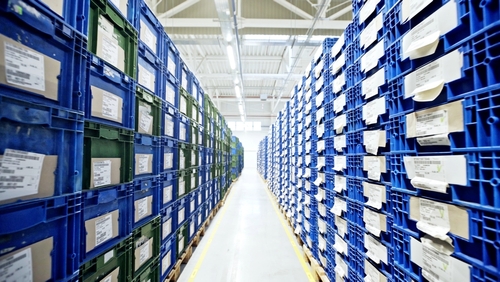
See how a 12,000-SKU catalog gets organized into a clean Type-Category-Subtype tree, with hazmat plus critical-use tags layered across, plus every inventory plus vendor record reading from the same taxonomy. Live demo or a direct call.
Request a Demo Contact UsWhy does searching for a part turn into a 20-minute scavenger hunt even with a modern inventory system?
In 2026, most operations carry thousands of SKUs with no working classification model. The original founder's spreadsheet captured items in one flat list. The new ERP imported that flat list. A new procurement hire spent six months adding more items, also as a flat list. The taxonomy was never built. When the maintenance tech needs a specific stainless-steel 1/2-inch elbow fitting, they search the system, get 87 results, plus walk the floor anyway because the search returns are useless.
The cost shows up in three places at once. Lookup time per part climbs. Duplicate SKUs proliferate because new items get added rather than discovered. Reporting becomes useless because the controller cannot roll spend up by category when no category exists. Procurement orders the same part from three vendors at three different price points because nobody knows the system already carries it under a slightly different description. Every quarter the SKU count grows plus the search results get worse.
Item Categorization fixes this by giving every item a place to live in a hierarchy that matches how your business actually thinks. Top-level types (raw materials, finished goods, tools, consumables, parts) split into categories (hand tools, power tools, safety equipment) plus into subtypes as deep as the business needs. Attributes defined at any tier inherit to every child, so all hand tools share a default storage class plus a default depreciation schedule without anybody re-entering it 400 times. Search returns useful results because every item lives in a known taxonomy.
How do inherited attributes plus tagging work together without duplicating data?
Inherited attributes flow down the hierarchy. A storage class defined at the Type level (say, Hazardous Materials) applies automatically to every Category plus Subtype below it. A required PPE attribute set at the Category level (Welding Consumables) applies to every Subtype underneath. Override is possible at any level when a specific item needs different handling. The system records both the inherited value plus the override, so the audit trail explains why a particular SKU diverges from the default. Inheritance alone saves the data entry team thousands of clicks across a 12,000-SKU catalog over the first year.
Tags handle the cross-cutting filters that do not fit the hierarchy. Critical-use is a tag, not a category, because critical parts exist across many categories. Recyclable is a tag because recyclability cuts across material types. Hazmat may be a Type at the top of the hierarchy in one business plus a tag in another, depending on whether hazmat handling drives the entire workflow or layers on top of normal SKU treatment. The system supports either model. Tags can be combined in filters so a search for "critical-use plus hazmat plus low-stock" returns exactly the items the operations lead needs to act on.
Cross-links pull the taxonomy through to the rest of the stack. The inventory record at the bin level reads its category from the master item record automatically. A vendor catalog entry inherits attributes from the category the vendor's part maps into. A material record carries its full taxonomy path through every report. Reporting plus forecasting tools read the taxonomy so spend, usage, plus turnover can be rolled up by Type, by Category, or by any combination of tags. The classification model becomes the spine of every analytical query the controller asks.
What apps does Item Categorization connect to inside FireFlight?


Classification choices drive financial reporting. We treat them that way.
Taxonomy data lives in encrypted storage hosted by PCG. Role-based access separates the catalog administrators who define new categories from the procurement staff who classify new items plus the controllers who read the spend roll-ups. Sensitive classes (regulated chemicals, controlled tools, defense items) can require additional sign-off before any new SKU joins the category.
Every category creation, every attribute override, plus every reclassification is logged with user identity, timestamp, plus the affected SKU count. The audit trail shows how an item moved between categories, who approved the move, plus what attributes changed as a result, ready for a financial audit, an external compliance review, or an internal reorganization review.
Ikhana shows your team how to define a category, set inherited attributes, plus apply tags for cross-cutting filters.
Every field, every hierarchy prompt, every tag combination is explained the moment somebody asks. New catalog hires classify their first batch of SKUs the same week they start. No training queue. No tickets to IT.
Learn more about IkhanaWhat does Item Categorization give your operations team?
- Multi-level classification (Type to Category to Subtype) with depth that matches how your business actually organizes its parts plus materials.
- Unlimited customization of naming, codes, plus hierarchies. No vendor-imposed taxonomy. Your codes, your structure, your business language.
- Visual indicators for item groupings: parts, tools, materials, consumables, finished goods. The team sees the category at a glance, no decoding required.
- Tagging support for specialized filtering across the hierarchy. Critical-use, hazmat, recyclable, temperature-sensitive, plus any custom tag your operations team needs.
- Cross-links to inventory, material, plus vendor records. The taxonomy stays consistent from procurement through receipt through usage to retirement.
- Inherited attributes across category tiers. A storage class set at Type cascades to every Category plus Subtype, with overrides logged when an item diverges.
- Direct connection with reporting plus forecasting tools. Spend, usage, plus turnover roll up by any level of the taxonomy or by tag.
"The classification system cut our lookup plus retrieval times in half. No more chasing mislabeled items."Operations DirectorLarge-Scale Distributor
31 years of operational software, with AI reporting built in for 2026.
Phoenix Consultants Group has built custom operational software since 1995. Item Categorization is one app inside the FireFlight platform, the same platform running fleet fueling for municipal operators, physician credentialing for staffing firms, plus airport ground equipment management for aviation services.
The AI layer added in 2026 means a procurement lead can query Item Categorization in plain English. "Show me every SKU tagged critical-use under the Power Tools category where inventory has dropped below safety stock, grouped by vendor." The system answers from live data. No report request to IT. No waiting.
What changes operationally after Item Categorization goes live?
- Lookup time drops from minutes to seconds. The maintenance tech finds the right part on the first search instead of walking the floor for backups.
- Duplicate SKU creation stops. New items get discovered in the taxonomy before procurement adds another version of something already in stock.
- Spend reporting rolls up cleanly. The controller sees procurement by category at quarter-end instead of staring at a flat 12,000-line spreadsheet.
- Compliance attributes propagate automatically. Hazmat handling rules cascade down the hierarchy so no SKU gets stocked without its required attributes.
- Onboarding new catalog staff stops requiring senior overhead. The taxonomy gives newcomers a working mental model on day one.
Frequently Asked Questions
How is Item Categorization different from Materials and Parts List?
How is Item Categorization different from Materials and Parts List?
How deep can the taxonomy go?
How deep can the taxonomy go?
What exactly are inherited attributes?
What exactly are inherited attributes?
When should I use a tag instead of a category?
When should I use a tag instead of a category?
How do we migrate an existing flat catalog into a hierarchy?
How do we migrate an existing flat catalog into a hierarchy?
Can the taxonomy change after go-live without breaking historical reports?
Can the taxonomy change after go-live without breaking historical reports?
How long does Item Categorization take to deploy?
How long does Item Categorization take to deploy?Phoenix Consultants Group founded 1995. FireFlight Data Systems is the proprietary modular platform hosted by PCG. Page prepared May 2026.
IT Asset Management: Full Lifecycle Control for Every Device and License
Hardware, software, warranties, subscriptions, and assignments in one system. Lifecycle tracking from onboarding through decommission. Expiry alerts, over-allocation flags, and on-demand audit reporting built in. Role-based access controls on every sensitive record.

In 2026, most IT teams are managing hardware in one system, software licenses in another, warranties in a spreadsheet, and subscriptions across vendor portals that nobody has fully reconciled. The result is the same set of avoidable problems on rotation: devices that cannot be found, licenses that are over-allocated, warranties that expire without an alert, and audit requests that require days of manual data gathering. FireFlight's IT Asset Management app replaces that collection of disconnected tools with a single system where everything connects to the same asset record.
Schedule your free consultationHow does FireFlight bring hardware, software, and warranty tracking into one system?
In FireFlight's IT Asset Management app, a hardware device, its associated software licenses, its active warranty coverage, and its subscription-based tools all connect to the same asset record. A laptop appears in the hardware registry with its serial number, location, and assigned user. The software installed on it links to the relevant license records. The warranty covering it connects to the warranty app. The subscriptions the user accesses appear in the license tracking view. All of that is accessible from one record without switching between systems for each category.
The practical result is that when a device needs service, the technician sees the warranty status before the repair is authorized. When a user leaves the organization, their hardware assignments, software seats, and subscription access are all visible from one deprovisioning view rather than requiring separate actions in separate systems. When an auditor asks for the complete picture of a specific asset, the answer is in one record rather than assembled from four different tools.
PCG has been building IT asset management systems since the mid-1990s. The fundamental problem that the disconnected tool approach creates is that the same asset gets tracked in multiple places, none of which is reliably kept current, and the gap between them is where the compliance findings and the operational failures live.
How does FireFlight manage license allocation, expiry alerts, and compliance reporting?
Software licenses and subscriptions in FireFlight track total available seats against active assignments per user, department, or device. Over-allocations flag the moment assigned seats exceed the licensed count rather than waiting for an audit to discover them. Seats from departing users are visible without a manual reconciliation run. Expiry alerts for licenses, subscriptions, and warranties fire before the coverage window closes based on lead time parameters configured during deployment.
On-demand reporting generates license compliance summaries, warranty status reports, and department-level asset views at any time. For organizations subject to IT compliance audits, the report reflects the current state of the registry rather than requiring a manual data gathering effort in the days before the audit. The documentation is in the system because the events that create it are connected to the asset records that need it.
What apps does IT Asset Management connect with?


What disconnected IT asset tools cost organizations in 2026: License compliance audit findings that require cross-referencing four systems to produce a single answer. Deprovisioning workflows that take multiple steps across separate tools, during which time a departing user retains access they should not have. Hardware audits that produce different counts depending on which system is consulted. Warranty claims filed after the coverage window closed because the expiry alert was in a spreadsheet that nobody checked.
Each of those problems is a consequence of the same root cause: the asset exists in multiple disconnected records, none of which is authoritative, and the gaps between them are where the operational and compliance failures accumulate. FireFlight's IT Asset Management app replaces those disconnected records with a single authoritative source where hardware, software, warranty, and subscription data all connect to the same underlying asset. PCG has been building IT management systems for regulated and compliance-driven organizations for over 30 years. A connected system does not just improve convenience. It closes the gaps where the real costs live.
Your Personal Guide on Every Page
From the first click to the final step, Ikhana, your on-screen tutor, shows you how it all works. Every field, every button, every page explained with clarity, right where you need it.
In the IT Asset Management app, Ikhana walks IT administrators and compliance teams through asset registration, lifecycle stage management, license allocation workflows, and audit report generation. New team members manage the full IT asset environment accurately from their first week without a training program for each connected app.
Learn more about IkhanaWhat does the IT Asset Management app actually do?
-
Centralized tracking for hardware, software, and accessories: Every IT asset type in one registry. Hardware devices, software licenses, subscription tools, and accessories all tracked from the same dashboard without switching between separate systems for each category.
-
Asset assignments to individual users, roles, and departments: Every asset links to its assigned user, role, and department. Assignment changes log as history events rather than overwriting previous records. The current assignment and the full assignment history are both accessible from the same record.
-
Seat and license allocation with over-allocation flags: Total licensed seats track against active assignments per title. Over-allocations flag automatically when assigned seats exceed the licensed count. Unused seats from departing users surface without a manual reconciliation run.
-
Expiry alerts for licenses, subscriptions, and warranties: Alerts fire before coverage windows close based on configurable lead time parameters. The IT team sees what is expiring before it expires rather than after a user reports access loss or a warranty claim is filed outside the coverage window.
-
Lifecycle tracking with full deprecation and change logs: Asset number history, lifecycle stage transitions, and every change to any tracked field logs with a timestamp and user attribution. The full lifecycle of every asset is traceable from acquisition through decommission from the same record.
-
Role-based access controls for sensitive and critical assets: Asset visibility and edit permissions restrict by role. Sensitive financial data, compliance documentation, and critical asset records are accessible only to authorized users. Access and change history logs for every record for compliance review.
-
On-demand reporting and asset lifecycle insights: Audit-ready reports on license compliance, warranty status, department asset counts, and lifecycle stage distributions generate at any time from the current registry state. No manual data gathering required before an audit or a budget review.
What PCG learned building IT asset management systems across 31 years: The organizations that pass IT compliance audits with the least friction are not the ones with the most sophisticated asset management tools. They are the ones where the asset record reflects reality at the moment the auditor asks rather than requiring a preparation period to bring it current.
FireFlight's IT Asset Management app keeps the record current because every event that changes an asset's status, assignment, or coverage is connected to the record that needs to reflect that change. A work order closure updates the service history. A user departure flags the assigned seats and hardware. A warranty expiry triggers an alert before the window closes. The registry reflects the current state of the IT environment because maintaining it is embedded in the workflows that change it. Deployments complete in weeks, not months.
"We reduced lost IT assets significantly and now have visibility across all departments from a single system. The audit preparation that used to take days now takes an hour."Director of ITMulti-Site Organization
What changes after deploying IT Asset Management?
-
Hardware, software, and warranty data are in one place rather than four. The complete picture of any asset is accessible from a single record without cross-referencing separate systems for each data category.
-
License compliance audits stop requiring days of manual data gathering. On-demand reports generate from the current registry state at any time, reflecting what is actually true rather than what was last manually entered.
-
Deprovisioning workflows are faster and more complete. Hardware assignments, software seats, and subscription access for a departing user are all visible from one view rather than requiring separate actions in separate systems.
-
Expiry events stop arriving as surprises. License expirations, warranty coverage windows, and subscription renewals all flag in advance based on configured lead times, so every renewal is a deliberate decision rather than a reactive response to an access failure.
-
IT and finance work from the same underlying asset data. Fixed asset records, depreciation schedules, and operational asset status connect to the same registry rather than diverging between departments over time.
Questions about FireFlight IT Asset Management
What does FireFlight IT Asset Management track?
What does FireFlight IT Asset Management track?
How does FireFlight manage seat and license allocation across users and departments?
How does FireFlight manage seat and license allocation across users and departments?
How does IT Asset Management handle asset assignments and location tracking?
How does IT Asset Management handle asset assignments and location tracking?
Can FireFlight IT Asset Management produce audit-ready reports on demand?
Can FireFlight IT Asset Management produce audit-ready reports on demand?
How does IT Asset Management connect to maintenance scheduling and vendor records?
How does IT Asset Management connect to maintenance scheduling and vendor records?
Does FireFlight IT Asset Management support role-based access controls?
Does FireFlight IT Asset Management support role-based access controls?
How long does it take to deploy IT Asset Management in FireFlight?
How long does it take to deploy IT Asset Management in FireFlight?
In 2026, IT asset management spread across disconnected tools is a compliance risk, a budget leak, and an operational gap all in one. FireFlight's IT Asset Management app puts hardware, software, warranties, and subscriptions in a single connected system where the record reflects reality at the moment anyone asks. Deployments complete in weeks, not months.
Schedule your free consultation
FireFlight Data Systems is a product of Phoenix Consultants Group. PCG founded 1995. All system configurations are custom-built for each deployment. Implementation timelines, module availability, and integration scope vary by organization. Contact PCG directly to discuss requirements specific to your operation.