

Cutlist Manager: Get More Pieces From Every Sheet
Cutlist Manager auto-generates cutting patterns for wood, sheet goods, plus other materials, so you get more usable pieces from each board. Preview every layout, compare yield against waste, and adjust by hand before anything hits the saw.
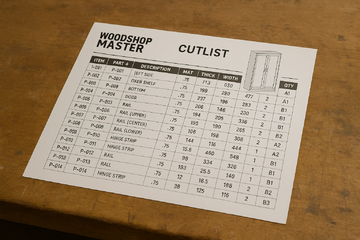
Why does so much material end up as scrap?
Cutting by eye wastes material. A worker grabs a full sheet, makes the cuts that are top of mind, and the offcuts pile up because nobody planned how the parts fit together. On one board the loss is small. Across a production run it adds up to a real number.
The waste hides in two places. Raw material you paid for ends up in the bin, and the labor to recut a botched panel is time you do not get back. In 2026, with sheet goods priced the way they are, throwing away usable material is throwing away margin.
Cutlist Manager plans the layout before the first cut. It nests the parts onto each sheet, shows you the yield, plus flags the remnants worth keeping. The saw operator follows a pattern.
How does Cutlist Manager get more out of each sheet?
Every cutlist generates from a source you already have. A project template, a parts list, plus a one-off part you key in by hand. The app lays out the cuts and gives you more than one pattern to choose from, so you can weigh a nested layout against a simpler vertical run.
Each option comes with a visual preview and the yield math behind it. You see waste and remnants per scenario, batch several jobs together, and tie the output into part numbering and pattern tracking. When a last-minute change comes in, you edit the output by hand instead of starting over.
Most deployments run in weeks, not months. Your templates and parts lists come over clean, and the patterns match the stock you actually buy. The operator stops guessing and the scrap pile shrinks.
What apps does Cutlist Manager connect to?
 Project Templates
 Inventory Control
 Materials & Parts List
 Manual Library
 Pattern Libraries
How is your cutlist data protected?
Your templates, patterns, plus the parts behind them sit on a platform hosted by Phoenix Consultants Group, not handed to a third party you never chose. Access is set by role, so a saw operator sees the patterns for the job in front of them and nothing else.
Every edit to a cutlist is logged, so a last-minute override never gets lost and you can trace any change back to who made it.
What does Cutlist Manager give your team?
 Auto-generated cutlists drawn from templates, projects, plus the individual parts you key in.
- Multiple cut pattern options, including nested layouts.
- Visual layout previews for each cut scenario before anything reaches the saw.
- Material usage math for yield, waste, plus remnants.
- Batch processing that runs multiple jobs or patterns in one pass.
- Tie-in with part numbering and pattern tracking.
- Editable output for manual override when a last-minute change comes in.
The Cutlist Manager has saved us thousands in raw materials and labor hours by optimizing every cut.Production LeadCustom Cabinetry Business
Built by people who answer the phone
Phoenix Consultants Group has built custom software since 1995. About a third of that work has been operations and compliance tracking for environmental and industrial firms. Cutlist Manager comes from that same practical line of work, not from a generic optimizer bolted onto a website.
The same platform now adds AI reporting. A shop lead can ask a plain-English question about yield or waste across recent jobs and get an answer from live data, with no canned report and no waiting on IT. Most deployments still run in weeks, not months.
What changes operationally after deployment?
- The saw operator works from a printed pattern, not a mental plan.
- Scrap shrinks on every production run.
- A last-minute change gets edited into the output in seconds.
- Yield and waste turn into trackable numbers.
- Less material hits the bin, so you reorder stock less often.

Ikhana walks your team through every field
From the first click to the last entry, Ikhana sits on the page as your on-screen tutor. Every field, every button, explained the moment you need it. No thick manual, no support ticket.
Learn moreFrequently Asked Questions
Can Cutlist Manager cut down on material waste?
Can Cutlist Manager cut down on material waste?Where do the cutlists come from?
Where do the cutlists come from?Can I see the layout before I cut?
Can I see the layout before I cut?What happens when a job changes at the last minute?
What happens when a job changes at the last minute?How long does it take to get Cutlist Manager running?
How long does it take to get Cutlist Manager running?Does Cutlist Manager handle a full production run, not just one item?
Does Cutlist Manager handle a full production run, not just one item?Phoenix Consultants Group. Founded 1995. FireFlight Data Systems is PCG's hosted platform. Last updated June 2026.








Custom Reporting: Reports Built to Your Spec, Not Yours to Build
Custom Reporting delivers professionally built reports designed to your exact specification. You describe what you need, PCG builds the layout, query logic, plus delivery. No report builder is required on your end.

Why build a report yourself when the format has to be exact?
Some reports cannot be rough. A compliance document, a board summary, a printout that goes to a client. The formatting matters as much as the numbers, and a self-serve builder leaves you fighting layout instead of running the business.
That is where the time drains away. Someone in operations spends an afternoon wrestling column widths and conditional highlights, or a recurring report gets rebuilt slightly differently every month because nobody owns the template. In 2026, a report that has to be right every time should not depend on who happened to build it.
Custom Reporting takes the build off your plate. You describe what the report needs to say and how it needs to look, plus PCG configures the layout, the query logic, plus the delivery. You get a reliable tool, built once, used as often as you need.
How is Custom Reporting different from the Ad-Hoc tool?
Ad-Hoc Reporting is the self-serve, technical tool. Custom Reporting is the opposite: fully managed. You explain the result you want, and PCG builds the logic, the formatting, plus the access points for you.
That suits the people who need the output, not the build. An executive who wants polished insight, a field team that needs a clean printout, plus an auditor who needs a compliance-ready document. The report shows up where they work, as a button, an icon, or a tab, and runs on schedule, on demand, or on a trigger.
Most deployments run in weeks, not months. The report draws on data already in the platform, so there is nothing to import. The team stops rebuilding the same document and starts trusting it.
What apps does Custom Reporting pull from?
 Invoices & Quotes
 Inventory Control
 Certifications
 Client Tracking
 Procurement
How is your reporting data protected?
Custom Reporting runs on the same platform that holds your data, hosted by Phoenix Consultants Group. It is never handed to an outside report vendor. Each report integrates with user roles and logs, so a person only sees the records and output they are cleared to see.
Because PCG builds the report, the access rules are part of the design, not an afterthought bolted on later.
What does Custom Reporting give your team?
- Professionally designed reports built to your exact specification.
- Report access from anywhere in the system.
- Record-level or filtered report generation when you need it.
- PDF, print-friendly, plus multi-page layouts.
- Multi-table logic with conditional formatting handled for you.
- Reports surfaced via buttons, icons, or tabs.
- Scheduled, on-demand, or triggered output delivery.
- Integration with user roles, logs, plus workflows.
We needed a recurring report to summarize labor, parts, plus project spend by department. Within a week, they delivered exactly what we asked for.Jordan M.Operations Lead
Built by people who answer the phone
Phoenix Consultants Group has built custom software since 1995. About a third of that work has been operations and compliance tracking for environmental and industrial firms, where a report that has to satisfy an auditor leaves no room for error. Custom Reporting comes from that experience.
The same platform also adds AI reporting for the questions that come up between scheduled reports. Your team can ask a plain-English question against live data and get an answer back, with no canned report and no waiting on IT. Most deployments still run in weeks, not months.
What changes operationally after deployment?
- A compliance report comes out the same way every time.
- Nobody wrestles layout before a deadline.
- The report shows up where the team already works.
- An auditor gets a clean document.
- A recurring report runs on schedule without a rebuild.
Ikhana walks your team through every field
From the first click to the last entry, Ikhana sits on the page as your on-screen tutor. Every field, every button, explained the moment you need it. No thick manual, no support ticket.
Learn moreFrequently Asked Questions
Can FireFlight build a report for us instead of us building it?
Can FireFlight build a report for us instead of us building it?How is Custom Reporting different from Ad-Hoc Reporting?
How is Custom Reporting different from Ad-Hoc Reporting?Can a custom report pull from more than one module?
Can a custom report pull from more than one module?Can reports be scheduled or triggered automatically?
Can reports be scheduled or triggered automatically?Are the reports formatted for printing and compliance?
Are the reports formatted for printing and compliance?How long does it take to get a custom report built?
How long does it take to get a custom report built?Phoenix Consultants Group. Founded 1995. FireFlight Data Systems is PCG's hosted platform. Last updated June 2026.
Bin & Location Management: every item placed, every location known
Warehouse teams lose time when location data lives in someone's head or a spreadsheet that is always one update behind. This app gives you a full hierarchy from site down to bin, assigns quantities to exact storage slots, and keeps that structure live across picking, receiving, plus transfers.
Yes. Bin & Location Management supports a five-tier structure from site to bin, assigns and tracks inventory quantities at each level, flags capacity limits, plus connects directly to picking, receiving, plus transfer workflows. Teams running multiple warehouses or distribution points are operational in weeks, not months.
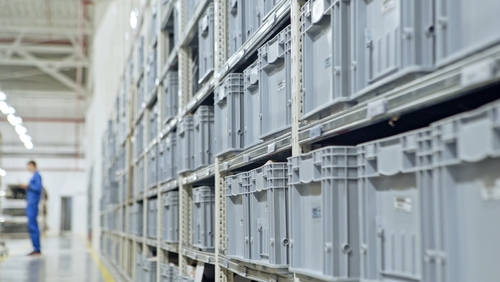
In 2026, operations teams running multiple storage zones without location-level data are losing time on every pick cycle. See how bin-level control looks on a live dataset built for your type of operation.
Request a Live Demo Contact UsWhy does inventory accuracy break down at the location level?
Most inventory systems track what you have. Far fewer track where it is at the level that actually matters during a pick or a putaway. A system that knows you have 200 units of a fastener does not help a warehouse worker who needs to find them across three buildings and six zones before a production line stops waiting. The gap between "we have it" and "we know exactly where it is" is where accuracy breaks down and pick errors multiply.
The problem compounds in operations that grew organically. A single storeroom becomes two warehouses. Zones get added informally. Someone starts maintaining a personal spreadsheet of which bin holds which item because the main system does not go that deep. That spreadsheet becomes the actual system, until the person who maintains it is out sick or leaves. Then the location knowledge walks out the door with them.
Bin-level location management is not a luxury for large distribution centers. Any operation with more than one storage zone, more than one person doing putaway, or any expectation of audit-readiness needs location data that lives in the system rather than in someone's memory or a personal file.
How does the app give your team precise control over every storage slot?
The location hierarchy in FireFlight runs five levels deep: Site, Location, Building, then Zone down to Bin. You build the structure to match your physical layout exactly. A single storeroom might use three levels. A multi-site distribution operation might use all five. The system does not force a structure on you. You define what your operation actually looks like, then assign inventory quantities to the nodes where items actually live.
Bin rules give operations managers the controls that matter at scale. You can set capacity limits per bin so putaway workflows flag overflow before it happens. You can lock or freeze individual bins during cycle counts or reorganization without affecting the rest of the warehouse. Barcode-ready location ID fields mean the same records that display on screen map directly to whatever scanning hardware your team already uses.
The connection to picking, receiving, plus transfers is live, not batch. When a goods receipt closes against a bin, that bin's quantity updates immediately. When a transfer moves items between zones, both locations reflect the change before the next pick cycle starts. The inventory count your team sees is the inventory count that is actually there, not a snapshot from last night's sync.
What apps does Bin & Location Management connect to?
Location data is only useful when it is connected to what is moving. These modules read from and write to the same location records your warehouse team maintains.


Your location data stays on your infrastructure
FireFlight is hosted by Phoenix Consultants Group on infrastructure PCG owns and controls directly. Your warehouse hierarchy, bin assignments, and inventory counts are not on a shared SaaS platform where another company's outage takes your operations offline. PCG has managed its own hosting environment since 1995.
Role-based access controls what each user can see and modify. A warehouse worker doing putaway sees their bins. A manager doing a cycle count sees the full zone. An auditor gets read-only access to the location records they need without touching anything else. Every action on a bin record carries a user stamp and a timestamp.
What does Bin & Location Management give your team?
-
Five-tier location hierarchy from site down to individual bin. Build the structure to match your physical layout. Single storeroom or multi-site distribution, the same system handles both.
-
Inventory quantities assigned and tracked at the bin level. Know not just what you have but exactly where it is sitting before the pick cycle starts.
-
Bin capacity rules that flag overflow before putaway happens. Set limits per location. The system warns when a bin is approaching capacity rather than letting an overfill create a floor problem.
-
Bin lock and freeze controls for audits or reorganization. Take a bin or zone out of active use without disrupting the rest of the warehouse. Restore it when the count or move is complete.
-
Barcode-ready location ID fields for scanning compatibility. The same location records that display on screen map directly to your existing scanning hardware without a separate configuration layer.
-
Live updates from receiving, transfers, plus picking workflows. Bin quantities reflect actual movements as they happen. No overnight sync. No stale count from a batch run that finished hours ago.
-
Support for serialized, batch, plus standard inventory types. One location structure handles all three without separate modules or separate location records per inventory classification.
-
Visual mapping for warehouse layout and slotting decisions. The floor plan lives as data, not a separate drawing that goes stale the moment something moves. Update a bin assignment and the layout reflects it immediately.
"We reduced picking errors by 85% once we mapped everything down to the bin. The system knows where everything is. So does our team."Inventory ManagerMulti-Site Supplier
Your warehouse data should answer questions, not just store them
In 2026, the operations managers who move fastest are the ones who can query their own live data without waiting for a report. FireFlight's AI reporting layer lets warehouse managers ask specific questions about their location data and get direct answers from the actual records, not a canned summary built last week. Which bins have been frozen longest. Which zones are running above 90% capacity. Where a specific serialized item was last confirmed. The question goes in. The answer comes from your data.
Phoenix Consultants Group has been building custom operations software since 1995. The AI layer is not a bolt-on from a third-party vendor. PCG built it into FireFlight because the clients who needed custom software in 1995 still need the same thing today: a system that answers their specific operational questions rather than making them fit their questions to a canned report structure. Over 500 applications built. The same team answers the phone when something needs adjusting.
What changes operationally after deploying this app?
-
Pick cycles run faster because workers know the exact bin before they start moving, not after they have checked three possible locations.
-
Cycle counts become auditable because every bin has a defined record. The count is a comparison against data, not a starting-from-zero recount of every shelf.
-
Warehouse reorganizations stop being a documentation crisis. Move the physical items, update the bin records, and the system reflects the new layout the same day.
-
New staff reach full productivity faster because location knowledge is in the system rather than transferred informally from whoever trained them.
-
Receiving discrepancies link directly to the bin where an item was placed, so tracing a putaway error takes a search rather than a conversation with whoever was on the dock that day.
New warehouse staff productive from day one
Ikhana walks every user through bin assignments, location lookups, and transfer workflows directly on the screen they are using. No separate training session required before someone can do a putaway or run a location search. The guidance is embedded in the workflow, not in a manual that lives in a drawer somewhere.
Learn more about IkhanaFrequently Asked Questions
How deep can the location hierarchy go, and can we configure it for our specific warehouse layout?
How deep can the location hierarchy go, and can we configure it for our specific warehouse layout?
Can we lock bins during a cycle count without stopping the rest of the warehouse?
Can we lock bins during a cycle count without stopping the rest of the warehouse?
Does this work with the barcode scanners we already have in the warehouse?
Does this work with the barcode scanners we already have in the warehouse?
How does the app handle items that can be stored in more than one bin at a time?
How does the app handle items that can be stored in more than one bin at a time?
How long does it take to map our existing warehouse into the system and go live?
How long does it take to map our existing warehouse into the system and go live?
Can we set capacity limits per bin and get alerts when a bin is getting full?
Can we set capacity limits per bin and get alerts when a bin is getting full?
Does Bin & Location Management work for operations that handle serialized or batch-tracked inventory?
Does Bin & Location Management work for operations that handle serialized or batch-tracked inventory?
Phoenix Consultants Group. Founded 1995. FireFlight Data Systems is a proprietary platform developed and hosted by PCG. Page last reviewed May 2026.
Bulk Message Scheduling: Set It Once, Deliver on Time
FireFlight Bulk Message Scheduling sends mass emails plus SMS to any segmented audience on a precise schedule. One-time campaigns or recurring series. Merge-field templates pull live record data at delivery in 2026.
How do you send a thousand reminders on the right day without a manual export? Bulk Message Scheduling composes the campaign once, picks the audience by app context or tag, then queues every message for the time you specified. The system handles delivery. Outgoing Message Logs records the result. Your team stops running last-minute reminder batches by hand.

See how Bulk Message Scheduling turns a manual reminder run into a one-time setup that fires on schedule across email and SMS. Deployments run in weeks, not months.
Request a Demo Contact SalesWhy do manual bulk sends keep breaking down?
Most operations teams in 2026 still send mass messages the manual way. Somebody exports a list from the database. The list gets pasted into a marketing tool, paired with a template copied from an old draft, and someone tries to remember which fields need updating before sending. Hits send late on a Friday afternoon. Hopes the right people got the right version.
The problem is that the export breaks the link between the message and the live record. By delivery time, three people on the list have moved jobs entirely. Two are no longer customers. One has a new email address the exported list never learned about. The audit trail lives somewhere outside the platform that owned the data in the first place.
Bulk Message Scheduling fixes this. The campaign lives inside the system. The audience is a saved query against live records, not a frozen export from yesterday or last week. Merge fields resolve at delivery, not at composition. Every send writes a line to the Outgoing Message Logs against the contact that received it.
How does the app handle recurring schedules and audiences?
Each campaign carries a delivery schedule. A one-time send for a specific date and time. A recurring weekly digest. A monthly compliance reminder that fires on the same day every cycle. The schedule lives with the campaign, so when the team sets the rule once, the platform keeps running it.
Audiences come from app context, tags, or saved queries. Pick every active client tagged "Northeast region". Pick every technician with a certification expiring in the next 60 days. Pick every vendor flagged for a quarterly review. The audience reevaluates at delivery time, so a contact who became inactive between scheduling and sending drops off automatically.
Preview before queueing. The composer shows what each recipient will actually see, with their merge fields resolved, before anyone clicks the schedule button. The reminder that goes out at 6am on Monday is the one your team reviewed at 4pm on Friday.
What apps does Bulk Message Scheduling connect to?


Role-Based Approval plus Audit Trail
Setup and approval permissions sit behind role-based controls. Marketing can compose customer-facing campaigns. Compliance owns regulatory reminders. A campaign cannot reach the queue until the right role signs off, so a wrong audience or a stale template cannot land in a thousand inboxes by accident.
Outgoing Message Logs records every send. When a regulator asks who received a compliance reminder on a specific date, the answer comes from one query rather than from reconstructing an export.
Your guide for every field, every screen
Ikhana walks new users through campaign composition, audience selection, schedule setup, plus the preview step before the queue.
New hires reach productivity in hours instead of weeks. Onboarding stops being a separate project.
Learn more about IkhanaWhat does Bulk Message Scheduling give your team?
- Mass email plus SMS scheduling by audience, app context, or tag. One composer, two channels.
- Specific delivery dates and times, or recurring schedules that run weekly, monthly, or on a custom cadence your operation defines.
- Merge-field templates that resolve to live record data at the moment the message fires.
- Preview before queueing, showing each recipient exactly what they will receive with their merge fields resolved against current records.
- Delivery status tracked through Outgoing Message Logs. Every send writes a line.
- Role-based access for message setup plus approvals, so the wrong audience or stale template cannot ship by accident.
- Audience reevaluation at delivery time. Inactive contacts drop off between scheduling and sending without manual cleanup.
- Deployment runs in weeks, not months. Hosting sits on PCG infrastructure.
"No more last-minute reminder runs. Now we set it once and forget it. Everything just goes out when it should."Program ManagerRegional Trade Training Organization
Ask your campaign data a question in plain English
Phoenix Consultants Group has built custom database software since 1995. Across 31 years and 500+ applications, roughly a third of that work has involved operational communications, compliance audit trails, plus scheduled reporting for private-sector clients.
FireFlight adds an AI reporting layer on top of your live campaign data. Type "show every scheduled compliance reminder firing in the next 30 days, the audience size on each, plus the delivery rate from the most recent send" and the answer comes back as a working report rather than a ticket assigned to IT. The query happens in weeks, not months of canned-report development.
What changes operationally after deployment?
- Friday afternoon reminder runs stop. The schedule fires automatically on the day and hour your team configured, including on weekends and holidays.
- Audience lists stop going stale. The reevaluation at delivery time drops inactive contacts and picks up new ones since the campaign was composed.
- Recurring compliance reminders stop requiring a recurring meeting. The schedule owns the cadence. Compliance reviews the audit log when they need to.
- Audit requests for "who received this reminder and when" get answered from the Outgoing Message Logs in seconds. Not from a reconstructed export.
- New employees learn the scheduler from Ikhana on screen, so onboarding compresses from weeks of shadowing into a few hours of guided work inside the actual app.
Frequently Asked Questions
Can a single campaign send both email and SMS to the same audience?
Can a single campaign send both email and SMS to the same audience?How do recurring schedules work?
How do recurring schedules work?Can we preview what each recipient will actually see before the campaign sends?
Can we preview what each recipient will actually see before the campaign sends?What happens when a contact becomes inactive between scheduling and sending?
What happens when a contact becomes inactive between scheduling and sending?How does the app track delivery success on a bulk send?
How does the app track delivery success on a bulk send?How long does Bulk Message Scheduling take to deploy?
How long does Bulk Message Scheduling take to deploy?Can we query our scheduled campaigns using natural language?
Can we query our scheduled campaigns using natural language?Stop running Friday reminder batches by hand
One scheduler for email and SMS. Live audience queries, merge-field templates, role-based approval, plus delivery tracking. Deployments measured in weeks, not months. Hosting by PCG with phone support included.
Request a Demo Contact SalesPhoenix Consultants Group, founded 1995. FireFlight Data Systems is a proprietary platform hosted by PCG. Page last updated May 2026.
Barcode Scanning App: Capture Accuracy at the Point of Every Movement
Real-time scanning across receiving, transfers, picking, and shipping. Offline-first architecture keeps operations running without a network. Full scan audit trail with timestamps and user tracking on every transaction.

Manual inventory entry does not just slow operations down. It introduces errors at a rate that compounds across thousands of transactions per week, and those errors do not show up until they cause a problem: a stockout that was not a stockout, a shipment short by one unit, a bin location record that does not match what is physically there. FireFlight's Barcode Scanning app removes the transcription step from every receiving, transfer, picking, and shipping transaction your team runs, and keeps a complete audit trail of everything that was scanned.
Schedule your free consultationHow does offline-first scanning work and why does it matter?
FireFlight's Barcode Scanning app operates offline-first: scans are captured and stored locally on the device whether or not a network connection is present. When connectivity is restored, all scan data syncs to the system automatically. No transaction is lost. No scan needs to be repeated because the WiFi dropped in the back of the warehouse.
For operations with large warehouse footprints, outdoor receiving areas, or intermittent connectivity, this is the difference between a scanning system that works reliably and one that creates as many problems as it solves. The offline-first architecture means the decision about where to scan is driven by where the work happens, not by where the WiFi reaches.
How do scan-triggered workflows work in FireFlight?
Specific scan events trigger predefined workflows automatically. Scanning an item at the receiving dock triggers a goods receipt workflow. Scanning at a picking station triggers a stock issuance record. Scanning at shipping triggers a dispatch confirmation. Each trigger is configured for your specific operation during deployment so the scan drives the next step rather than requiring the operator to navigate to a separate screen and initiate a transaction manually.
The practical effect is that the scanning device becomes the primary interface for warehouse staff. They scan the item, confirm the quantity if prompted, and move on. The system handles the record creation, the location update, and the downstream workflow trigger. PCG has been configuring scan-triggered inventory workflows for warehouse and distribution operations since the mid-1990s. The configuration that matches your receiving, putaway, picking, and shipping sequences is built before go-live, not discovered through trial and error after deployment.
What apps does Barcode Scanning integrate with?


The audit trail that most warehouse operations are missing: When an inventory discrepancy is discovered, the first question is always the same: what happened? Without a scan audit trail, the answer requires reconstructing the transaction from memory, paper logs, and system records that may not agree with each other. That reconstruction takes hours and often produces a partial answer at best.
FireFlight's Barcode Scanning app logs every scan with a timestamp and the user who performed it. When a discrepancy is reported, the scan history shows exactly what was scanned, by whom, and when. Error correction is available directly from the scan history without requiring a manual journal entry. For operations subject to inventory audits or regulatory review, this trail is not optional. It is the documentation that makes an audit answerable rather than an exercise in reconstruction.

Your Personal Guide on Every Page
From the first click to the final step, Ikhana, your on-screen tutor, shows you how it all works. Every field, every button, every page explained with clarity, right where you need it.
In the Barcode Scanning app, Ikhana walks warehouse staff through scan-triggered workflows, offline sync procedures, and error correction from scan history. New team members are running live scanning operations on their first shift without a dedicated training session for each workflow type.
Learn more about IkhanaWhat does the Barcode Scanning app actually do?
-
Real-time scanning across all stock records: Every scan posts directly to the inventory record it affects. Receiving, transfers, cycle counts, picking, and shipping all update in real time. No end-of-shift data entry batch. No reconciliation step between what was scanned and what the system shows.
-
Offline-first architecture with sync-on-connect: Scans captured without a network connection store locally and sync automatically when connectivity returns. Warehouse operations in areas with intermittent WiFi or outdoor receiving docks run without interruption. No transaction is lost when the network drops.
-
Scan-triggered workflows for receiving, stocking, picking, and shipping: Predefined workflows trigger automatically from specific scan events. The operator scans and moves on. Record creation, location updates, and downstream workflow triggers happen in the system without requiring navigation to a separate transaction screen.
-
Full scan audit trail with timestamps and user tracking: Every scan is logged with the timestamp and the user who performed it. Scan history is searchable from the affected record. Error correction is available directly from the history without a manual journal entry.
-
Multi-location and cross-warehouse transfer support: Scanning handles transfers between bin locations, zones, and warehouses in a single workflow. Source and destination both update in real time from the same scan sequence without separate transactions at each end.
-
Batch and serial number scanning with verification: Batch updates run without confirmation between each scan for high-volume receiving and transfers. Serial-numbered and lot-tracked items link to the specific transaction at the point of the scan. The traceability record is created automatically rather than entered manually after the fact.
-
Works on external handhelds and mobile cameras: Standard Bluetooth and USB handheld scanners connect without drivers. Built-in smartphone and tablet cameras work with equal functionality. No proprietary hardware required. Staff use the devices already present in the warehouse.
What PCG learned implementing barcode scanning across 31 years of warehouse and inventory system deployments: The operations that see the most durable accuracy improvement are not necessarily the ones that scan the highest volume of transactions. They are the ones that configured scan-triggered workflows to match how their warehouse actually operates rather than how a generic system assumes it operates.
A receiving workflow configured for your specific vendor label formats, putaway logic that matches your bin structure, and pick confirmation that matches your order fulfillment sequence those configurations are what make scanning stick as a daily practice rather than a system that staff work around when the workflow does not quite fit. PCG builds those configurations before go-live. Most deployments are operational in weeks, not months.
"The scanning app removed hours from our weekly inventory counts. Everything updates instantly and the audit trail has already saved us twice during supplier disputes."Inventory LeadMid-Market Supplier
What changes after deploying the Barcode Scanning app?
-
Inventory entry errors drop immediately. The transcription step where errors were introduced is replaced by a scan that reads the code directly and posts the record without human interpretation between the physical item and the system.
-
Weekly inventory count time falls significantly. Cycle counts run from the scanner floor-to-system without a separate data entry step. The count process becomes part of normal warehouse activity rather than a scheduled event that requires dedicated staff and disrupts operations.
-
Discrepancies surface at the point of the transaction that caused them rather than at month-end reconciliation. The problem is visible when it is still fixable, not after it has propagated through downstream records for three weeks.
-
Audit and supplier dispute responses are answered from the scan history in minutes. The record shows what was scanned, by whom, and when. No reconstruction from memory or paper logs required.
-
Operations in low-connectivity areas run without interruption. The offline-first architecture captures every scan regardless of network availability, so the warehouse floor layout is determined by operational logic rather than by WiFi coverage maps.
Questions about FireFlight Barcode Scanning
What is the offline-first architecture in FireFlight barcode scanning?
What is the offline-first architecture in FireFlight barcode scanning?
Does FireFlight barcode scanning keep a full audit trail of every scan?
Does FireFlight barcode scanning keep a full audit trail of every scan?
Can FireFlight barcode scanning handle cross-warehouse and multi-location transfers?
Can FireFlight barcode scanning handle cross-warehouse and multi-location transfers?
How does scan-triggered workflow automation work in FireFlight?
How does scan-triggered workflow automation work in FireFlight?
How does FireFlight barcode scanning handle unit of measure conversions?
How does FireFlight barcode scanning handle unit of measure conversions?
Does FireFlight support both external handheld scanners and mobile camera scanning?
Does FireFlight support both external handheld scanners and mobile camera scanning?
How long does the Barcode Scanning app take to deploy in FireFlight?
How long does the Barcode Scanning app take to deploy in FireFlight?
Every manual inventory entry your team makes today is a potential error and a recoverable inefficiency. FireFlight's Barcode Scanning app replaces that entry with a scan that posts directly to the system record, triggers the right workflow automatically, and logs the full audit trail without any additional step. Deployments complete in weeks, not months. PCG configures scanning workflows for your specific operation before go-live.
Schedule your free consultation
FireFlight Data Systems is a product of Phoenix Consultants Group. PCG founded 1995. All system configurations are custom-built for each deployment. Implementation timelines, module availability, and integration scope vary by organization. Contact PCG directly to discuss requirements specific to your operation.


Asset Tagging and Labeling: Standardize, Scan, and Track With Confidence
Assign barcode, QR, and RFID tags to every asset across hardware, tools, vehicles, and equipment. Generate labels directly from the system. Link every tag to the asset record it identifies. Full audit trail on every tag event from creation through retirement.
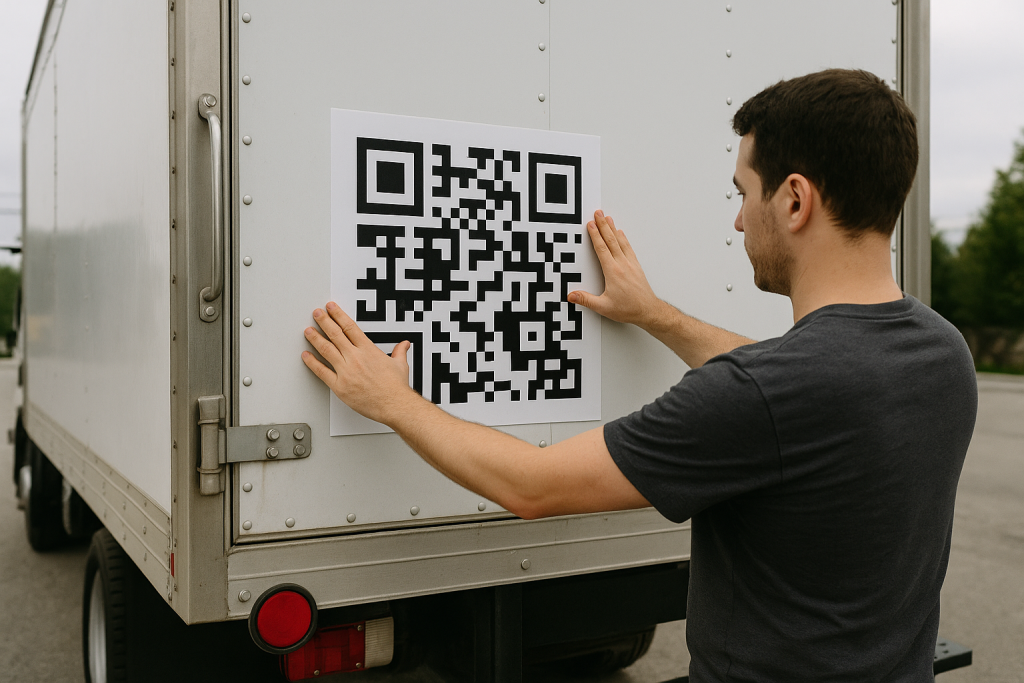
In 2026, asset audits that require physically locating every asset to verify its existence are taking time that a well-maintained tag system would eliminate entirely. A scan confirms the asset, its current location, its assignment, and its lifecycle status in under a second. The audit that used to take two days takes two hours. FireFlight's Asset Tagging and Labeling app makes that possible by connecting every tag to a live asset record rather than to a static label with no system integration.
Schedule your free consultationHow does FireFlight connect asset tags to live system records?
Each tag in FireFlight links directly to the asset record it identifies. When a tag is scanned, the full asset record retrieves instantly from the browser interface on any connected device: current location, user assignment, department, lifecycle status, and service history all visible from the scan without a manual lookup in a separate system. The tag is not just a label. It is an access point into the asset's complete operational record.
Changes to the asset's location or assignment update the connected tag record automatically. When an asset moves to a new department or a new user takes possession, the scan at the new location reflects the current state rather than the state at the time the label was printed. The tag stays current because it connects to the record rather than containing static information printed on the label surface.
PCG has been building asset management systems for industrial, IT, and compliance-driven organizations for over 30 years. The difference between a tagging system that improves audit accuracy and one that creates a new data reconciliation problem is exactly this: the tag either links to a live record or it does not. A printed label with no system connection is a label. A scan-linked tag is an asset management tool.
How does FireFlight handle retagging for transfers, replacements, and retirements?
Retagging workflows in FireFlight manage tag reassignment for every lifecycle event that changes a tag's status. When an asset transfers to a new department, the tag can retain its assignment or be replaced with a new tag carrying the updated site and department data. When a tag is physically damaged and replaced, the new tag links to the same asset record and the old tag history persists as a closed record rather than being deleted. When an asset retires, the associated tag deactivates without removing the historical record.
The full tag history for every asset is traceable: every tag that was ever associated with the asset, when it was assigned, when it was replaced, and why. For organizations subject to fixed asset audits where tag continuity is a documentation requirement, this history answers the question of how the current tag relates to the original tag assigned at acquisition.
What apps does Asset Tagging and Labeling connect with?


What unlinked asset tags cost organizations at audit time: Tags on assets that the system shows as retired. Assets in active use with no tag because the label fell off and was never replaced. Tags whose format is not consistent across departments, making the audit process different for each facility. Tag history that cannot be produced because tags were managed in a spreadsheet that was last updated when the tagging system was first set up.
FireFlight's Asset Tagging and Labeling app closes each of those gaps. Tags generate from configurable templates that enforce the same format across departments and facilities. Retagging workflows handle replacement and retirement without creating orphaned records. The tag audit trail is in the system from the first tag assignment. And because every tag connects to a live asset record, a scan at audit time confirms not just that the asset exists but that its location, assignment, and lifecycle status are current at the moment the auditor asks.
Your Personal Guide on Every Page
From the first click to the final step, Ikhana, your on-screen tutor, shows you how it all works. Every field, every button, every page explained with clarity, right where you need it.
In the Asset Tagging and Labeling app, Ikhana walks facilities teams, IT staff, and procurement coordinators through tag assignment workflows, label template setup, retagging procedures, and audit trail navigation. New team members are managing the full tag system accurately from their first week without a dedicated training session for each workflow type.
Learn more about IkhanaWhat does the Asset Tagging and Labeling app actually do?
-
Tags for hardware, tools, vehicles, and equipment in multiple formats: Barcode, QR code, and RFID all supported. Every asset class across IT hardware, facilities equipment, fleet vehicles, and operational tools is taggable in the format your operation uses. PCG configures format support for your specific scanning and printing hardware during deployment.
-
Label generation directly from the system with configurable templates: Labels generate from within the asset record using templates that include asset name, ID, site, department, and any other fields relevant to your tagging standard. Templates enforce consistent label format across departments and facilities. Labels print directly to standard or mobile label printers without a separate label design tool.
-
Tags linked to asset location, user assignment, and lifecycle data: Every tag connects to the asset record it identifies. A scan retrieves current location, assignment, department, and lifecycle status in real time. The tag is an access point into the live record rather than a static label whose information becomes stale the moment the asset moves or changes hands.
-
Retagging workflows for transfers, replacements, and retirements: Tag reassignment for every lifecycle event is a managed workflow rather than an ad hoc update. Previous tags log as history rather than being deleted. Retired asset tags deactivate with the historical record intact. The full tag chain for every asset is traceable from acquisition through end of service.
-
Full audit trail for every tag event: Tag creation, updates, replacements, and deletions all log with timestamp and user attribution. For compliance audits where tag history is a documentation requirement, the trail is in the system record rather than in a paper log or spreadsheet that may not be current.
-
Mobile scanning and printing compatibility: FireFlight's tag functionality runs through the browser on any connected device. Handheld scanners, mobile cameras, and mobile printers all work without a separate scanning application or proprietary hardware requirement. Field teams and warehouse staff scan and verify assets wherever the work happens.
What PCG learned building asset tagging systems across 31 years of industrial and IT asset management implementations: The tagging systems that improve audit accuracy are the ones where the tag is connected to a live record. The ones that do not are the ones where the label has the right information printed on it when it is applied and outdated information on it six months later when the auditor scans it.
FireFlight's Asset Tagging and Labeling app makes every tag a live connection rather than a static label by linking it to the asset record that stays current through normal operational updates. The tag improves in value over time rather than degrading as the printed information becomes stale. Deployments complete in weeks, not months, and existing tag assignments migrate as part of the process.
"Standardized labels and tag scans eliminated manual errors in our fixed asset audits. The audit team scans instead of transcribing, and the error rate dropped to near zero."Procurement LeadRegional Utility Company
What changes after deploying Asset Tagging and Labeling?
-
Fixed asset audits run faster. A scan confirms existence, location, and lifecycle status in under a second rather than requiring a manual lookup in the asset registry after the physical verification.
-
Label format is consistent across departments and facilities. Templates enforce the same data fields and format regardless of who generates the label or where the asset is deployed. Audits that previously required reconciling different tagging conventions across sites now work from a single standard.
-
Tag history is available when the compliance question is asked. Every tag event for every asset is in the system record rather than in a log that may not have been maintained consistently since the tagging system was set up.
-
Damaged and missing tags get replaced through a managed workflow rather than a manual update. The replacement links to the same asset record. The previous tag history persists. No continuity gap between the original tag and the replacement.
-
Mobile teams scan and verify assets without returning to a workstation. The full asset record is accessible from the scan on any connected mobile device, so field verification and inventory work happen at the asset's location rather than requiring a separate data entry step back at a desk.
Questions about FireFlight Asset Tagging and Labeling
What tag formats does FireFlight Asset Tagging and Labeling support?
What tag formats does FireFlight Asset Tagging and Labeling support?
How does FireFlight link asset tags to inventory, location, and lifecycle data?
How does FireFlight link asset tags to inventory, location, and lifecycle data?
How does FireFlight handle retagging when assets are transferred, replaced, or retired?
How does FireFlight handle retagging when assets are transferred, replaced, or retired?
Does FireFlight keep an audit trail for tag creation, updates, and deletions?
Does FireFlight keep an audit trail for tag creation, updates, and deletions?
Can FireFlight generate and print labels directly from the system?
Can FireFlight generate and print labels directly from the system?
Does FireFlight Asset Tagging work on mobile scanning devices?
Does FireFlight Asset Tagging work on mobile scanning devices?
How long does it take to deploy Asset Tagging and Labeling in FireFlight?
How long does it take to deploy Asset Tagging and Labeling in FireFlight?
In 2026, an asset tag that is not connected to a live system record is a label that becomes wrong the moment the asset moves. FireFlight's Asset Tagging and Labeling app makes every tag an access point into the asset's current record: location, assignment, lifecycle status, and service history all from a single scan. Deployments complete in weeks, not months.
Schedule your free consultation
FireFlight Data Systems is a product of Phoenix Consultants Group. PCG founded 1995. All system configurations are custom-built for each deployment. Implementation timelines, module availability, and integration scope vary by organization. Contact PCG directly to discuss requirements specific to your operation.
Ad-Hoc Reporting: Answers From Your Own Data, Without Waiting on IT
Ad-Hoc Reporting lets your team explore live data and build reports without a developer. Filter, group, plus summarize across every FireFlight workspace, then save and share the reports that matter.

Why does getting a simple report take so long?
The data exists, but getting it out is the problem. A manager wants a number that crosses two systems, so they file a request, wait for IT, and by the time the report lands the question has moved on. Or someone exports to a spreadsheet and stitches it together by hand, again.
The cost is time and stale answers. A team makes decisions on last month's export because this month's is still in a queue, or two people pull the same data two different ways and the numbers do not agree. In 2026, with decisions moving fast, waiting a week for a report is waiting too long.
Ad-Hoc Reporting hands the data back to the people who need it. A drag-and-drop builder, live data across every workspace, plus the joins that used to require a developer. The answer comes in minutes, from the person asking the question.
How does Ad-Hoc Reporting work without code?
You build a report by dragging fields, not writing SQL. Cross-module joins pull from procurement, inventory, CRM, or any other workspace in one view, and real-time filters, groupings, plus summaries shape the result as you go. What used to be a developer task is now a few clicks.
Once it looks right, the report sticks around. Save it as a recurring pull, share it with the team, plus embed the result inside a dashboard or an app. Role-based access keeps each person inside the data they are cleared to see, so sharing a report never leaks a number it should not.
Most deployments run in weeks, not months. Your existing data is already in the platform, so there is nothing to import. The team stops waiting on IT for answers it can pull itself.
What apps does Ad-Hoc Reporting connect to?
Procurement CRM & Contact LogsInventory Control
 Software Subscription Management
 Maintenance Scheduling for Assets
 IT Asset Management
How is your reporting data protected?
Ad-Hoc Reporting runs on the same platform that holds your data, hosted by Phoenix Consultants Group, not shipped to a separate analytics tool you never vetted. Access is role-based and security-aware, so a report only ever shows a person the data they are cleared to see.
Sharing a report respects those limits, so visibility never turns into a leak when a report moves between people.
What does Ad-Hoc Reporting give your team?
- A drag-and-drop report builder that needs no code at all.
- Cross-module data joins.
- Real-time filters, groupings, plus summaries you set as you go.
- Role-based, security-aware data views.
- Export to Excel, PDF, plus CSV for anything you need outside the app.
- Visual dashboard integrations.
- Saved recurring reports you can share across the team.
- Inline analytics embedded in apps and workflows.
We used to spend hours exporting data from different systems. Now it is all live and connected in one place. Ad-Hoc Reporting saves us days every month.James D.Business Intelligence Manager
Built by people who answer the phone
Phoenix Consultants Group has built custom software since 1995. About a third of that work has been operations and compliance tracking for environmental and industrial firms, where the right number at the right moment matters. Ad-Hoc Reporting comes from that experience.
The platform takes reporting a step further with AI. Instead of building a report at all, your team can ask a plain-English question across the same live data and get an answer back, with no canned report and no waiting on IT. Most deployments still run in weeks, not months.
What changes operationally after deployment?
- A manager pulls a cross-system report without filing an IT ticket.
- Decisions run on live data.
- Two people pulling the same report get the same number.
- Recurring reports build themselves on a schedule.
- IT stops being the bottleneck for a simple answer.
Ikhana walks your team through every field
From the first click to the last entry, Ikhana sits on the page as your on-screen tutor. Every field, every button, explained the moment you need it. No thick manual, no support ticket.
Learn moreFrequently Asked Questions
Can FireFlight build reports without a developer?
Can FireFlight build reports without a developer?Can a report combine data from different modules?
Can a report combine data from different modules?Can I save and share a report I built?
Can I save and share a report I built?Does role-based access apply to reports?
Does role-based access apply to reports?Can I export results to Excel or PDF?
Can I export results to Excel or PDF?How long does it take to get Ad-Hoc Reporting running?
How long does it take to get Ad-Hoc Reporting running?Phoenix Consultants Group. Founded 1995. FireFlight Data Systems is PCG's hosted platform. Last updated June 2026.
Purchase Requisitions: Internal Requests Without the Email Chain
Purchase Requisitions runs controlled internal purchasing with guided request entry, smart approval routing, plus visibility across departments. Stop chasing email chains and scattered spreadsheets on the intake side of procurement.

Why does internal purchasing turn into chaos?
Internal purchasing runs on email and memory. Someone needs a part, fires off a message, and the request bounces between inboxes until a manager finally approves it or forgets. There is no record of who asked, what it was for, or whether the budget had room.
The cost is delay and overspend. A request sits for a week because the approver never saw it, or two departments order the same thing because neither could see the other. In 2026, with budgets watched closely, purchasing without a paper trail is purchasing without control.
Purchase Requisitions puts the intake side on rails. Guided entry, conditional routing, plus a budget check before the request reaches an approver. Every request is logged from the moment someone hits submit.
How does Purchase Requisitions keep approvals moving?
Each request starts with guided entry, so the requester gives the reason, the quote, plus the justification up front. Rule-based workflows route it by amount, department, or category, and budget-aware thresholds decide whether one signature is enough or the request needs another.
Status is visible the whole way. The requester sees where their ask stands, the approver gets a notification instead of a buried email, and finance watches the request-to-PO lifecycle in one report. Attachments for quotes and specs ride along with the request.
Most deployments run in weeks, not months. Your approval rules come over clean, and the app ties into the PO and procurement tools you already run. The team stops running purchases out of an inbox.
What apps does Purchase Requisitions connect to?
Procurement Goods Receipt Management
 Supplier Management
 Ad-Hoc Reporting
 Returns & RMA Processing
 Lead Time Management
 Custom Reporting
 Purchase Orders
How is your requisition data protected?
Your requests, the approval history behind them, plus the budget data they touch sit on a platform hosted by Phoenix Consultants Group, not handed to a third party you never picked. Access is set by role, so a requester sees their own asks while an approver sees what is waiting on them.
Every approval and edit is logged, which gives finance the trail it needs when an audit asks who approved a purchase and when.
What does Purchase Requisitions give your team?
- Guided request entry that captures the reason and the quote up front.
- Approval workflows with conditional routing.
- Budget-aware thresholds that decide when a request needs another signature.
- Attachments for quotes, specs, plus justifications.
- Approval status tracking, with a notification to the requester at each step.
- Request-to-PO lifecycle reporting.
- A full audit trail of who requested, approved, plus changed each line.
We were drowning in email requests. Now everything gets submitted, tracked, plus approved in a day or less.Jane RamosPurchasing Coordinator
Built by people who answer the phone
Phoenix Consultants Group has built custom software since 1995. About a third of that work has been operations and compliance tracking for environmental and industrial firms, where an untracked purchase is a problem at audit. Purchase Requisitions comes from that experience.
The same platform now adds AI reporting. A coordinator can ask a plain-English question about pending requests or which department spends the most and get an answer from live data, with no canned report and no waiting on IT. Most deployments still run in weeks, not months.
What changes operationally after deployment?
- Requests get submitted in a form, not buried in an inbox.
- Approvers get a notification, not a lost email.
- Budget checks happen before approval, not after the spend.
- Two departments stop ordering the same thing.
- Finance sees the request-to-PO trail in one report.
Ikhana walks your team through every field
From the first click to the last entry, Ikhana sits on the page as your on-screen tutor. Every field, every button, explained the moment you need it. No thick manual, no support ticket.
Learn moreFrequently Asked Questions
Can FireFlight control internal purchase requests in one place?
Can FireFlight control internal purchase requests in one place?How does approval routing work?
How does approval routing work?Can requesters see where their request stands?
Can requesters see where their request stands?Can we attach quotes and specs to a request?
Can we attach quotes and specs to a request?How long does it take to get Purchase Requisitions running?
How long does it take to get Purchase Requisitions running?Does a request turn into a purchase order?
Does a request turn into a purchase order?Phoenix Consultants Group. Founded 1995. FireFlight Data Systems is PCG's hosted platform. Last updated June 2026.
Accounts and Transactions: Chart of Accounts, Recurring Bills, plus a Ledger That Actually Reconciles
Accounts and Transactions is the FireFlight app for the general ledger. The chart of accounts spans departments, entities, plus projects, with three-tier categorization driven by a rule engine. Recurring bills run on autopay or manual confirmation. Monarch plus PayPal API sync runs live. Historical balances stay tracked across every account.
Can FireFlight manage a multi-entity chart of accounts with recurring bills plus auto-categorized transactions? Yes. Accounts and Transactions holds a centralized chart of accounts across departments, entities, plus projects. Recurring bills run on configurable frequency with autopay or manual confirmation. Smart Transaction Rules auto-categorize incoming entries. Monarch plus PayPal API sync live. Multi-business tagging plus full audit trail. Deployment runs weeks, not months.

See how a Monarch import lands, the rule engine classifies each transaction, plus recurring bills post against the right entity without anybody touching a spreadsheet. Live demo or a direct call.
Request a Demo Contact UsWhy does month-end close still eat an entire week for a finance team in 2026?
Most finance teams running mid-sized operations in 2026 carry the same hidden tax. A piece of the ledger sits in QuickBooks. Another piece sits in a homemade Excel workbook the controller built in 2019. A third piece sits in a bank feed that nobody fully trusts. Recurring bills are tracked on a calendar reminder. Categorization happens manually after the fact. Multi-entity transactions get split with a copy-paste plus a prayer.
The cost shows up at the worst moment. Month-end close arrives, plus the team spends three days reconciling categories that should have been classified on import. Recurring bills get missed. Variable amounts (utilities, fuel cards, subscription overages) blow past budget without anybody flagging them. A board meeting lands the following week plus the CFO is still tying out last month's numbers.
Accounts and Transactions ends the spreadsheet patchwork. The chart of accounts is centralized across every entity. Smart Transaction Rules classify entries on import based on rules the finance team writes once. Recurring bills run on their own frequency with autopay or manual confirmation. The ledger reconciles in hours, not days, because the data was structured correctly the moment it landed.
How does the Smart Transaction Rules engine classify entries automatically?
Every transaction that lands in Accounts and Transactions, whether from a Monarch sync, a PayPal feed, a CSV import, or a manual entry, passes through the rule engine. Rules are written by the finance team in plain logic: vendor name patterns, amount ranges, account source, transaction date windows, or memo text. A match assigns the transaction to a high-level category, a mid-level subcategory, plus a low-level account on the chart. The classification posts immediately. The audit trail records which rule fired plus when.
Multi-business tagging carries through the same engine. A single transaction can belong to one financial entity, several subdivisions, or a specific project, all in the same record. Filters then slice the ledger by date, category, account type, status, or confirmation state. The CFO who used to wait for IT to build a custom export now pulls the same view in seconds.
Approval workflows can be configured for sensitive entries. High-value transactions, cross-entity transfers, or manual journal adjustments can require a second signer before posting. The approval event is timestamped plus attached to the transaction record. Auditors plus external reviewers receive a clean trail without anybody assembling it after the fact.
What apps does Accounts and Transactions connect to inside FireFlight?


Your ledger is your evidence. We treat it that way.
Accounts and Transactions data lives in encrypted storage hosted by PCG. Role-based access separates finance staff who post entries from executives who approve them plus auditors who read them. Approval workflows govern sensitive or high-value records before they hit the ledger.
Every entry, every adjustment, plus every rule firing is logged with user identity, timestamp, plus source. Manual journal entries never overwrite their predecessors. Auditors, external reviewers, plus the IRS receive an export-ready record of exactly what was posted, when, plus by whom.
Ikhana shows your finance team how to set up a rule, post a recurring bill, plus reconcile against a bank feed.
Every field, every dropdown, every approval step is explained the moment somebody asks. New finance hires post their first reconciled entry the same week they start. No training queue. No tickets to IT.
Learn more about IkhanaWhat does Accounts and Transactions give your finance team?
- One centralized chart of accounts that spans departments, entities, plus projects. The same account structure serves every business unit your organization runs without duplicating books.
- System-generated recurring bills with configurable frequency, category, plus status. Variable amounts, month-activity toggles, plus confirmation tracking all handled.
- Income plus expense tracking through one interface. Autopay rules or manually confirmed entries based on how each bill should behave.
- Smart Transaction Rules engine for auto-classification. Rules match on vendor patterns, amount ranges, source accounts, or memo text.
- Three-tier categorization: high, mid, plus low-level account assignment for flexible financial structuring across reporting layers.
- Multi-business tagging on every entry. A single transaction can belong to multiple entities, subdivisions, or projects without copying the record across separate books.
- Monarch API plus PayPal API compatibility for live transaction sync into the ledger. CSV import covers historical data plus active statements from banks, brokerages, or any prior accounting system you are leaving behind.
- Credit card tracking with promo rate history, payment cycles, plus interest logs. The credit line is part of the ledger, not a separate spreadsheet.
- Balance Tool for reconciliation plus accuracy checks. Historical balances stay accessible across every account for the lifetime of the ledger.
- Approval workflows for sensitive or high-value records. Second-signer rules apply automatically based on thresholds the finance team configures.
- Linked reporting to budgeting plus forecasting modules. Role-based access controls what finance staff, executives, plus external auditors each get to see in the ledger.
- Export-ready formats for audits, reviews, plus external filings. Filter by date, category, account type, status, or confirmation state before export.
"This system handles all of our recurring bills plus financial rules without spreadsheets or surprises."CFOMulti-Entity Commercial Services Firm
31 years of operational software, with AI reporting built in for 2026.
Phoenix Consultants Group has built custom operational software since 1995. Accounts and Transactions is one app inside the FireFlight platform, the same platform running fleet fueling for municipal operators, physician credentialing for staffing firms, plus airport ground equipment management for aviation services.
The AI layer added in 2026 means a CFO can query Accounts and Transactions in plain English. "Show me every recurring bill across all entities that ran over budget in the last quarter, grouped by category plus tagged entity." The system answers from live data. No report request to IT. No waiting.
What changes operationally after Accounts and Transactions goes live?
- Month-end close drops from a week to hours. Transactions arrive pre-classified, recurring bills already posted, multi-entity splits already applied.
- Recurring bills stop slipping through. Autopay or manual confirmation runs the cycle even when the controller is on vacation or out sick.
- Multi-entity accounting stops being a copy-paste exercise. A single transaction tags to multiple entities at post time without duplication.
- Audit prep stops being a fire drill. The export pulls the exact slice of the ledger the auditor asked for, with the full trail intact.
- The board sees current numbers, not last quarter's. The CFO walks into the meeting with a ledger that closed three days ago instead of three weeks.
Frequently Asked Questions
Does Accounts and Transactions replace QuickBooks or run alongside it?
Does Accounts and Transactions replace QuickBooks or run alongside it?
How do Smart Transaction Rules differ from QuickBooks bank rules?
How do Smart Transaction Rules differ from QuickBooks bank rules?
Can we manage recurring bills with variable amounts (utilities, fuel, subscription overages)?
Can we manage recurring bills with variable amounts (utilities, fuel, subscription overages)?
How does multi-entity tagging actually work?
How does multi-entity tagging actually work?
What happens during a financial audit?
What happens during a financial audit?
Can we migrate historical transactions from a prior system?
Can we migrate historical transactions from a prior system?
How long does Accounts and Transactions take to deploy?
How long does Accounts and Transactions take to deploy?Phoenix Consultants Group founded 1995. FireFlight Data Systems is the proprietary modular platform hosted by PCG. Page prepared May 2026.
Purchase Orders: Every Order Documented From Request to Delivery
The Purchase Orders app turns approved requisitions into orders, with catalog pricing, multi-stage approvals, plus revision history on every PO. Track each order from creation to delivery, so nothing gets bought off-book or off-budget.

Why do purchase orders go wrong?
POs break at the handoffs. A request gets approved, then someone retypes it into an order and fat-fingers the price, picks last year's vendor, or skips the approval a high-value buy needed. The order goes out wrong, and nobody notices until the invoice does not match.
Each error has a tail. A wrong price means a dispute at payment, and a missing approval means a purchase nobody signed off on. In 2026, with finance watching every line, a sloppy PO is a problem that surfaces at the worst time, usually during an audit.
The Purchase Orders app closes the gaps. An approved requisition becomes an order with the catalog price already on it, plus the right approval path baked in. Every change is tracked, so the order that ships is the order on record.
How does the app keep every PO accurate?
An approved requisition turns into a PO without re-keying. Vendor selection pulls pricing straight from the catalog, so the number on the order matches the number you agreed to. A high-value purchase routes through multi-stage approval before it ever reaches a vendor.
From there, the PO carries a live status and a full revision history. You see where the order sits, what changed, and who changed it, all the way to receiving. When goods arrive, the receipt ties back to the PO, so a short shipment or a wrong item is caught against the original order.
Most deployments run in weeks, not months. Your vendor and pricing data comes over clean, and the app ties into the requisition and receiving tools you already run. The team stops issuing orders nobody can reconcile.
What apps does the Purchase Orders app connect to?
Supplier ManagementProcurement Vendor Catalog ManagementGoods Receipt ManagementReturns & RMA ProcessingAd-Hoc ReportingLead Time Management
 Purchase RequisitionsCustom Reporting
How is your PO data protected?
Your purchase orders, the pricing behind them, plus the approval history sit on a platform hosted by Phoenix Consultants Group, not handed to a third party you never picked. Access is set by role, so a buyer issues orders while finance sees the spend and the approvals.
Every revision is logged, which is exactly what an audit wants when the question is who changed a PO and when.
What does the Purchase Orders app give your team?
- POs generated straight from approved requisitions, so nothing gets re-typed by hand.
- Vendor selection with catalog pricing built in.
- Multi-stage approval flows for high-value purchases before an order ships.
- PO revision history on every order.
- Live status tracking from issue all the way to receiving.
- Receipts tied back to the originating PO.
- A full audit trail of who issued, approved, plus changed each order.
PO errors used to slow us down. With this system, we issue accurate orders faster, and vendors actually thank us for being so organized.Michael L.Operations Manager
Built by people who answer the phone
Phoenix Consultants Group has built custom software since 1995. About a third of that work has been operations and compliance tracking for environmental and industrial firms, where a mispriced order has real consequences. The Purchase Orders app comes from that experience.
The same platform now adds AI reporting. A manager can ask a plain-English question about open POs or spend by vendor and get an answer from live data, with no canned report and no waiting on IT. Most deployments still run in weeks, not months.
What changes operationally after deployment?
- An approved request becomes a PO in a click, not a retype.
- Prices match what you agreed to.
- High-value buys get the approvals they actually need.
- Every change to a PO is recorded.
- Receiving catches a short shipment against the original order.
Ikhana walks your team through every field
From the first click to the last entry, Ikhana sits on the page as your on-screen tutor. Every field, every button, explained the moment you need it. No thick manual, no support ticket.
Learn moreFrequently Asked Questions
Can FireFlight generate and track purchase orders end to end?
Can FireFlight generate and track purchase orders end to end?How does the app keep PO pricing accurate?
How does the app keep PO pricing accurate?Can we require extra approvals for large purchases?
Can we require extra approvals for large purchases?Does the PO connect to receiving?
Does the PO connect to receiving?How long does it take to get the Purchase Orders app running?
How long does it take to get the Purchase Orders app running?Can finance trace a PO back to who approved it?
Can finance trace a PO back to who approved it?Phoenix Consultants Group. Founded 1995. FireFlight Data Systems is PCG's hosted platform. Last updated June 2026.