

Company Subtypes: Classify Your Partners Past the Top Level
Categories tell you what type of organization you are dealing with. Subtypes tell you what kind. Define your own classifications. Apply them across every operational app. Drive automation and reporting from the same labels your team already uses every day.
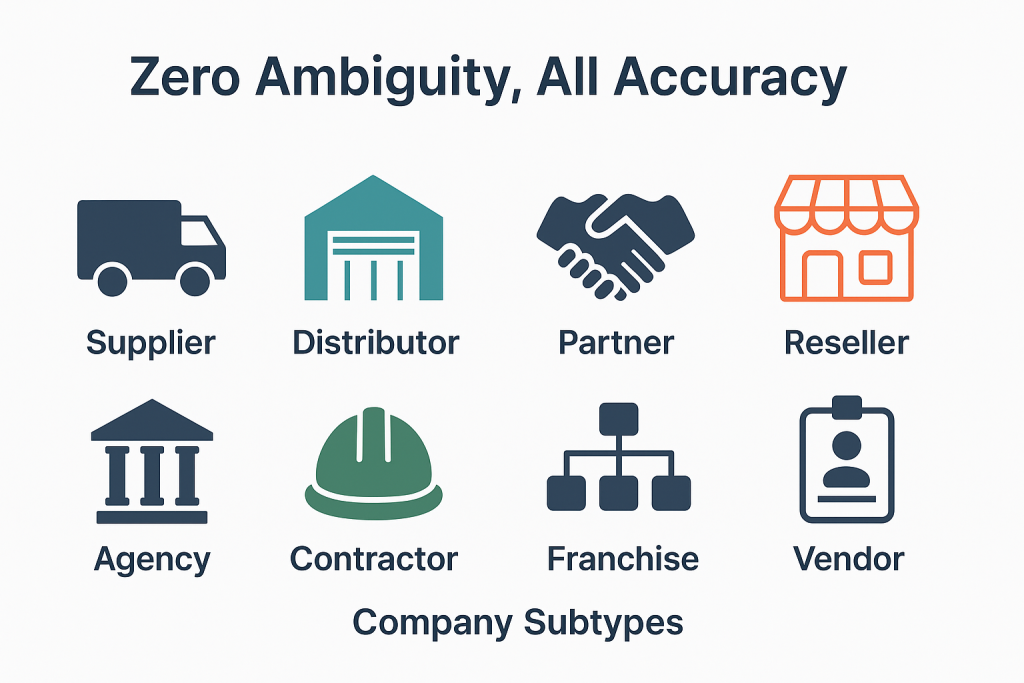
Most platforms ship with a fixed list of company types: Vendor, Customer, Partner. That works for the first six months. Then procurement realizes that "Vendor" lumps together the OEM that supplies critical parts with the office supply distributor that ships paper clips. Operations realizes that "Service Provider" includes both the licensed environmental consultant and the lawn care contractor. Apples and oranges. Every report that rolls up to leadership produces numbers nobody can defend without manual cleanup. Company Subtypes solves this. No forking the data model required.
Request Access to Live DemoWhy do top-level categories stop being enough?
Top-level categories work when your operation is small. Three vendors. Two service providers. One manufacturer. Anyone on the team can hold the distinctions in their head, and "Vendor" or "Service Provider" as a record type is plenty. As the operation grows, that simplicity becomes the bottleneck. By the time you have forty vendors and a procurement audit on the calendar, "Vendor" no longer tells anyone anything useful. The team needs to know who supplies OEM parts, who sells consumables, who handles fleet maintenance, who provides regulatory consulting.
The instinct at that point is usually wrong. Most teams add new top-level categories: "OEM Vendor" as a separate category from "Vendor." That breaks reports built on the old structure. It splits company records that should belong together. It creates a maintenance problem that compounds with every new distinction the business needs to track. Subtypes solve this without breaking what already works.
A subtype attaches to an existing category as a child classification. The parent category stays intact. Reports built on "all vendors" still work. New reports can filter to "OEM vendors only" without anyone rebuilding the data model. The team gets the precision it needs, when it needs it, without forking the structure.
How do subtypes drive automation and reporting across FireFlight?
Subtypes are not just labels. Once a subtype is defined and applied to a company record, it becomes a queryable attribute that the rest of the platform can act on. Workflow routing can branch on subtype: a service request from a "Fleet Maintenance Provider" follows a different approval path than a request from a "Regulatory Consultant." Permission scopes can reference subtypes: junior staff see all "Approved Supplier" records but cannot view "Restricted Vendor" records. Dashboards segment by subtype: procurement can pull spending by manufacturer subtype without rebuilding the report each quarter.
This matters in 2026. The operational complexity of mid-sized organizations has grown faster than most platforms have kept up with. A single vendor category that worked five years ago now hides distinctions that affect compliance, payment terms, audit response, and renewal cycles. Subtypes give your team the resolution to act on those distinctions without forcing a platform migration every time a new business reality shows up at the door.
PCG has been building classification systems like this for operational platforms since 1995. The Subtypes architecture reflects what happens when business segmentation needs outgrow the data model the platform shipped with.
What apps does Company Subtypes integrate with inside FireFlight?
Subtypes are not a standalone classification tool. They sit underneath every app where company records live, applying segmentation that downstream workflows can read and act on. The apps below reference subtypes directly.
 Companies
 Company Categories
 Manufacturers
 Vendors
 Service Providers
 Freight Companies
 CRM
CRM
 Invoices & Quotes
VA note: All 8 app card icons confirmed from original Company Subtypes page reference.
What outside systems benefit from cleaner company classification?
 ERP & Procurement
 Compliance Tracking
 Reporting Tools
Why fuzzy classification becomes a compliance problem during audits.
When a procurement audit asks for "spending by approved supplier type" or "all vendors with active environmental certifications," your platform either has that classification structure in place or it does not. Free-text fields and inconsistent tagging will not pass an audit clean. The team ends up reconstructing the breakdown manually from invoice records and email threads, which takes days and produces approximations rather than defensible numbers.
FireFlight's Company Subtypes app stores classification as structured data with audit trails. Every subtype assignment is logged. Definitions update centrally and propagate everywhere the subtype is used. When the auditor asks for the breakdown, the report runs in seconds and ties back to data your team can defend.

Your Personal Guide on Every Page
From the first click to the final step, Ikhana, your on-screen tutor, shows you how it all works. Every field, every button, every page explained with clarity, right where you need it.
In Company Subtypes, Ikhana walks you through creating a new subtype, tying it to a parent category, assigning it to company records, and configuring the workflow rules that should respond to it. The guidance lives inside the interface, so new admin users do not need a separate training session.
Learn more about IkhanaWhat does Company Subtypes give you that tags or custom fields cannot?
-
 Create custom subtypes tied to parent company categories. The relationship is structural, not just a label. Reports that filter by parent category still work, and new reports can drill into subtype detail without rebuilding anything underneath.
-
Assign one or more subtypes to a single company record. A vendor that supplies both OEM parts and consumables carries both subtypes simultaneously, and the downstream filtering treats it correctly without requiring the team to duplicate the record into two halves.
-
Filter companies by subtype across every app and workflow. The same subtype assignment works in CRM, Invoices, Work Orders, and procurement reports. No re-entering classifications per app.
-
Use subtypes to drive automation. Workflow routing, permission scopes, and approval chains can all branch on subtype values. The classification becomes operational logic, not just descriptive metadata.
-
Subtypes appear on company profiles and reports consistently, and dashboards reflect the same classification context. Whatever your team is looking at, the classification is present and current, not stale from a tag someone applied two years ago.
-
Track usage history and update subtype definitions centrally. Rename a subtype or merge it with another, and every existing assignment updates automatically across all records that carried the old label. No orphaned tags. No inconsistent labels lingering on old records that nobody remembers to clean up.
-
Sync to dropdowns and logic fields across every other form-based app. The same classification vocabulary spreads everywhere the team works.
"By using subtypes, we can instantly segment vendors by specialty and compliance level. It has changed how we handle procurement audits."Strategic Sourcing LeadMulti-Region Supply Chain
What PCG learned building classification systems for 31 years.
The teams that struggle most with company classification are not the ones with the most vendors. They are the ones whose platform shipped with a fixed taxonomy that worked at launch and never updated. Three years later, the business has evolved past those original buckets, but the platform cannot accommodate the new distinctions without a forklift upgrade. So the team works around it: spreadsheets, custom fields, free-text notes. The classification problem moves out of the system of record and into a shadow system nobody owns.
The Company Subtypes app came out of watching that pattern across PCG clients since 1995. The architecture lets your team add and refine classifications as the business changes, with the structural integrity that downstream workflows and reports actually need. That is the difference between a platform that ages with your business and one that becomes a constraint on it.
What changes operationally after Company Subtypes is deployed?
-
Procurement reports stop lumping unlike vendors together. Spending by OEM supplier, consumables provider, or fleet maintenance contractor becomes a single query instead of a manual breakdown.
-
Audit responses pull straight from structured subtype data. The auditor asks for spending by approved-supplier type, and the answer comes from one report.
-
Workflow routing reflects business reality. A service request from a regulatory consultant follows a different approval path than one from a general maintenance contractor, automatically.
-
Permissions scope cleanly. Junior staff see all approved-vendor subtypes but not restricted ones. No manual permission maintenance per record.
-
Adding new business distinctions takes minutes, not a platform redesign. The data model accommodates evolving segmentation without forcing migrations.
Frequently Asked Questions
What are Company Subtypes in FireFlight and how do they work?
What are Company Subtypes in FireFlight and how do they work?
How are subtypes different from tags or custom fields?
How are subtypes different from tags or custom fields?
Can a single company have more than one subtype?
Can a single company have more than one subtype?
Can subtypes drive automation or just describe records?
Can subtypes drive automation or just describe records?
What happens if we rename or merge a subtype later?
What happens if we rename or merge a subtype later?
We currently classify vendors using spreadsheet columns. Can we migrate that into subtypes?
We currently classify vendors using spreadsheet columns. Can we migrate that into subtypes?
How long does it take to deploy Company Subtypes?
How long does it take to deploy Company Subtypes?
If your team is already maintaining a shadow spreadsheet of vendor classifications because the platform's company categories are too broad in 2026, you have a data fragmentation problem that compounds quietly. FireFlight's Company Subtypes app brings that classification back into the system of record, with the structural integrity that downstream workflows and audits actually need. Deployments take weeks, not months.
Request Access to Live Demo
FireFlight Data Systems is a product of Phoenix Consultants Group. PCG founded 1995. Every system configuration is custom-built per deployment. Implementation timelines, module availability, and integration scope vary by organization. Contact PCG directly to discuss requirements specific to your operation.







