

Regional Divisions: Run Operations by Territory, Not by Spreadsheet
Segment sites and users by region. Scope permissions and alerts by territory. Built for multi-site enterprises where one configuration cannot serve every location.
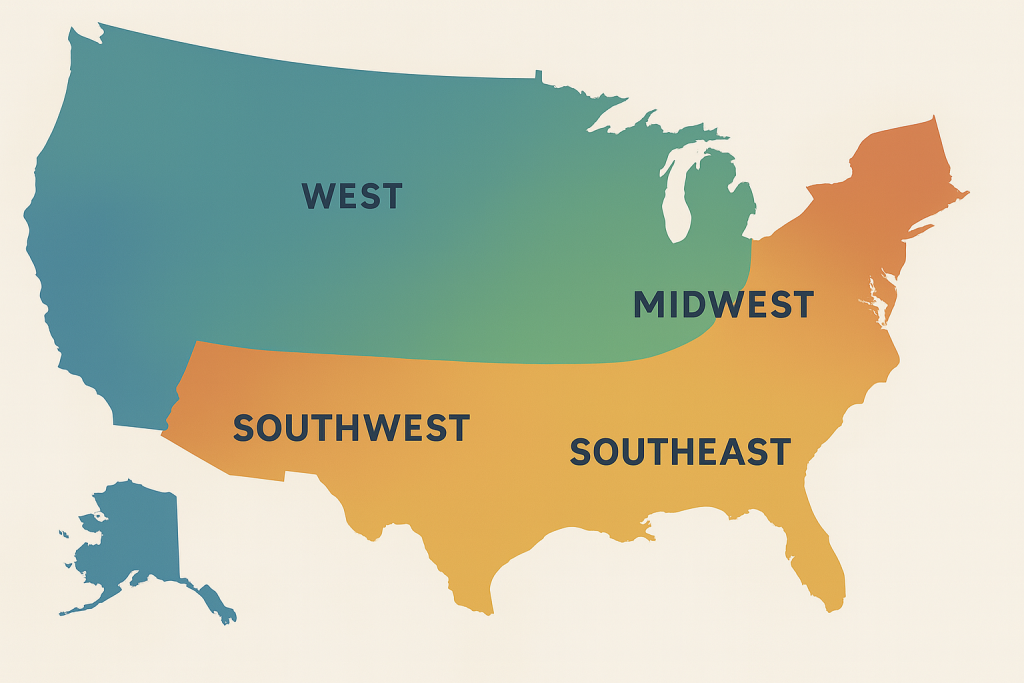
Most multi-site operators in 2026 still run the whole enterprise as if every location were identical. They cannot. The compliance officer in one region has no visibility into what their counterpart in another territory is fighting through. Reports roll up into one company-wide number that hides what each territory actually needs. Regional Divisions fixes the structural problem first, so the operational and reporting workflows have something solid to stand on.
Request Access to Live DemoWhat problem does the Regional Divisions app actually solve?
The problem multi-site operators face is rarely a lack of data. Their problem is data that has no organizational structure above the individual site level. The Phoenix facility shows up in reports alongside the Tucson facility alongside the Albuquerque facility, with no easy way to group them by region, compare them against each other within a territory, or scope permissions so a regional manager sees only what they are responsible for.
Regional Divisions adds that layer. Each region is defined once with the sites that belong to it, the staff assigned to it, the assets it owns, and the compliance rules that apply within its jurisdiction. Every report and dashboard in FireFlight can then filter by region without the operator building a custom view from scratch every time.
For organizations operating across multiple states or jurisdictions in 2026, this is not a quality-of-life feature. State-level environmental regulations, OSHA reporting requirements, and tax obligations all run on regional boundaries. A platform that cannot scope by region forces those operators to do the segmentation manually, every time, in a spreadsheet.
How does Regional Divisions handle territories that operate under different rules?
This is where generic enterprise platforms fall apart. Most assume that territory differences can be handled with a custom field on each record. The Texas facility gets a "Texas" tag, the California facility gets a "California" tag, and reporting becomes a matter of filtering by tag. That works until the Texas operation has different audit cycles, different inspection cadences, and different vendor approval rules than California. Then the tag-based approach breaks down.
FireFlight's Regional Divisions app treats each region as a first-class structural object, not a label. Each region has its own compliance configuration, its own inspection schedules, its own approved vendor list, and its own permission scope. A staff member assigned to the Pacific region cannot accidentally edit records belonging to the Mountain region. The regional manager dashboard shows only their territory by default. The CFO and operations director see everything.
PCG has been building this kind of structural software for regulated multi-site operations since 1995. The Regional Divisions architecture reflects what happens when you treat geography as data rather than as a string in a text field.
What apps does Regional Divisions integrate with inside FireFlight?
Regional Divisions is the territorial layer that everything else organizes around. The apps below reference regions directly, meaning a single change to a regional definition propagates through every connected workflow without manual cleanup.


VA note: All three app card icons above are confirmed from the original Regional Divisions page reference. No placeholders required.
What outside systems does Regional Divisions connect to?
 Enterprise Asset Management
 Inventory Management
 Compliance & Certifications
Why regional structure is a compliance liability when missing in 2026.
State-level environmental agencies, OSHA regional offices, and industry-specific regulators all enforce rules at regional or jurisdictional boundaries. An audit request that asks for compliance records "for facilities operating in the EPA Region 9 territory" requires the platform to know which facilities those are. A spreadsheet column with state codes does not satisfy that request when the auditor follows up on something specific.
FireFlight's Regional Divisions app stores territorial structure as queryable data from the moment a site is created. Every record carries its regional context. Audit responses scope to the requested territory without anyone running a reconciliation pass first.

Your Personal Guide on Every Page
From the first click to the final step, Ikhana, your on-screen tutor, shows you how it all works. Every field, every button, every page explained with clarity, right where you need it.
In Regional Divisions, Ikhana walks you through defining a new region, assigning sites and staff, configuring regional compliance rules, and scoping permissions. The guidance lives inside the interface itself. No separate training session required for the regional managers when they get added later.
Learn more about IkhanaWhat does Regional Divisions give you that a tag or text field cannot?
-
 Define geographic or operational regions as first-class records within the system. Not a label on a record. A structured entity with its own assignments and rules.
-
Assign every site and the assets it contains to a specific region. When an asset moves between regions, every connected record reflects the move automatically and no one has to chase down stale references.
-
Filter every dashboard and report by region without building a custom view. The regional view exists by default the moment a region is created.
-
Route work orders by regional hierarchy. A maintenance request submitted at a Pacific region site goes to the Pacific dispatch queue automatically.
-
Segment permissions and access controls by region. Regional managers see their territory. Corporate staff see everything. No manual access maintenance required.
-
Sync regional configurations with certifications, vendor approvals, and resource availability so each territory operates with rules that match its requirements.
-
Maintain audit history and regional change logs. Every modification to a regional configuration is tracked, time-stamped, and attributable to the staff member who made it.
"It gave us the control to delegate oversight while maintaining company-wide standards."Regional Facilities ManagerMulti-Site Operator
What PCG learned building multi-region systems for 31 years.
The organizations that struggle most with regional management are not the ones with the most territories. They are the ones that grew from two sites to twelve without ever building a structural layer to organize them. The reports get longer. The permission setup gets messier. Eventually someone proposes a spreadsheet to "manage the regional rollup" and the platform becomes a system of record for transactions while the spreadsheet becomes the system of truth for organization.
Regional Divisions came out of watching that exact pattern across PCG clients since 1995. The architecture was designed for the operator at facility eight, not facility two. That is the difference between software that scales with your business and software that scales until your business outgrows the configuration.
What changes operationally after Regional Divisions is deployed?
-
Regional managers see their territory's data without filtering or running custom reports. The default view matches their actual scope of responsibility.
-
Compliance configurations specific to a state, jurisdiction, or operational region get applied automatically to every site within that boundary.
-
Work orders, asset movements, and inspection schedules route through the correct regional queue. No more manual reassignment between territories.
-
Regional rollups for corporate reporting happen inside the platform, not in a downstream spreadsheet. The data the CFO sees comes from the same source the regional manager sees.
-
Adding a new region takes hours, not weeks. The structure is templated from existing regions where appropriate and customized where each territory's requirements differ.
Frequently Asked Questions
What is the Regional Divisions app in FireFlight and what does it do?
 What is the Regional Divisions app in FireFlight and what does it do?
Can each region have its own compliance configuration?
Can each region have its own compliance configuration?
How are permissions handled across regions?
How are permissions handled across regions?
Can I roll up regional data to a corporate dashboard?
Can I roll up regional data to a corporate dashboard?
How does Regional Divisions handle a site that operates across multiple regions?
How does Regional Divisions handle a site that operates across multiple regions?
We track regions in a spreadsheet today. How hard is it to migrate that into FireFlight?
We track regions in a spreadsheet today. How hard is it to migrate that into FireFlight?
How long does it take to deploy Regional Divisions for an enterprise with multiple territories?
How long does it take to deploy Regional Divisions for an enterprise with multiple territories?
If your operation manages multiple sites across territories with different rules and reporting requirements in 2026, you are either building structure into your platform or building it into a spreadsheet that nobody owns. FireFlight's Regional Divisions app brings territorial structure into the system itself. Permissions scope automatically. Reports aggregate cleanly. Compliance rules apply per region without anyone toggling settings. Deployments take weeks, not months.
Request Access to Live Demo
FireFlight Data Systems is a product of Phoenix Consultants Group. PCG founded 1995. Every system configuration is custom-built per deployment. Implementation timelines, module availability, and integration scope vary by organization. Contact PCG directly to discuss requirements specific to your operation.







