

Contact History: Every Interaction with Every Contact in One Timeline
FireFlight Contact History logs every phone call, email, site visit, plus service note tied to your external contacts. One timeline per contact in 2026, visible to the team members who need it and linked to the records that depend on it.
When a client calls, can you see what was said last time? Contact History gives every external contact a single chronological log. Each entry captures who spoke to them, the method of contact, the date, the outcome, plus any follow-up flag the team set. Sales, service, plus billing read from the same timeline rather than each keeping private notes.

See how Contact History keeps every touchpoint tied to the contact it belongs to and visible to the team members who need it. Deployments run in weeks, not months.
Request a Demo Contact SalesWhy do interaction notes get lost between handoffs?
Most operations teams in 2026 still keep client interactions in private notebooks. The account manager logs calls in their CRM. The service tech jots site-visit notes on a clipboard that ends up in a folder somebody photographs months later. Billing has a separate trail of disputes and clarifications. When the account manager goes on leave and the client calls with a problem, the person picking up the phone has no context.
The problem is not laziness. It is that each team treated their notes as personal records. The same client appeared in five different histories, none of them complete on its own, and the full story only assembled itself when somebody manually pieced together three apps and two paper files.
Contact History fixes this by promoting interaction to a typed, linked, attributed record. Phone, email, in-person, plus service notes all land on the same timeline against the same contact. Every entry shows who logged it, when, plus what happened next.
How does the app handle method tracking and follow-up flags?
Each entry carries a contact method tag. Phone, email, in-person visit, service note, or any custom method your operation uses. Method tags drive filtering, so when a regulator asks for every in-person conversation with a specific client over the past year, the answer is one filter rather than a week of searching.
Notes, outcomes, plus follow-up flags attach to each entry. The follow-up flag is the operational hook. When the account manager closes a call with "send revised quote by Friday," the flag stays open until somebody marks the follow-up complete. Pipeline reviews surface every open flag across the team.
Time-stamped attribution records the user who logged each entry. When an audit asks who spoke to the client on June 14 and what was promised, the answer comes from the timeline rather than from a chain of forwarded emails.
What apps does Contact History connect to?


Visibility Controls plus Auditable Attribution
Each entry carries a visibility flag for sensitive or private communications. Internal-only entries stay off shared client views, while standard entries surface to the team members who work that account. Visibility decisions live with the record, not with whoever opens the app.
Every entry records the user identity plus the timestamp at the moment it was logged. Backups run on the FireFlight infrastructure hosted by PCG. The timeline cannot be quietly rewritten after the fact.

Your guide for every field, every screen
Ikhana walks new users through logging an entry, setting a method tag, attaching a follow-up flag, plus filtering the timeline by date or department.
New hires reach productivity in hours instead of weeks. Onboarding stops being a separate project.
Learn more about IkhanaWhat does Contact History give your team?
 A centralized log of every communication per contact. One timeline, one source of truth.
- Automatic links to related records, so an entry on a client surfaces against the open projects, tasks, plus work orders that depend on the conversation.
- Method-of-contact tracking covering email, phone, in-person, service notes, plus any custom method your operation defines.
- Time-stamped entries with team and user attribution. Every line tells you who logged it.
- Filtering by date range, contact name, project, or department, so account reviews and audits return clean data instead of guesswork.
- Notes, outcomes, plus follow-up flags on every entry. The follow-up flag stays open until somebody closes it.
- Visibility controls for sensitive or private communications. Internal-only entries stay off shared client-facing views.
- Deployment runs in weeks, not months. Hosting sits on PCG infrastructure.
"Now when a client calls, we know the full story. Who spoke to them, what they asked, plus what is next. It is all there."Senior Account ManagerCommercial Projects Team
Ask your contact timeline a question in plain English
Phoenix Consultants Group has built custom database software since 1995. Across 31 years and 500+ applications, roughly a third of that work has involved client tracking, compliance audit trails, plus operational reporting for private-sector clients.
FireFlight adds an AI reporting layer on top of your live Contact History data. Type "show every open follow-up flag on a client with an unpaid invoice over 30 days, grouped by account manager" and the answer comes back as a working report rather than a ticket assigned to IT. The query happens in weeks, not months of canned-report development.
What changes operationally after deployment?
- When a client calls, the person who answers sees the full timeline. The conversation starts from context rather than from a question about what already happened.
- Open follow-up flags surface in pipeline reviews. Commitments stop falling through the cracks between handoffs.
- Department changes stop costing the client relationship. The new account manager reads the timeline and picks up where the previous one left off.
- Audit and dispute requests for "what was said on June 14" get answered from the log with attribution intact. Not from a forwarded email chain.
- New employees learn the timeline from Ikhana on screen, so onboarding compresses from weeks of shadowing into a few hours of guided work inside the actual app.
Frequently Asked Questions
What kinds of interactions get logged in Contact History?
What kinds of interactions get logged in Contact History?How does Contact History keep handoffs from breaking client trust?
How does Contact History keep handoffs from breaking client trust?How do follow-up flags work?
How do follow-up flags work?Can we keep some interactions visible only to internal team members?
Can we keep some interactions visible only to internal team members?How does Contact History link to CRM, Work Orders, plus Client Tracking?
How does Contact History link to CRM, Work Orders, plus Client Tracking?How long does Contact History take to deploy?
How long does Contact History take to deploy?Can we query the timeline using natural language?
Can we query the timeline using natural language?Stop losing the story between handoffs
One timeline per contact. Method tags, follow-up flags, audit attribution, plus visibility controls. Deployments measured in weeks, not months. Hosting by PCG with phone support included.
Request a Demo Contact SalesPhoenix Consultants Group, founded 1995. FireFlight Data Systems is a proprietary platform hosted by PCG. Page last updated May 2026.








Vendors: Every Supplier Relationship in One Record
The Vendors app keeps profiles, contacts, documents, plus performance history for every supplier in one record. Link vendors to catalog items, purchase orders, and receipts, so procurement decisions run on data instead of memory.

Why is vendor information always scattered?
Vendor data lives everywhere except one place. The accounting system has the payment terms. Somebody's inbox has the W-9, and the pricing catalog sits on a shared drive nobody updates. When you need the full picture on a supplier, you assemble it by hand.
That scatter costs you at the worst moments. An auditor asks for a certificate you cannot find, or a vendor underperforms and nobody pulls the history until it is too late. In 2026, with supply chains still tight, a slow answer about a supplier is a slow decision.
The Vendors app pulls every piece into one record. Profile, contacts, documents, payment terms, plus the full procurement history. When a question comes up about a supplier, the answer is one click away.
How does the Vendors app keep procurement honest?
Every vendor record links to the things that matter. Catalog items, purchase orders, plus the receipts that prove what arrived. You see procurement history and invoice totals by vendor, so a pricing conversation starts with numbers and not a guess.
Payment terms, preferred methods, plus discount agreements live on the record, so nobody overpays out of habit. Compliance documents, certificates, plus W-9s attach right there. When a vendor causes trouble, you flag the issue or restrict them from new purchase orders.
Most deployments run in weeks, not months. Your vendor list comes over clean, and the records link to the catalog and POs you already run. The team stops rebuilding a supplier's story from scratch every time.
What apps does the Vendors app connect to?
 Vendor Catalog Management
 Goods Receipt Management
 Inventory Control
 Accounts & Transactions
 Emails
 Physical Addresses
 Phone Numbers
 Purchase Orders
How is your vendor data protected?
Your vendor records, the contracts behind them, plus the compliance documents you attach sit on a platform hosted by Phoenix Consultants Group, not handed to a third party you never picked. Access is set by role, so a buyer sees the vendors they manage and finance sees the totals.
Every change to a vendor record is logged, which is exactly what an auditor asks for when the question is who changed a term and when.
What does the Vendors app give your team?
- Vendor profiles with categories, plus product and service types in one record.
- Records linked to catalog items and POs.
- Payment terms, preferred methods, plus discount agreements tracked per vendor.
- Compliance docs, certificates, plus W-9s attached.
- Contacts, emails, plus addresses with direct links from the record.
- Procurement history and invoice totals by vendor.
- Flag a vendor issue or restrict them from new purchase orders.
- Export vendor data for audits or performance reviews.
The Vendors app gave us the visibility and control we were missing. Vendor onboarding and vetting now takes half the time.Procurement ManagerMid-Market Operations
Built by people who answer the phone
Phoenix Consultants Group has built custom software since 1995. About a third of that work has been operations and compliance tracking for environmental and industrial firms, where vendor records and audit trails are not optional. The Vendors app comes from that experience.
The same platform now adds AI reporting. A buyer can ask a plain-English question about a supplier's history or invoice totals and get an answer from live data, with no canned report and no waiting on IT. Most deployments still run in weeks, not months.
What changes operationally after deployment?
- A supplier's full history is one click away, not a scavenger hunt.
- Auditors get the documents on the first ask.
- Buyers stop overpaying because the terms live on the record.
- A problem vendor gets flagged before the next PO goes out.
- Onboarding a new supplier takes half the time.
Ikhana walks your team through every field
From the first click to the last entry, Ikhana sits on the page as your on-screen tutor. Every field, every button, explained the moment you need it. No thick manual, no support ticket.
Learn moreFrequently Asked Questions
Can FireFlight keep all our vendor information in one place?
Can FireFlight keep all our vendor information in one place?Can I see a vendor's full procurement history?
Can I see a vendor's full procurement history?How does the app handle compliance documents like W-9s?
How does the app handle compliance documents like W-9s?What happens when a vendor underperforms?
What happens when a vendor underperforms?How long does it take to get the Vendors app running?
How long does it take to get the Vendors app running?Can the Vendors app connect to our purchase orders and receipts?
Can the Vendors app connect to our purchase orders and receipts?Phoenix Consultants Group. Founded 1995. FireFlight Data Systems is PCG's hosted platform. Last updated June 2026.
Manufacturers: Know Who Actually Makes What You Sell
Track every production source and quality certification at the manufacturer level. Separate from your vendors. Linked to the parts they actually produce. Built for procurement teams that need to know where their supply chain breaks before it breaks.

In 2026, supply chain risk is a board-level conversation. Tariff shifts, regional manufacturing disruptions, and certification audits force procurement teams to know exactly which manufacturer is behind every part on every shelf. Most ERP systems still collapse manufacturer and vendor into one record. When a recall notice arrives for parts made by a specific producer, that collapsed structure makes traceability slow and expensive. FireFlight separates the two cleanly and ties every part back to the firm that actually produced it.
Request Access to Live DemoWhy does separating manufacturers from vendors matter operationally?
The vendor on your purchase order is the firm that sold you the part. The manufacturer is the firm that actually produced it. Sometimes they are the same. Often they are not. A single part can pass through three vendors before reaching your warehouse, but the manufacturer behind it is one. When that manufacturer issues a recall, changes a spec, loses a certification, or shuts down a regional plant, the impact runs through every vendor in your supply chain at once.
Most ERP and inventory platforms collapse manufacturer and vendor data into a single record. The result: when a procurement team needs to know "how many of our parts come from this manufacturer," the answer requires running queries across vendor records, cross-referencing catalog numbers, and trusting that the data entry was consistent. It usually was not. FireFlight maintains separate manufacturer profiles linked to the items they produce, regardless of which vendor sold them.
For operations that deal with regulated materials, country-of-origin requirements, or quality certifications tied to specific production facilities, this separation is structural. It is the difference between a five-minute traceability query and a two-day reconciliation exercise.
How does FireFlight track manufacturer-specific risk and compliance?
Each manufacturer record holds the data that matters for procurement risk assessment: production zones, quality certifications, country of origin, risk designations, historical spec changes, and current approval status. When a manufacturer loses an ISO certification or appears on a regulatory watch list, the platform flags every part associated with that producer automatically.
This matters more in 2026 than it did five years ago, and the trend keeps tightening. Procurement audits now routinely request manufacturer-level traceability for regulated industries. Customer contracts increasingly require disclosure of production sources beyond the first-tier vendor. Recall response times have compressed. A platform that requires three queries to identify all affected parts after a manufacturer recall costs days of exposure that the regulator will notice.
PCG has been building this kind of operational software for regulated procurement environments since 1995. The Manufacturers app architecture reflects what happens when supply chain risk leaves the spreadsheet and starts living inside the system of record.
What apps does Manufacturers integrate with inside FireFlight?
The Manufacturers app sits upstream of every part, every vendor relationship, and every inventory transaction. The apps below connect to it directly, meaning a change at the manufacturer level propagates through every downstream record without anyone re-entering data.
Vendor Catalog
 Inventory Control
 Item Categorization
 Materials & Parts
Emails
Phone Numbers
Materials & Parts
Emails
Phone Numbers
 Physical Addresses
VA note: Icons confirmed from original Manufacturers page reference. Original page listed Item Categorization twice in the apps grid (appears to be an error in the source). This version uses Materials & Parts in that second position based on the listed integration with Materials & Parts List.
What outside systems does Manufacturers connect to?
 Supply Chain Management
 ERP & Inventory
 Quality & Compliance
Why missing manufacturer-level data is a procurement risk in 2026.
When a quality certification audit asks for the country-of-origin breakdown of regulated parts in your inventory, your platform either has that data at the manufacturer level or it does not. When a recall notice cites parts produced at a specific facility, your traceability window opens at the manufacturer record or it requires manual reconstruction across every vendor that has ever supplied that part. The auditor or the regulator will not wait for the reconstruction.
FireFlight's Manufacturers app stores production-source data as queryable structure from the moment a part is added to inventory. Every item carries its manufacturer context. Risk responses scope to the affected producer without anyone running a discovery exercise first.

Your Personal Guide on Every Page
From the first click to the final step, Ikhana, your on-screen tutor, shows you how it all works. Every field, every button, every page explained with clarity, right where you need it.
In Manufacturers, Ikhana walks you through creating a new manufacturer profile, linking it to existing parts, attaching quality certifications, and configuring risk designations. The guidance lives inside the interface. No separate training session required when your team grows.
Learn more about IkhanaWhat does the Manufacturers app give procurement teams that an ERP cannot?
-
Maintain profiles for original manufacturers as separate records from your vendors or suppliers. These are different operational entities. The firm that makes the part is not the same entity as the firm that sells it to you, and treating them as one creates traceability gaps that surface during audits.
-
Link manufactured items across multiple product lines or vendor relationships. The same producer can supply parts through three different vendors. The platform sees it as one upstream source.
-
Track each manufacturer's regional production zones and any known compliance issues. Attach their certifications to the same record. Regional disruptions surface affected parts in seconds.
-
Attach associated contacts, communication channels, and address records to the manufacturer record itself, so direct producer contact is not buried inside a vendor portal that requires a separate login and a different password each quarter.
-
Record historical changes in manufacturing specs, processes, or facility locations. The spec history shows what changed and when. When a part fails six months later, the diagnostic conversation starts from data instead of guesses.
-
Attach quality certifications and country-of-origin documents at the manufacturer record, with risk designations stored alongside. Audit response data lives where the auditor expects to find it.
-
View manufacturer-to-part relationships across inventory, bills of materials, and kits. Two clicks. Any part traces back to its actual producer regardless of which catalog or kit it lives in.
-
Segment manufacturers by material type, production method, or fulfillment priority. Finding the right producer for the right job becomes a single query, not a planning meeting that ends with someone promising to check.
"Being able to pull a full list of manufacturers by part category, with all their associated certifications attached, has changed how we handle audits."Inventory DirectorRegional Supply Hub
What PCG learned building procurement systems for 31 years.
The teams that struggle most with manufacturer data are not the ones with the most suppliers. They are the ones whose ERP was set up at a time when the manufacturer-vendor distinction did not feel important. A few years later, when a recall hits or an audit requests country-of-origin data, the team discovers that all their manufacturer information lives inside vendor records, in inconsistent free-text fields, with no enforced structure.
The Manufacturers app came out of watching that pattern repeat across PCG client work since 1995. Its architecture treats manufacturer data as first-class structure, separate from vendors, queryable on its own terms. That distinction is what makes the difference between a procurement system that supports the next audit cleanly and one that quietly collapses under it.
What changes operationally after Manufacturers is deployed?
-
Every part in inventory carries its actual manufacturer reference, distinct from the vendor record. Traceability queries return results in seconds, not days.
-
Recall response scopes to the affected producer immediately. Every part touched by that manufacturer surfaces in one query, regardless of which vendor sold it.
-
Country-of-origin audits get answered from live data instead of a reconciliation project. The auditor leaves satisfied. The team gets its week back.
-
Quality certifications attach to the manufacturer record with expiration tracking. Lapsed certifications flag every affected part automatically.
-
Procurement decisions reference manufacturer-level history, not just vendor performance. The team sees the upstream picture, not only the downstream relationship.
Frequently Asked Questions
What is the Manufacturers app in FireFlight and what does it do?
What is the Manufacturers app in FireFlight and what does it do?
Why separate manufacturers from vendors instead of using one record?
Why separate manufacturers from vendors instead of using one record?
How does the app handle manufacturer recalls or quality issues?
How does the app handle manufacturer recalls or quality issues?
Can we track manufacturer certifications and their expirations?
Can we track manufacturer certifications and their expirations?
How does Manufacturers connect to our existing ERP or inventory system?
How does Manufacturers connect to our existing ERP or inventory system?
We currently track manufacturer data inside vendor records. How hard is it to separate them?
We currently track manufacturer data inside vendor records. How hard is it to separate them?
How long does it take to deploy the Manufacturers app?
How long does it take to deploy the Manufacturers app?
If your procurement team cannot answer "which parts come from this manufacturer" in under a minute in 2026, you have a supply chain visibility problem that will surface during the next audit or the next recall. FireFlight's Manufacturers app separates production source data from vendor records, attaches certifications at the producer level, and makes traceability a query rather than a project. Deployments take weeks, not months.
Request Access to Live Demo
FireFlight Data Systems is a product of Phoenix Consultants Group. PCG founded 1995. Every system configuration is custom-built per deployment. Implementation timelines, module availability, and integration scope vary by organization. Contact PCG directly to discuss requirements specific to your operation.
Service Providers: Your Trusted Partners, Fully Tracked
One record per external vendor. Credentials, insurance, coverage areas, and performance history in one place. Linked directly to every work order and invoice the vendor touched. Expiration alerts before documents lapse.

Most operations teams in 2026 still track outside crews across a folder of insurance PDFs, a spreadsheet of contacts, and the memory of whoever has been there longest. When that person quits or an auditor walks in, the system breaks down. FireFlight puts every vendor on a single record that connects to the work, the documents, and the performance history. Nothing depends on someone remembering who is approved for what.
Request Access to Live DemoWhat does the Service Providers app actually fix in day-to-day operations?
The problem most operations teams have with outside crews is not that they cannot find a contact. It is that everything about each vendor lives in a different place. The insurance certificate is in someone's email. The W-9 is in a shared folder nobody updates. The performance complaint from last quarter never made it past a Slack thread. When the auditor asks why a non-approved subcontractor performed work at a regulated site, the answer takes three days to piece together.
FireFlight's Service Providers app fixes this at the structural level. Each vendor gets one record that holds every credential, scope assignment, insurance document, and performance note. That record links directly to the work orders and billing records the vendor touched. Nothing lives in a folder. Nothing depends on a person's memory. When someone asks who did the inspection at the Tucson facility on March 14, the answer is one query away.
For organizations in 2026 that rely on outside specialists for inspections, remediation work, NDT, or specialty field services, this is not a quality-of-life feature. It is the difference between an audit you walk through in an afternoon and one that pulls three staff off their normal work for a week.
How does Service Providers keep external crews accountable to the same standard as internal staff?
Internal staff get tracked in HR systems with credentials and performance records. External vendors usually do not. They sit outside that system, with their qualifications captured at onboarding and rarely updated, and their performance recorded only when something goes wrong. The result is an accountability gap that auditors notice and clients eventually feel.
Service Providers applies the same operational rigor to outside crews that an HR system applies to employees. Each vendor profile tracks specialties, coverage areas, current credentials, and certifications with their expiration dates. The system alerts before those documents lapse. Job completion stats, customer ratings, and historical performance attach to the vendor record so the next assignment decision is informed by actual data rather than the most recent conversation.
PCG has been building this kind of operational software for regulated environments since 1995. The Service Providers architecture reflects three decades of watching what breaks when outside crews are treated as a contact list instead of an operational resource.
What apps does Service Providers integrate with inside FireFlight?
The Service Providers app does not sit in isolation. Each vendor record connects directly to the work the vendor is doing, the money flowing back to them, and the communication channels used to coordinate. The apps below feed and are fed by Service Providers automatically.
 Work Orders
Accounts & Transactions
Work Orders
Accounts & Transactions
 Invoices & Quotes
 Project Templates
Phone Numbers
Physical Addresses
Emails
Project Templates
Phone Numbers
Physical Addresses
Emails
VA note: All seven app card icons above are confirmed from the original Service Providers page reference. No placeholders required.
What outside systems does Service Providers connect to?
 Enterprise Asset Management
Vendor Management
Compliance & Credentialing
Enterprise Asset Management
Vendor Management
Compliance & Credentialing
Why an unmanaged vendor list is a compliance liability in 2026.
EPA and state DEP auditors, along with OSHA and industry-specific inspectors, increasingly ask for proof that the people who performed regulated work were qualified to do it. A binder of insurance certificates dated two years ago will not satisfy that request. The expired specialty license caught later does not satisfy it either. The audit finding attaches to the operator, not to the subcontractor who actually performed the work.
FireFlight's Service Providers app captures credential status, insurance currency, and approval scope at the moment work is assigned, not after the auditor asks. Every work order references a vendor record that holds current documentation. The audit trail exists because the system required it before the job started.
Your Personal Guide on Every Page
From the first click to the final step, Ikhana, your on-screen tutor, shows you how it all works. Every field, every button, every page explained with clarity, right where you need it.
In Service Providers, Ikhana walks you through setting up a new vendor profile, uploading insurance and credential documents, configuring expiration alerts, and linking the vendor to projects and work orders. The guidance is built into the interface itself. No separate training session required.
Learn more about IkhanaWhat does Service Providers give you that a spreadsheet of contacts cannot?
-
Manage each provider profile with specialties, coverage areas, and current credentials. Not a row in a tab. A structured record with relationships to every job that vendor performed.
-
Link providers to specific work orders and billing records. When a vendor finishes a job, the financial record and the operational record both update from the same source.
-
Store contracts, W-9s, licenses, and insurance certificates with expiration alerts that fire before the document lapses, not after.
-
Assign contacts, communication channels, and approved service categories per vendor. Each provider has the right point of contact for the right type of work.
-
Track historical performance, job completion stats, and customer ratings on the vendor record so next-assignment decisions are made with data, not gut feel.
-
Identify approved versus restricted vendors by region or service category. The system blocks assignments to providers who are not qualified for that scope of work.
-
View service history and outstanding open jobs per provider on demand. No reconciliation between three systems is required to see what is still in progress and what closed out.
-
Filter providers by availability, scope, insurance currency, or status to find the qualified vendor for a job in seconds.
"Before this, tracking our third-party crews was a headache. Now we know exactly who's assigned, their history, and where we've used them."Maintenance Operations LeadRegional Property Group
What PCG learned managing vendor data for 31 years.
The organizations that struggle most with subcontractor accountability are not the ones with the most vendors. They are the ones that grew past the point where one person could remember everything, but never replaced the memory with a system. Five vendors are easy. Twenty-five vendors with rotating credentials across four service categories and three jurisdictions break every spreadsheet you can build.
The Service Providers app came out of watching that exact transition across PCG client work since 1995. The architecture was designed for the operator at twenty-five vendors, not five. That is the difference between software that ages well and software that breaks the moment your business outgrows the configuration.
What changes operationally after Service Providers is deployed?
-
Every external vendor has one record with current credentials, insurance status, and scope of approved work. No more reconciling three lists before assigning a job.
-
Insurance and credential expirations generate alerts before they lapse. No more finding out a vendor's COI expired six weeks ago when an auditor asks.
-
Vendor performance attaches to the actual jobs they performed, not a separate complaints file. The next assignment decision sees the relevant history.
-
Restricted or unapproved vendors cannot be assigned to scopes they are not qualified for. The compliance guardrail is built directly into the assignment workflow, not bolted on afterward as a separate review step.
-
Audit responses for vendor-performed work take hours instead of days. Every job has a verified vendor record behind it.
Frequently Asked Questions
What is the Service Providers app in FireFlight and what does it actually do?
What is the Service Providers app in FireFlight and what does it actually do?
How does FireFlight handle credential and insurance expirations?
How does FireFlight handle credential and insurance expirations?
Can we restrict certain vendors to specific regions or service categories?
Can we restrict certain vendors to specific regions or service categories?
How does Service Providers connect to our work orders and billing?
How does Service Providers connect to our work orders and billing?
Can we track performance history on each vendor?
Can we track performance history on each vendor?
We currently track vendors across spreadsheets and folders. How hard is it to migrate that into FireFlight?
We currently track vendors across spreadsheets and folders. How hard is it to migrate that into FireFlight?
How long does it take to deploy Service Providers for an operation with dozens of active vendors?
How long does it take to deploy Service Providers for an operation with dozens of active vendors?
If your operation tracks subcontractors and specialty vendors across spreadsheets, shared folders, and the memory of one person who knows everyone, you have a compliance and operational exposure that grows every quarter. FireFlight's Service Providers app brings every external vendor into one accountable record with credentials, performance history, and direct links to the work they performed. Deployments take weeks, not months.
Request Access to Live Demo
FireFlight Data Systems is a product of Phoenix Consultants Group. PCG founded 1995. Every system configuration is custom-built per deployment. Implementation timelines, module availability, and integration scope vary by organization. Contact PCG directly to discuss requirements specific to your operation.
Company Categories: The Top-Level Structure for Every Outside Relationship
Define the top-level classification your team uses for every external organization: Vendor, Customer, Partner, Manufacturer, Service Provider, or whatever your operation actually needs. The category sets the structure. Every downstream app reads from it.
Most operations platforms in 2026 ship with a fixed list of company types that worked for the platform vendor's first ten customers and has not been touched since. Your operation probably needs different ones. The legal exposure of mixing licensed Service Providers with general contractors, or treating an OEM Manufacturer the same as a parts reseller, shows up the moment an auditor asks for a breakdown. Company Categories lets your team define the top-level taxonomy that matches how your business actually works, and applies it everywhere a company record appears.
Request Access to Live DemoWhat is the difference between Categories and Subtypes in FireFlight?
Categories are the top level of the company classification hierarchy. Subtypes sit underneath. A category answers the question "what type of organization is this." A subtype answers "what kind of that type." For example, the category might be "Vendor." The subtypes underneath it could be "OEM Vendor," "Wholesale Distributor," or "Consumables Supplier." Categories define the broad shape of how your team thinks about external relationships. Subtypes fill in the operational detail.
Most platforms force a choice between flat categories and a separate tagging system that does not connect cleanly to anything else. FireFlight handles both as structured data. Categories live in this app. Subtypes live in the Company Subtypes app and reference back to their parent categories. The two work together. Reports and workflows can filter at either level, depending on what the team actually needs to see.
For a team setting up FireFlight for the first time, Categories is where the work starts. Define the top-level taxonomy first. Subtypes come later as the operational complexity reveals itself.
How do Categories drive reporting and permissions across FireFlight?
A category assignment is not just a label. Once a company carries a category, every report and dashboard in FireFlight can act on it, and so can the workflow engine. Procurement spending by vendor category shows up in one query. Service quality by service provider category lives on one dashboard. Permission scopes can reference category values, so that junior staff can see Customer records but not Manufacturer records, or so that compliance officers see every Service Provider while accounting sees the financial side only.
This matters more in 2026 than when these platforms first launched. Operational segmentation at the category level used to be a nice-to-have. It now sits at the foundation of everything from audit response to vendor risk scoring. A platform that cannot scope by company category forces those workflows into spreadsheets and email threads that nobody owns.
PCG has been building classification structures like this for operational platforms since 1995. The Company Categories architecture reflects what happens when business segmentation needs to live inside the system of record, not in a side document that drifts out of sync within a quarter.
What apps does Company Categories integrate with inside FireFlight?
Categories sit at the foundation of the FireFlight company data model. Every app that handles external relationships reads category assignments. Those assignments drive filters and lookups in each app, and the reporting layer reads them too.
 Companies
 Vendors
 Manufacturers
 Service Providers
 Freight Companies
 CRM
Work Orders
CRM
Work Orders
 Invoices & Quotes
VA note: All 8 app card icons confirmed from original Company Categories page reference.
What outside systems benefit from clean category structure?
ERP & Procurement
Compliance & Audit Tools
Reporting & BI
Why inconsistent categorization becomes a real risk over time.
When categories are loose, the consequences look minor at first. A few duplicate records. Some inconsistent labels in reports. Then comes the audit, or the recall, or the vendor risk review, and the team discovers that "Vendor," "Supplier," "Vendor (Approved)," and "Vendor - Materials" all exist as separate values across different parts of the system. Aggregating across them takes manual cleanup. The numbers nobody can defend get presented anyway because there is no time to redo them.
FireFlight Company Categories stores classification as structured data with central definitions. One source of truth. Every record using a category points back to that definition automatically. Rename or merge a category, and every affected record updates without manual intervention. The audit trail records every change. The numbers hold up under follow-up questions because the underlying data is clean.
Your Personal Guide on Every Page
From the first click to the final step, Ikhana, your on-screen tutor, shows you how it all works. Every field, every button, every page explained with clarity, right where you need it.
In Company Categories, Ikhana walks you through defining a new category, assigning it to existing companies, mapping permission scopes, and connecting subtypes underneath. The guidance lives inside the interface. Admin users get up to speed without a separate training session.
Learn more about IkhanaWhat does the Company Categories app give your team?
-
Create custom categories that match how your team actually thinks about external relationships. Not a fixed list. Your operation defines the taxonomy and refines it as the business changes.
-
Assign multiple categories to one company record when the relationship spans more than one. A firm that supplies materials and also provides field service carries both categories on the same record, with no duplication.
-
Filter vendors, partners, or service providers by category during lookup. Procurement finds Approved OEM Vendors in seconds. Compliance officers find every Service Provider with active certifications just as fast.
-
Sync categories automatically across every company-related app. Add a category in one place. It is available everywhere. No re-creating the same taxonomy in three different parts of the system.
-
View category usage and assignments at a glance, with the full audit history of changes attached. Know which categories are being used. Know which sit dormant. Know which need cleanup before the next review cycle hits.
-
Support role-based access and edit permissions on category definitions. Admin users define and maintain the taxonomy. Regular staff use it without being able to modify the structure.
-
Link categories directly to reporting filters and dropdowns in custom forms. The classification vocabulary your team uses spreads automatically wherever someone needs to pick or filter.
-
Update category definitions without disrupting historical data. Rename a category, merge two together, or split one apart. The historical records keep pointing to the right place. No orphaned references.
"We went from messy lists to clean, segmented company records. Now our vendor searches take seconds, not minutes."Procurement CoordinatorGlobal Manufacturing Firm
What PCG learned building classification structures for 31 years.
The teams that struggle most with company categorization are not the ones with the most vendors. They are the ones whose platform shipped with a fixed taxonomy nobody questioned at launch. Three years later, the business has new vendor types, new partnership models, and fresh compliance distinctions to track at the top level. The platform still ships with the same six category options it had on day one. So the team works around it: free-text fields, naming conventions, spreadsheet attachments. Each workaround makes sense on its own. Together, they bury the data that leadership needs when an audit arrives.
The Company Categories app came out of watching that pattern across PCG clients in regulated industries since 1995. The architecture lets your team define and evolve the taxonomy as the business changes, with structural integrity that downstream workflows and reports rely on. That is the difference between a platform that ages well and one that becomes a constraint on growth.
What changes operationally after Company Categories is deployed?
-
Every external company carries a clean top-level category that matches how your team actually thinks. Reports filter by category in one query instead of pulling from inconsistent free-text fields.
-
Permission scopes reference category values directly. Junior staff see Customer records but not Manufacturer records, automatically.
-
Audit responses pull from structured category data. The auditor asks for spending by vendor category and gets one report instead of a manual reconstruction.
-
New category definitions deploy in minutes across every connected app. No three-week project to update the data model for a new business reality.
-
Subtypes attach cleanly underneath each category. The two-level structure handles broad classification at the top and operational nuance below without forcing the team to choose between them.
Frequently Asked Questions
What are Company Categories in FireFlight and how do they work?
What are Company Categories in FireFlight and how do they work?
How are Categories different from Subtypes?
How are Categories different from Subtypes?
Can a single company belong to more than one category?
Can a single company belong to more than one category?
Can categories drive permissions or just describe records?
Can categories drive permissions or just describe records?
What happens if we rename or merge a category later?
What happens if we rename or merge a category later?
We classify vendors using spreadsheet columns today. Can we migrate that into Categories?
We classify vendors using spreadsheet columns today. Can we migrate that into Categories?
How long does it take to deploy Company Categories?
How long does it take to deploy Company Categories?
If your team is working around a fixed category list in 2026 by using free-text fields, naming conventions, or shadow spreadsheets, you have a classification problem that compounds quietly. FireFlight's Company Categories app brings that top-level taxonomy back into the system of record, with the structural integrity that workflows and reports rely on, audits included. Deployments take weeks, not months.
Request Access to Live Demo
FireFlight Data Systems is a product of Phoenix Consultants Group. PCG founded 1995. Every system configuration is custom-built per deployment. Implementation timelines, module availability, and integration scope vary by organization. Contact PCG directly to discuss requirements specific to your operation.
Freight Companies: Every Carrier in One Record
The Freight Companies app centralizes your shipping partners, their zones, rates, compliance documents, plus historical performance. Track every carrier used across orders, returns, plus warehouse transfers, so routing decisions run on real data.

Why is it so hard to know which carrier to trust?
Carrier choices get made on habit. One ships with whoever the warehouse used last time, another picks the cheapest quote of the day, and nobody compares how those carriers actually performed. The freight data exists across a dozen orders, but it never gets pulled together.
The cost shows up as missed deliveries and finger-pointing. A carrier blows a transit window and there is no record to hold them to, or an expired insurance certificate surfaces only after a claim. In 2026, with shipping still volatile, picking a carrier blind is a delay you cannot explain to a customer.
The Freight Companies app puts every partner in one record. Service regions, rates, compliance documents, plus the freight history behind each one. When it is time to route a shipment, the decision rests on what the carrier has actually done.
How does the app make carrier decisions accountable?
Every carrier carries a full profile, with service regions, specializations, plus contact info. Freight history ties to the orders, vendors, plus warehouse transfers a carrier handled, so you compare cost and transit time across partners on real numbers rather than a sales pitch.
Compliance lives on the record too. Insurance certificates, freight terms, plus expiry dates upload right there, and a lapse is visible before it becomes a problem. You assign carriers by location, vendor, or warehouse, tie them into routing rules and drop shipment flows, plus filter by active, preferred, or restricted partners.
Most deployments run in weeks, not months. Your carrier list and freight history come over clean, and the app ties into the order and returns tools you already run. The team stops guessing which carrier earns the next shipment.
What apps does the Freight Companies app connect to?
Purchase OrdersWork OrdersVendor Catalog ManagementPhysical AddressesPhone Numbers Returns & RMA ProcessingEmail
How is your freight data protected?
Your carrier records, the rates behind them, plus the compliance documents you upload sit on a platform hosted by Phoenix Consultants Group, not handed to a third party you never picked. Access is set by role, so a dispatcher routes shipments while finance sees the rates and the contracts.
Every change to a carrier record is logged, so a rate or a compliance date can always be traced back to who updated it and when.
What does the Freight Companies app give your team?
- Carrier profiles with service regions, specializations, plus contact info.
- Freight history tied to orders and warehouse transfers.
- Compliance uploads for insurance certificates and freight terms.
- Carriers assigned by location, vendor, or warehouse.
- Historical cost and transit-time comparison across partners.
- Routing rules and drop shipment workflows.
- Filters for active, preferred, plus restricted partners.
With all our freight companies in one place, we reduced shipment issues by 40% and finally know who is performing best by region.Logistics ManagerConsumer Goods Distributor
Built by people who answer the phone
Phoenix Consultants Group has built custom software since 1995. About a third of that work has been operations and compliance tracking for environmental and industrial firms, where a late shipment and a lapsed certificate both carry real risk. The Freight Companies app comes from that experience.
The same platform now adds AI reporting. A logistics manager can ask a plain-English question about which carrier is fastest in a region or whose insurance expires next month and get an answer from live data, with no canned report and no waiting on IT. Most deployments still run in weeks, not months.
What changes operationally after deployment?
- Routing decisions rest on how a carrier actually performed.
- A lapsed insurance certificate surfaces before a claim.
- You know the best carrier by region, not by habit.
- A carrier that keeps slipping gets restricted.
- Shipment issues drop because the choice is informed.
Ikhana walks your team through every field
From the first click to the last entry, Ikhana sits on the page as your on-screen tutor. Every field, every button, explained the moment you need it. No thick manual, no support ticket.
Learn moreFrequently Asked Questions
Can FireFlight manage all our freight carriers in one place?
Can FireFlight manage all our freight carriers in one place?Can I compare carriers on cost and transit time?
Can I compare carriers on cost and transit time?How does the app handle carrier insurance and freight terms?
How does the app handle carrier insurance and freight terms?Can I assign carriers by location or warehouse?
Can I assign carriers by location or warehouse?How long does it take to get the Freight Companies app running?
How long does it take to get the Freight Companies app running?Can I restrict a carrier that keeps underperforming?
Can I restrict a carrier that keeps underperforming?Phoenix Consultants Group. Founded 1995. FireFlight Data Systems is PCG's hosted platform. Last updated June 2026.
Company Subtypes: Classify Your Partners Past the Top Level
Categories tell you what type of organization you are dealing with. Subtypes tell you what kind. Define your own classifications. Apply them across every operational app. Drive automation and reporting from the same labels your team already uses every day.
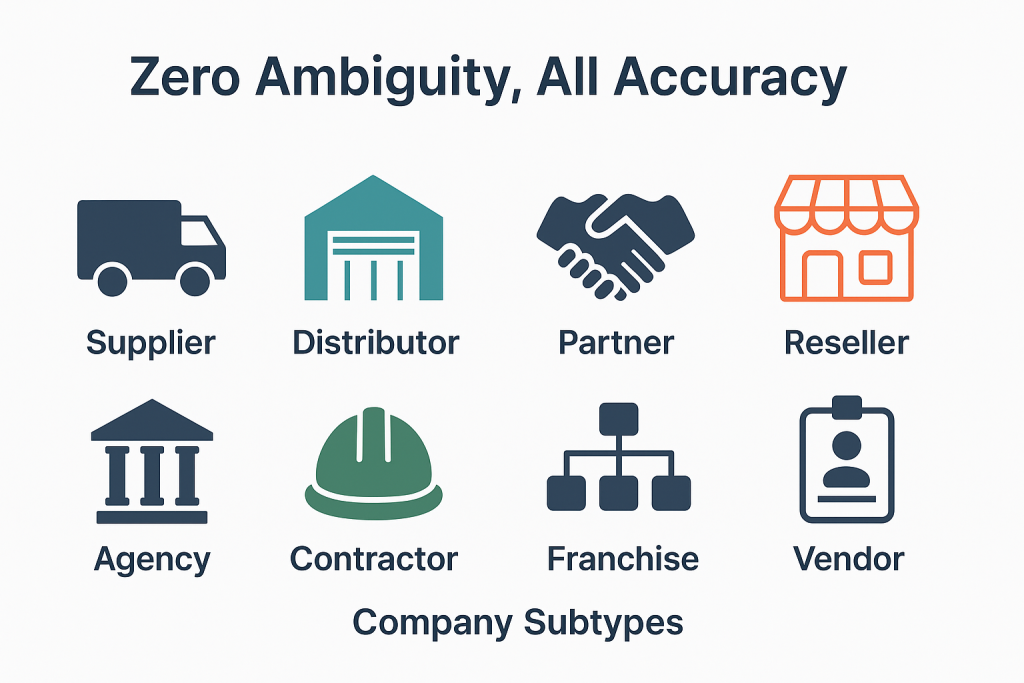
Most platforms ship with a fixed list of company types: Vendor, Customer, Partner. That works for the first six months. Then procurement realizes that "Vendor" lumps together the OEM that supplies critical parts with the office supply distributor that ships paper clips. Operations realizes that "Service Provider" includes both the licensed environmental consultant and the lawn care contractor. Apples and oranges. Every report that rolls up to leadership produces numbers nobody can defend without manual cleanup. Company Subtypes solves this. No forking the data model required.
Request Access to Live DemoWhy do top-level categories stop being enough?
Top-level categories work when your operation is small. Three vendors. Two service providers. One manufacturer. Anyone on the team can hold the distinctions in their head, and "Vendor" or "Service Provider" as a record type is plenty. As the operation grows, that simplicity becomes the bottleneck. By the time you have forty vendors and a procurement audit on the calendar, "Vendor" no longer tells anyone anything useful. The team needs to know who supplies OEM parts, who sells consumables, who handles fleet maintenance, who provides regulatory consulting.
The instinct at that point is usually wrong. Most teams add new top-level categories: "OEM Vendor" as a separate category from "Vendor." That breaks reports built on the old structure. It splits company records that should belong together. It creates a maintenance problem that compounds with every new distinction the business needs to track. Subtypes solve this without breaking what already works.
A subtype attaches to an existing category as a child classification. The parent category stays intact. Reports built on "all vendors" still work. New reports can filter to "OEM vendors only" without anyone rebuilding the data model. The team gets the precision it needs, when it needs it, without forking the structure.
How do subtypes drive automation and reporting across FireFlight?
Subtypes are not just labels. Once a subtype is defined and applied to a company record, it becomes a queryable attribute that the rest of the platform can act on. Workflow routing can branch on subtype: a service request from a "Fleet Maintenance Provider" follows a different approval path than a request from a "Regulatory Consultant." Permission scopes can reference subtypes: junior staff see all "Approved Supplier" records but cannot view "Restricted Vendor" records. Dashboards segment by subtype: procurement can pull spending by manufacturer subtype without rebuilding the report each quarter.
This matters in 2026. The operational complexity of mid-sized organizations has grown faster than most platforms have kept up with. A single vendor category that worked five years ago now hides distinctions that affect compliance, payment terms, audit response, and renewal cycles. Subtypes give your team the resolution to act on those distinctions without forcing a platform migration every time a new business reality shows up at the door.
PCG has been building classification systems like this for operational platforms since 1995. The Subtypes architecture reflects what happens when business segmentation needs outgrow the data model the platform shipped with.
What apps does Company Subtypes integrate with inside FireFlight?
Subtypes are not a standalone classification tool. They sit underneath every app where company records live, applying segmentation that downstream workflows can read and act on. The apps below reference subtypes directly.
Companies
 Company Categories
Manufacturers
Vendors
Service Providers
Freight Companies
CRM
Invoices & Quotes
Company Categories
Manufacturers
Vendors
Service Providers
Freight Companies
CRM
Invoices & Quotes
VA note: All 8 app card icons confirmed from original Company Subtypes page reference.
What outside systems benefit from cleaner company classification?
ERP & Procurement
Compliance Tracking
Reporting Tools
Why fuzzy classification becomes a compliance problem during audits.
When a procurement audit asks for "spending by approved supplier type" or "all vendors with active environmental certifications," your platform either has that classification structure in place or it does not. Free-text fields and inconsistent tagging will not pass an audit clean. The team ends up reconstructing the breakdown manually from invoice records and email threads, which takes days and produces approximations rather than defensible numbers.
FireFlight's Company Subtypes app stores classification as structured data with audit trails. Every subtype assignment is logged. Definitions update centrally and propagate everywhere the subtype is used. When the auditor asks for the breakdown, the report runs in seconds and ties back to data your team can defend.
Your Personal Guide on Every Page
From the first click to the final step, Ikhana, your on-screen tutor, shows you how it all works. Every field, every button, every page explained with clarity, right where you need it.
In Company Subtypes, Ikhana walks you through creating a new subtype, tying it to a parent category, assigning it to company records, and configuring the workflow rules that should respond to it. The guidance lives inside the interface, so new admin users do not need a separate training session.
Learn more about IkhanaWhat does Company Subtypes give you that tags or custom fields cannot?
-
Create custom subtypes tied to parent company categories. The relationship is structural, not just a label. Reports that filter by parent category still work, and new reports can drill into subtype detail without rebuilding anything underneath.
-
Assign one or more subtypes to a single company record. A vendor that supplies both OEM parts and consumables carries both subtypes simultaneously, and the downstream filtering treats it correctly without requiring the team to duplicate the record into two halves.
-
Filter companies by subtype across every app and workflow. The same subtype assignment works in CRM, Invoices, Work Orders, and procurement reports. No re-entering classifications per app.
-
Use subtypes to drive automation. Workflow routing, permission scopes, and approval chains can all branch on subtype values. The classification becomes operational logic, not just descriptive metadata.
-
Subtypes appear on company profiles and reports consistently, and dashboards reflect the same classification context. Whatever your team is looking at, the classification is present and current, not stale from a tag someone applied two years ago.
-
Track usage history and update subtype definitions centrally. Rename a subtype or merge it with another, and every existing assignment updates automatically across all records that carried the old label. No orphaned tags. No inconsistent labels lingering on old records that nobody remembers to clean up.
-
Sync to dropdowns and logic fields across every other form-based app. The same classification vocabulary spreads everywhere the team works.
"By using subtypes, we can instantly segment vendors by specialty and compliance level. It has changed how we handle procurement audits."Strategic Sourcing LeadMulti-Region Supply Chain
What PCG learned building classification systems for 31 years.
The teams that struggle most with company classification are not the ones with the most vendors. They are the ones whose platform shipped with a fixed taxonomy that worked at launch and never updated. Three years later, the business has evolved past those original buckets, but the platform cannot accommodate the new distinctions without a forklift upgrade. So the team works around it: spreadsheets, custom fields, free-text notes. The classification problem moves out of the system of record and into a shadow system nobody owns.
The Company Subtypes app came out of watching that pattern across PCG clients since 1995. The architecture lets your team add and refine classifications as the business changes, with the structural integrity that downstream workflows and reports actually need. That is the difference between a platform that ages with your business and one that becomes a constraint on it.
What changes operationally after Company Subtypes is deployed?
-
Procurement reports stop lumping unlike vendors together. Spending by OEM supplier, consumables provider, or fleet maintenance contractor becomes a single query instead of a manual breakdown.
-
Audit responses pull straight from structured subtype data. The auditor asks for spending by approved-supplier type, and the answer comes from one report.
-
Workflow routing reflects business reality. A service request from a regulatory consultant follows a different approval path than one from a general maintenance contractor, automatically.
-
Permissions scope cleanly. Junior staff see all approved-vendor subtypes but not restricted ones. No manual permission maintenance per record.
-
Adding new business distinctions takes minutes, not a platform redesign. The data model accommodates evolving segmentation without forcing migrations.
Frequently Asked Questions
What are Company Subtypes in FireFlight and how do they work?
What are Company Subtypes in FireFlight and how do they work?
How are subtypes different from tags or custom fields?
How are subtypes different from tags or custom fields?
Can a single company have more than one subtype?
Can a single company have more than one subtype?
Can subtypes drive automation or just describe records?
Can subtypes drive automation or just describe records?
What happens if we rename or merge a subtype later?
What happens if we rename or merge a subtype later?
We currently classify vendors using spreadsheet columns. Can we migrate that into subtypes?
We currently classify vendors using spreadsheet columns. Can we migrate that into subtypes?
How long does it take to deploy Company Subtypes?
How long does it take to deploy Company Subtypes?
If your team is already maintaining a shadow spreadsheet of vendor classifications because the platform's company categories are too broad in 2026, you have a data fragmentation problem that compounds quietly. FireFlight's Company Subtypes app brings that classification back into the system of record, with the structural integrity that downstream workflows and audits actually need. Deployments take weeks, not months.
Request Access to Live Demo
FireFlight Data Systems is a product of Phoenix Consultants Group. PCG founded 1995. Every system configuration is custom-built per deployment. Implementation timelines, module availability, and integration scope vary by organization. Contact PCG directly to discuss requirements specific to your operation.
Physical Asset Mapping: Know What's Where, Always
Link every asset to the building, room, zone, or geography where it operates. Track placement history, flag assets out of position, and give technicians and auditors the location context they need before they walk out the door.

In 2026, operations managing assets across multiple buildings, floors, or sites without a location tracking system spend measurable time on two avoidable problems: finding assets that have been moved without a record update, and reconstructing location history for audits after the fact. FireFlight's Physical Asset Mapping app solves both by making location data part of the asset record from the first entry and logging every change automatically.
Schedule your free consultationHow does physical asset location tracking work in FireFlight?
Each asset record in FireFlight links to a specific location through the Physical Asset Mapping app. Location is assigned through a visual mapping interface or a location select field depending on how your operation is structured. When an asset moves, the location record updates and the movement logs in the asset's placement history with a timestamp and the user who made the change. The current location is always current. The history is always complete.
For operations managing assets across multiple buildings or sites, the app supports the full location hierarchy: site, building, floor, room, zone, and position within a zone. An asset tagged to Room 4B on Floor 2 of Building C at the East Campus is findable from a search against any of those attributes. A technician dispatched to service that asset has the location before they leave rather than after they arrive and have to ask.
PCG has been building asset management systems for regulated and compliance-driven operations since 1995. The operations that benefit most from physical location tracking are those where assets move between locations as part of normal operations: healthcare equipment between departments, IT hardware between offices, industrial tools between job sites. The app is built for exactly those use cases.
How does physical asset mapping support audits and compliance inspections?
Default asset positions are assignable in FireFlight so every asset has an expected location on record. During an audit or inspection, the audit trail shows current location, expected location, and the full movement history since the last audit. Assets that have moved from their assigned position are visible immediately from the dashboard rather than discovered by walking through every location manually.
For compliance inspections where auditors need to verify that specific equipment is located where it is required to be, this is the difference between an audit that takes hours and one that takes a fraction of that time. The documentation exists in the system record. It does not need to be assembled from physical walkthrough notes and cross-referenced against a spreadsheet.
What apps does Physical Asset Mapping integrate with?


What breaks down when asset location lives only in someone's memory: A technician spends 20 minutes finding an asset that moved two weeks ago because nobody updated the record. An auditor asks where a piece of equipment was six months ago and the answer requires interviewing three people and checking a shared drive that may or may not have the information. A compliance inspection identifies that required equipment is not where it should be and the organization cannot produce documentation of when it moved or why.
Each of those failures has a cost: lost technician time, failed audit preparation, and compliance exposure that could have been avoided with a current location record. FireFlight's Physical Asset Mapping app makes location data part of the standard asset record rather than an afterthought. The location is there when the technician needs it. The history is there when the auditor asks for it. PCG has been building asset management systems for regulated environments for over 30 years. Location tracking is not a nice-to-have for operations subject to compliance review. It is a requirement that this app covers.
Your Personal Guide on Every Page
From the first click to the final step, Ikhana, your on-screen tutor, shows you how it all works. Every field, every button, every page explained with clarity, right where you need it.
In the Physical Asset Mapping app, Ikhana walks facility managers, IT staff, and compliance teams through location assignment, container setup, and audit trail navigation. New team members are managing asset locations accurately from their first week without a dedicated training session for each workflow.
Learn more about IkhanaWhat does the Physical Asset Mapping app actually do?
-
Link assets to buildings, rooms, zones, or geographies: Every asset in FireFlight links to a specific physical location through a full location hierarchy: site, building, floor, room, zone, and position. The location is searchable and filterable from the asset record and from the location record simultaneously.
-
Visual mapping interface with drag-to-place or location select: Locations assign through a visual interface or a structured location select field. Either method posts to the same asset record and triggers the same placement history log. Operations with complex facility layouts use the visual interface; operations with simpler structures use location select.
-
Multi-asset containers such as cabinets, rooms, and mobile carts: Server cabinets, equipment rooms, storage units, and mobile tool carts become location containers in FireFlight. Assets inside link to the container. Moving the container updates the location context for everything it holds without requiring individual asset record updates.
-
Placement history per asset with full audit trail: Every location assignment and change logs against the asset record with a timestamp and user attribution. The history shows where an asset has been, when it moved, and who made the change. Auditors get the documentation they need from the system record rather than from a manual reconstruction.
-
Default asset positions for audit and inspection support: Expected locations are assignable per asset. Assets that have moved from their assigned position are visible from the dashboard before an auditor asks. The gap between where an asset should be and where it is shows up in the system before it shows up in an audit finding.
-
Filter assets by type, usage, service schedule, or location: The full asset inventory is filterable by any combination of location, asset type, service schedule, and assignment. A facilities manager needs to see all medical equipment on the third floor. An IT manager needs to see all servers in the east data center. Both queries run from the same interface without a custom report request.
-
Integration with service logs, warranties, and location-specific notes: Work orders, maintenance schedules, warranty records, and location-specific notes all connect to the asset's location record. A technician dispatched to a specific location sees not just where the asset is but what work has been done on it and what warranties are active.
What PCG learned building asset location tracking systems across 31 years: The organizations that invest in physical asset mapping before a compliance audit are the ones that pass it without scrambling. The ones that try to reconstruct location history after the auditor asks for it spend days assembling partial documentation from multiple sources and still cannot fully account for every asset movement.
Location data is only valuable when it is current. An asset location system that gets updated inconsistently produces location records that are partially right, which in some ways is worse than no records because it creates false confidence. FireFlight's Physical Asset Mapping app makes location updates fast enough that they happen as part of normal operations rather than as a separate administrative task. Deployments complete in weeks, not months, and existing asset and location data migrates as part of the process.
"This app consolidated asset visibility across five buildings and cut our audit preparation time significantly. We now walk into every inspection with the documentation already current."Compliance OfficerHealthcare Group
What changes after deploying Physical Asset Mapping?
-
Technicians stop searching for assets that were moved without a record update. The current location is in the system before they leave for the job, not discovered after they arrive and have to ask around.
-
Audit preparation time drops. Location history and current placement are in the system record and available immediately rather than assembled from walkthrough notes and cross-referenced spreadsheets over several days.
-
Assets out of their assigned position are visible from the dashboard before a compliance inspection identifies them. The gap between expected and actual location shows up internally first.
-
Multi-site visibility consolidates into one view. Operations managing assets across multiple buildings or campuses see the full picture from a single dashboard without switching between separate systems for each location.
-
Service and maintenance workflows improve because location is part of the work order. Scheduling considers where the asset is, not just what it is, so dispatching decisions are made on current information rather than assumed positions.
Questions about FireFlight Physical Asset Mapping
How does Physical Asset Mapping link assets to specific locations in FireFlight?
How does Physical Asset Mapping link assets to specific locations in FireFlight?
Does FireFlight physical asset mapping track historical movement and placement history?
Does FireFlight physical asset mapping track historical movement and placement history?
Can Physical Asset Mapping handle multi-site or multi-building operations?
Can Physical Asset Mapping handle multi-site or multi-building operations?
How does physical asset mapping connect to maintenance scheduling and work orders?
How does physical asset mapping connect to maintenance scheduling and work orders?
Can we map assets to containers like cabinets, rooms, or mobile carts?
Can we map assets to containers like cabinets, rooms, or mobile carts?
How does FireFlight physical asset mapping support audits and inspections?
How does FireFlight physical asset mapping support audits and inspections?
How long does it take to deploy Physical Asset Mapping in FireFlight?
How long does it take to deploy Physical Asset Mapping in FireFlight?
Every asset your team spends time finding that should already be tracked, and every audit that requires days of preparation because location history lives in people's heads rather than in the system, is a recoverable cost. FireFlight's Physical Asset Mapping app puts location data where it belongs: in the asset record, updated at the point of movement, and available when the auditor asks. Deployments complete in weeks, not months.
Schedule your free consultation
FireFlight Data Systems is a product of Phoenix Consultants Group. PCG founded 1995. All system configurations are custom-built for each deployment. Implementation timelines, module availability, and integration scope vary by organization. Contact PCG directly to discuss requirements specific to your operation.
Regional Divisions: Run Operations by Territory, Not by Spreadsheet
Segment sites and users by region. Scope permissions and alerts by territory. Built for multi-site enterprises where one configuration cannot serve every location.
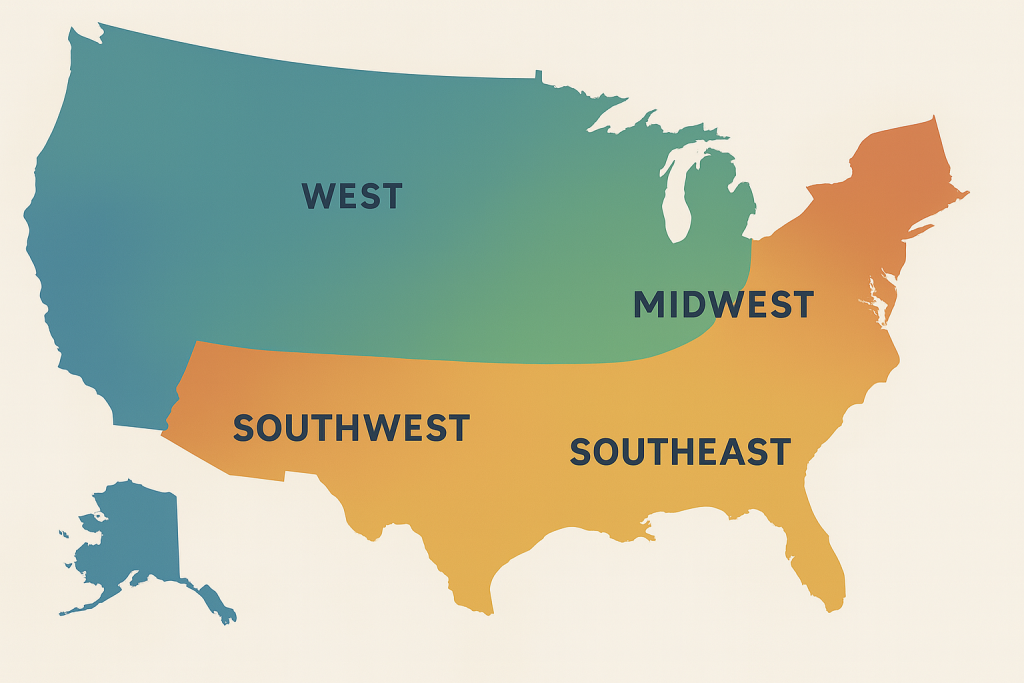
Most multi-site operators in 2026 still run the whole enterprise as if every location were identical. They cannot. The compliance officer in one region has no visibility into what their counterpart in another territory is fighting through. Reports roll up into one company-wide number that hides what each territory actually needs. Regional Divisions fixes the structural problem first, so the operational and reporting workflows have something solid to stand on.
Request Access to Live DemoWhat problem does the Regional Divisions app actually solve?
The problem multi-site operators face is rarely a lack of data. Their problem is data that has no organizational structure above the individual site level. The Phoenix facility shows up in reports alongside the Tucson facility alongside the Albuquerque facility, with no easy way to group them by region, compare them against each other within a territory, or scope permissions so a regional manager sees only what they are responsible for.
Regional Divisions adds that layer. Each region is defined once with the sites that belong to it, the staff assigned to it, the assets it owns, and the compliance rules that apply within its jurisdiction. Every report and dashboard in FireFlight can then filter by region without the operator building a custom view from scratch every time.
For organizations operating across multiple states or jurisdictions in 2026, this is not a quality-of-life feature. State-level environmental regulations, OSHA reporting requirements, and tax obligations all run on regional boundaries. A platform that cannot scope by region forces those operators to do the segmentation manually, every time, in a spreadsheet.
How does Regional Divisions handle territories that operate under different rules?
This is where generic enterprise platforms fall apart. Most assume that territory differences can be handled with a custom field on each record. The Texas facility gets a "Texas" tag, the California facility gets a "California" tag, and reporting becomes a matter of filtering by tag. That works until the Texas operation has different audit cycles, different inspection cadences, and different vendor approval rules than California. Then the tag-based approach breaks down.
FireFlight's Regional Divisions app treats each region as a first-class structural object, not a label. Each region has its own compliance configuration, its own inspection schedules, its own approved vendor list, and its own permission scope. A staff member assigned to the Pacific region cannot accidentally edit records belonging to the Mountain region. The regional manager dashboard shows only their territory by default. The CFO and operations director see everything.
PCG has been building this kind of structural software for regulated multi-site operations since 1995. The Regional Divisions architecture reflects what happens when you treat geography as data rather than as a string in a text field.
What apps does Regional Divisions integrate with inside FireFlight?
Regional Divisions is the territorial layer that everything else organizes around. The apps below reference regions directly, meaning a single change to a regional definition propagates through every connected workflow without manual cleanup.

VA note: All three app card icons above are confirmed from the original Regional Divisions page reference. No placeholders required.
What outside systems does Regional Divisions connect to?
Enterprise Asset Management
Inventory Management
Compliance & Certifications
Why regional structure is a compliance liability when missing in 2026.
State-level environmental agencies, OSHA regional offices, and industry-specific regulators all enforce rules at regional or jurisdictional boundaries. An audit request that asks for compliance records "for facilities operating in the EPA Region 9 territory" requires the platform to know which facilities those are. A spreadsheet column with state codes does not satisfy that request when the auditor follows up on something specific.
FireFlight's Regional Divisions app stores territorial structure as queryable data from the moment a site is created. Every record carries its regional context. Audit responses scope to the requested territory without anyone running a reconciliation pass first.
Your Personal Guide on Every Page
From the first click to the final step, Ikhana, your on-screen tutor, shows you how it all works. Every field, every button, every page explained with clarity, right where you need it.
In Regional Divisions, Ikhana walks you through defining a new region, assigning sites and staff, configuring regional compliance rules, and scoping permissions. The guidance lives inside the interface itself. No separate training session required for the regional managers when they get added later.
Learn more about IkhanaWhat does Regional Divisions give you that a tag or text field cannot?
-
Define geographic or operational regions as first-class records within the system. Not a label on a record. A structured entity with its own assignments and rules.
-
Assign every site and the assets it contains to a specific region. When an asset moves between regions, every connected record reflects the move automatically and no one has to chase down stale references.
-
Filter every dashboard and report by region without building a custom view. The regional view exists by default the moment a region is created.
-
Route work orders by regional hierarchy. A maintenance request submitted at a Pacific region site goes to the Pacific dispatch queue automatically.
-
Segment permissions and access controls by region. Regional managers see their territory. Corporate staff see everything. No manual access maintenance required.
-
Sync regional configurations with certifications, vendor approvals, and resource availability so each territory operates with rules that match its requirements.
-
Maintain audit history and regional change logs. Every modification to a regional configuration is tracked, time-stamped, and attributable to the staff member who made it.
"It gave us the control to delegate oversight while maintaining company-wide standards."Regional Facilities ManagerMulti-Site Operator
What PCG learned building multi-region systems for 31 years.
The organizations that struggle most with regional management are not the ones with the most territories. They are the ones that grew from two sites to twelve without ever building a structural layer to organize them. The reports get longer. The permission setup gets messier. Eventually someone proposes a spreadsheet to "manage the regional rollup" and the platform becomes a system of record for transactions while the spreadsheet becomes the system of truth for organization.
Regional Divisions came out of watching that exact pattern across PCG clients since 1995. The architecture was designed for the operator at facility eight, not facility two. That is the difference between software that scales with your business and software that scales until your business outgrows the configuration.
What changes operationally after Regional Divisions is deployed?
-
Regional managers see their territory's data without filtering or running custom reports. The default view matches their actual scope of responsibility.
-
Compliance configurations specific to a state, jurisdiction, or operational region get applied automatically to every site within that boundary.
-
Work orders, asset movements, and inspection schedules route through the correct regional queue. No more manual reassignment between territories.
-
Regional rollups for corporate reporting happen inside the platform, not in a downstream spreadsheet. The data the CFO sees comes from the same source the regional manager sees.
-
Adding a new region takes hours, not weeks. The structure is templated from existing regions where appropriate and customized where each territory's requirements differ.
Frequently Asked Questions
What is the Regional Divisions app in FireFlight and what does it do?
What is the Regional Divisions app in FireFlight and what does it do?
Can each region have its own compliance configuration?
Can each region have its own compliance configuration?
How are permissions handled across regions?
How are permissions handled across regions?
Can I roll up regional data to a corporate dashboard?
Can I roll up regional data to a corporate dashboard?
How does Regional Divisions handle a site that operates across multiple regions?
How does Regional Divisions handle a site that operates across multiple regions?
We track regions in a spreadsheet today. How hard is it to migrate that into FireFlight?
We track regions in a spreadsheet today. How hard is it to migrate that into FireFlight?
How long does it take to deploy Regional Divisions for an enterprise with multiple territories?
How long does it take to deploy Regional Divisions for an enterprise with multiple territories?
If your operation manages multiple sites across territories with different rules and reporting requirements in 2026, you are either building structure into your platform or building it into a spreadsheet that nobody owns. FireFlight's Regional Divisions app brings territorial structure into the system itself. Permissions scope automatically. Reports aggregate cleanly. Compliance rules apply per region without anyone toggling settings. Deployments take weeks, not months.
Request Access to Live Demo
FireFlight Data Systems is a product of Phoenix Consultants Group. PCG founded 1995. Every system configuration is custom-built per deployment. Implementation timelines, module availability, and integration scope vary by organization. Contact PCG directly to discuss requirements specific to your operation.
Address Book Tie-Ins: The Connective Tissue of Your Contact Infrastructure
FireFlight Address Book Tie-Ins links physical addresses, emails, plus phone numbers to every record that needs them. Vendors, clients, sites, plus service providers share one contact backbone in 2026.
Where does the same address live when it belongs to a vendor, a site, plus an open work order? Address Book Tie-Ins puts it in one record and links that record to every place it matters. The vendor profile, the site record, plus the work order all reference the same source. Update once. The change propagates everywhere it was needed.

See how Address Book Tie-Ins ends the era of duplicate contact data across vendors, sites, clients, plus operational records. Deployments run in weeks, not months.
Request a Demo Contact SalesWhy does contact data fragment across silos?
Most operations platforms in 2026 store contact fields directly inside the records that use them. The vendor module has its own address column. The CRM has its own. Site Management has its own. Work Orders has its own. The same warehouse address ends up typed five different ways across four modules, each with a slightly different version of the truth.
The problem is architectural. Each app treated contact data as private. When the warehouse moved, somebody had to update the vendor record, the linked client record, the active work orders, plus the route in dispatch. Three of those updates happened. The fourth got missed. A truck showed up at the wrong gate the following week.
Address Book Tie-Ins fixes this by promoting addresses, emails, plus phone numbers to shared records. Every operational app references the shared record rather than copying the value into its own table. One update reaches every linked entry without anyone hunting for stragglers.
How does the tie-in handle contact types and one-click lookups?
Every contact record carries a type. Billing for finance flows. Physical for dispatch and shipping. Emergency for after-hours escalation. Custom types for the cases your operation defines. Type tags drive filtering, so finance can pull every billing address across the vendor base or dispatch can pull every physical address in a region, all in one query.
One-click lookups let any record pull current contact data from the shared source. The work order screen reads the vendor's current physical address without anyone retyping it. The invoice screen reads the billing address. The emergency contact list reads the emergency phone number. Updates push out the same way. Edit the contact record once and every linked entry refreshes.
International address formats are supported alongside domestic. The vendor in Toronto and the subsidiary in Houston live inside the same record set without custom workarounds for either side.
What apps does Address Book Tie-Ins connect?

Visibility Rules plus Built-In Auditing
Every contact entry carries visibility rules separating internal from client-facing data. An executive's direct line stays internal. The main billing email stays public-facing. Visibility is decided per record rather than improvised per query.
Every add, edit, plus retirement writes to the audit trail with user identity and timestamp. When a regulator or attorney asks who changed a vendor's emergency contact on a specific date, the answer comes from the audit log rather than from email forensics.
Your guide for every field, every screen
Ikhana walks new users through linking a contact to a record, defining the contact type, plus setting visibility for sensitive entries.
New hires reach productivity in hours instead of weeks. Onboarding stops being a separate project.
Learn more about IkhanaWhat does Address Book Tie-Ins give your team?
- Addresses, emails, plus phone numbers linked to any record, including users, vendors, sites, clients, plus freight contacts.
- Contact type definitions covering Billing, Physical, Emergency, plus any custom type your operation needs.
- One-click lookups and updates across every linked entry. Edit the source once. The change flows out.
- Visibility rules separating internal from client-facing contact data on the same parent record.
- Built-in auditing on every contact change. User, timestamp, plus prior value land in the trail without manual effort.
- International address formats with validation rules, so a vendor record in Toronto and a subsidiary in Houston live inside the same database.
- Entry from any context. A contact added on a work order, a company profile, or a site record flows back to the shared source automatically.
- Deployment runs in weeks, not months. Hosting sits on PCG infrastructure.
"We no longer have to hunt through spreadsheets or emails. Addresses and contact info just flow where they are needed."Director of Vendor RelationsManufacturing Group
Ask your contact infrastructure a question in plain English
Phoenix Consultants Group has built custom database software since 1995. Across 31 years and 500+ applications, roughly a third of that work has involved relational contact data, compliance audit trails, plus operational reporting for private-sector clients.
FireFlight adds an AI reporting layer on top of your live tied-in contact data. Type "show every vendor with a physical address change in the last 30 days and the open work orders that reference any of those addresses" and the answer comes back as a working report rather than a ticket assigned to IT. The query happens in weeks, not months of canned-report development.
What changes operationally after deployment?
- Duplicate contact entries stop multiplying. Sales, finance, plus dispatch read from the same source rather than maintaining private copies.
- When a vendor moves, the change reaches every linked record at once across the entire platform without manual follow-up. No more trucks at the wrong gate.
- Finance pulls every billing address across the vendor base in one filtered query. Manual reconciliation between AP and the master vendor list stops generating exceptions.
- Compliance and audit requests for "who changed this contact and when" get answered from the audit log in seconds.
- New employees learn the contact infrastructure from Ikhana on screen, so onboarding compresses from weeks of shadowing into a few hours of guided work inside the actual app.
Frequently Asked Questions
What does Address Book Tie-Ins actually do?
What does Address Book Tie-Ins actually do?How is this different from the Physical Addresses, Emails, plus Phone Numbers apps?
How is this different from the Physical Addresses, Emails, plus Phone Numbers apps?Can a single address belong to a vendor and a site at the same time?
Can a single address belong to a vendor and a site at the same time?How do contact types work?
How do contact types work?How are sensitive contact entries kept off client-facing views?
How are sensitive contact entries kept off client-facing views?How long does Address Book Tie-Ins take to deploy?
How long does Address Book Tie-Ins take to deploy?Can we query the contact infrastructure using natural language?
Can we query the contact infrastructure using natural language?End the duplicate contact problem at the architecture level
One source for every address, email, plus phone. Linked across every operational app. Audited on every edit. Deployments measured in weeks, not months. Hosting by PCG with phone support included.
Request a Demo Contact SalesPhoenix Consultants Group, founded 1995. FireFlight Data Systems is a proprietary platform hosted by PCG. Page last updated May 2026.