

Course Materials Suppliers: Built for Training Programs, Not Generic Procurement
Track every supplier that provides books, lab kits, industry equipment, certification materials, and learning resources. Tie each one directly to the programs and course codes they serve. Stop running supply chain decisions for your training operation through a generic vendor list that knows nothing about your curriculum.

In 2026, technical training centers, certification programs, and continuing education providers face supply chain pressures that generic procurement software was never built to handle. The textbook supplier for the welding program is not interchangeable with the lab kit vendor for the electrical curriculum. When a delivery slips, the question is not just "where is the shipment" but "which class is about to start without its required materials." Course Materials Suppliers ties the supplier record to the curriculum directly, so the answer to that question takes seconds.
Request Access to Live DemoWhy does generic vendor management fall short for training operations?
Generic vendor management software was built for offices that buy paper clips, IT firms that buy server hardware, manufacturers that buy raw materials. The data model assumes that one purchase order plus one vendor plus one delivery date equals one operational outcome. Training organizations do not work that way. The same vendor might supply ten different course kits, each with its own delivery cadence tied to a specific class start date. Lab equipment for the electrical program follows different procurement rules than textbooks for the safety certification course.
The result, in most training operations running on generic procurement tools: the supplier list lives in one system, the program calendar lives in another, and the connection between them lives in a department admin's head. When that person leaves or goes on vacation, the supply chain becomes opaque. Materials show up late. Classes start without their required kits. Accreditation reviews ask questions that take days to answer because the supplier data is not actually connected to the curriculum data.
The Course Materials Suppliers app builds that connection structurally. Each supplier record references the programs and courses it supports, with material types tracked at the association level. Procurement decisions reference curriculum reality. Audits and accreditation reviews pull from a single source instead of three.
How does the app handle different types of course materials from one supplier?
A single supplier rarely sells just one thing to a training organization. The vendor that provides the textbooks for the EMT certification program might also supply the practical skills mannequins used in the same course sequence. A kit assembler that handles HVAC parts often handles the refrigeration program parts catalog too. One record with no segmentation breaks reporting. Splitting it into four different vendors creates duplicate data and reconciliation problems that compound every quarter.
Course Materials Suppliers uses a parent-child structure. One supplier record holds the company-level data: contact information, payment terms, performance history, contract status. Below it sit material associations that link to specific items, kits, or material categories. Each association carries its own course assignment, delivery cadence, and pricing tier. The reporting layer treats the supplier as one entity while still letting procurement filter by course, by program, or by material type.
PCG has been building this kind of education-specific procurement logic since 1995. The Course Materials Suppliers architecture came from real client work with technical training centers, certification programs, and continuing education providers where generic procurement tools had broken down at scale.
What apps does Course Materials Suppliers integrate with inside FireFlight?
The Course Materials Suppliers app sits at the intersection of vendor management and curriculum operations. The apps below reference supplier data directly, so a change at the supplier level propagates through every connected procurement and reporting workflow.


VA note: All 5 app card icons confirmed from original Course Materials Suppliers page reference.
What outside systems benefit from connected supplier data?
 Learning Management Systems
 Accreditation Tracking
 ERP & Accounting
Why disconnected supplier data becomes an accreditation liability.
Accreditation bodies for vocational programs, certification courses, and technical training organizations increasingly ask for documented supplier traceability. Where did the lab equipment come from. When was it sourced. Does the supplier maintain the quality certifications required by the curriculum standard. A program that cannot answer those questions cleanly during a review puts its accreditation at risk, which puts its enrollment at risk in the next cycle.
FireFlight stores supplier records with documentation attachments, performance history, and curriculum links that accreditation reviewers commonly request. Audit responses pull from structured data. No more reconstructing the chain from email threads and PDF invoices six minutes before the reviewer arrives. The review takes hours instead of days, and the answers hold up under follow-up questions.

Your Personal Guide on Every Page
From the first click to the final step, Ikhana, your on-screen tutor, shows you how it all works. Every field, every button, every page explained with clarity, right where you need it.
In Course Materials Suppliers, Ikhana walks you through creating a supplier record, linking it to specific programs and course codes, tracking quality history, and generating audit-ready reports. The guidance lives inside the interface. Program admins and procurement staff get up to speed without a separate training session.
Learn more about IkhanaWhat does the Course Materials Suppliers app give your training operation?
-
 Store supplier records with full contact details and category tags built for training operations. Not a generic vendor row. A structured record that connects to the programs and courses the supplier supports.
-
Associate suppliers with specific courses or course material items. The EMT certification program sees its own supplier list. The welding curriculum sees its own. Procurement queries answer the question at the level that actually matters.
-
Track delivery reliability and quality scores against historical purchases. When a supplier slips, the data shows the pattern instead of relying on memory. Renewal conversations get easier and faster.
-
Link supplier records to purchase order and invoice data so financial and operational views stay aligned. When accounting reviews payables, the program manager sees what was delivered against each order. When the program manager checks deliveries, accounting sees what got paid. One source of truth.
-
Filter suppliers by material type, program, or course code. The textbook publisher for the safety program shows up in seconds. Every vendor that ever supplied a specific course over three years pulls into one report.
-
View supplier usage history. Update status flags as needed: active, inactive, preferred, restricted. The status reflects current business reality, not a procurement decision from last year that nobody remembers making.
-
Export supplier lists for accreditation reviews and compliance audits, structured the way reviewers expect to see the data. The export takes minutes. No multi-day data assembly project before each visit.
-
Connects with curriculum planning and course setup workflows. When a new course is approved, the supplier record links during course configuration instead of getting added six weeks later when someone realizes the materials need ordering.
"We cut our supply delays in half by tracking vendor performance across programs. This app helped us build a more accountable supplier network."Program DirectorRegional Technical Training Center
What PCG learned building procurement systems for training organizations since 1995.
The training operations that struggle most with materials supply are not the ones with the most suppliers. They are the ones whose procurement platform was built for office or industrial buying, then adapted later to handle curriculum needs through workarounds. Custom fields. Naming conventions. Spreadsheet attachments. Each workaround makes sense on its own. Together, they hide exactly the data that program directors need when a delivery is late and a class starts Monday.
The Course Materials Suppliers app came out of watching that pattern across PCG clients in technical education, certification training, and continuing education over many years. Its architecture was designed for the program director planning next term's materials, not the corporate buyer ordering printer toner. That distinction is what makes the difference between procurement software supporting the academic calendar and procurement software fighting it.
What changes operationally after the Course Materials Suppliers app is deployed?
-
Supplier records carry curriculum context. Every vendor links to the courses and programs they actually serve, not just a generic category code.
-
Delivery slippage gets caught early because performance history attaches to the supplier record at the program level. Patterns surface before the class starts short on materials.
-
Accreditation review responses pull from structured data. Reviewers get the supplier traceability they ask for in a single report instead of a week of data gathering.
-
Course setup workflows include supplier linkage from day one. New programs do not launch with a procurement gap that surfaces three weeks before the first session.
-
Procurement, program management, and accounting work from the same supplier data. The department admin's head is no longer the only place where the connections live.
Frequently Asked Questions
What is the Course Materials Suppliers app in FireFlight and who is it built for?
What is the Course Materials Suppliers app in FireFlight and who is it built for?
How is this different from generic vendor management software?
How is this different from generic vendor management software?
Can one supplier serve multiple programs or course types?
Can one supplier serve multiple programs or course types?
How does the app support accreditation and compliance audits?
How does the app support accreditation and compliance audits?
Does it integrate with our existing accounting or ERP system?
Does it integrate with our existing accounting or ERP system?
We track suppliers in spreadsheets connected to our curriculum planning. How hard is migration?
We track suppliers in spreadsheets connected to our curriculum planning. How hard is migration?
How long does deployment take for an organization with dozens of programs?
How long does deployment take for an organization with dozens of programs?
If your training organization is running supplier management through a spreadsheet and a generic procurement tool that knows nothing about your curriculum in 2026, every late delivery and every accreditation review costs more than it should. FireFlight's Course Materials Suppliers app brings supplier data, performance history, and curriculum linkage into one platform built for training operations. Deployments take weeks, not months.
Request Access to Live Demo
FireFlight Data Systems is a product of Phoenix Consultants Group. PCG founded 1995. Every system configuration is custom-built per deployment. Implementation timelines, module availability, and integration scope vary by organization. Contact PCG directly to discuss requirements specific to your operation.




Locations and Zones: One Space Model That Every Other App Reads From
Locations and Zones is the FireFlight app that turns physical space into structured data. Warehouses, buildings, rooms, production floors, plus bins all live in one hierarchical model. Inventory, assets, work orders, plus checklists read from the same location records. Define once, reuse everywhere.
Can FireFlight model physical space hierarchically so inventory, assets, plus work orders all reference the same locations? Yes. Locations and Zones defines spaces with custom attributes (type, size, use case, site). Group plus nest zones for logical segmentation: Site to Building to Zone to Aisle to Bin. Link assets, inventory, plus tasks to any zone. Filter every view by zone, area, or floorplan. Deployment runs weeks, not months.

See how a single zone (say, Building 2 Production Floor A) carries linked inventory, scheduled work orders, assigned assets, plus historical maintenance in one record the maintenance lead can open. Live demo or a direct call.
Request a Demo Contact UsWhy do multiple teams in the same building use completely different names for the same physical space?
In 2026, most operations carry the same physical space in four or five different systems with four or five different names. The maintenance crew calls it "Pump Room B." The inventory system labels it "STG-04-WST." Facilities calls it "Building 2 Mechanical." The work order app shows it as "Z3-Plant Floor." When the safety inspector asks for the location of the incident, nobody is sure whether all four references point to the same room or to four different rooms. The audit drags. The corrective action plan takes a week to assemble.
The cost compounds anywhere physical space crosses departmental lines. Inventory cannot tell you where an asset is housed because asset management uses a different naming scheme. A work order arrives at the wrong building because the requester used a label the technician's app does not recognize. Compliance audits demand a unified site map that the operations team has to construct manually from four conflicting source files. Every new facility makes the problem worse.
Locations and Zones replaces that mess with one space model. Each physical area gets defined once, with the attributes the business actually uses: site, building, zone, aisle, bin, room, production area. The model is hierarchical, so a bin lives inside an aisle, which lives inside a zone, which lives inside a building, which lives inside a site. Every other app (inventory, assets, work orders, checklists) reads from the same location records. When somebody asks "where is X," every system gives the same answer.
How does nested hierarchy handle both a warehouse bin plus a production floor in the same model?
Each location carries a type that defines what it represents: site, building, floor, zone, aisle, bin, room, production area, parking lot, or custom category for industry-specific needs. The hierarchy is configurable rather than hard-coded. A distribution center models down to the bin level for inventory accuracy. Manufacturing campuses model down to the production cell. A multi-tenant office complex tracks down to the floor or suite for IT asset tracking. Each business defines its own depth without forcing the model into shapes that do not fit.
Custom attributes attach to any location type. A bin carries size plus capacity figures. Production areas carry hazard class plus required PPE. A server room carries cooling capacity plus access restrictions. A loading dock carries door dimensions plus the approved carrier list. The attributes are user-defined so the data captured at each location matches the actual operational reality of that space, not a vendor's idea of what should be tracked.
Default location assignment is what makes the model useful day to day in the field. A monthly preventive maintenance checklist defaults to the production cells it covers. Equipment records default to their installed locations. A vendor receipt defaults to the receiving zone. A work order template defaults to where the work usually happens. The defaults populate automatically when staff create new records, plus they can be overridden when the work actually happens elsewhere. Filter any data view (tasks, assets, inventory, history) by zone, area, or floorplan to see exactly what is happening in a specific space.
What apps does Locations and Zones connect to inside FireFlight?


A unified space model becomes the index for every audit. We treat it that way.
Location data lives in encrypted storage hosted by PCG. Role-based access separates facility administrators who define new locations from staff who reference them in work orders plus auditors who query the full hierarchy. Sensitive areas (server rooms, controlled-substance storage, restricted research labs) can be limited to specific user groups.
Every location update, every attribute change, plus every default reassignment is logged with user identity, timestamp, plus the affected child locations. Usage history by location surfaces immediately during audits: every work order, asset placement, inventory event, plus inspection that ever happened in that space, ready for safety review, compliance check, or insurance verification.

Ikhana shows your team how to define a zone, link it to assets or inventory, plus filter views by floorplan.
Every field, every attribute prompt, every hierarchy choice is explained the moment somebody asks. New facility coordinators create their first nested zone the same week they start. No training queue. No tickets to IT.
Learn more about IkhanaWhat does Locations and Zones give your operations team?
- Locations defined with custom attributes: type, size, use case, site, hazard class, access restrictions. The data captured matches your actual operational reality.
- Group plus nest zones for logical site segmentation. Site to Building to Zone to Aisle to Bin, or whatever depth your business actually uses.
- Link specific assets, inventory items, or tasks to individual zones at any level of the hierarchy. Records carry physical homes in one shared model.
- Retrieve usage history by location instantly for audits plus compliance. Work orders, asset events, plus inventory transactions all surface by space.
- Assign default locations to checklists, work orders, plus equipment records that live across many sites. Defaults populate automatically so staff stop typing location codes from memory.
- Filter tasks plus data views by zone, area, or floorplan. Maintenance leads see only their territory. Executives see the full footprint.
- Real-time location updates from mobile or desktop interface. A new bin, a new production cell, or a moved asset reflects across every app immediately.
"Zone-level visibility helped us identify underutilized spaces plus improve efficiency across every floor."Director of FacilitiesManufacturing Campus
31 years of operational software, with AI reporting built in for 2026.
Phoenix Consultants Group has built custom operational software since 1995. Locations and Zones is one app inside the FireFlight platform, the same platform running fleet fueling for municipal operators, physician credentialing for staffing firms, plus airport ground equipment management for aviation services.
The AI layer added in 2026 means a facilities director can query Locations and Zones in plain English. "Show me every production cell with more than 12 open work orders plus an asset assigned over 8 years old, grouped by building." The system answers from live data. No report request to IT. No waiting.
What changes operationally after Locations and Zones goes live?
- Every team uses the same name for the same physical space. Inventory, maintenance, facilities, plus compliance reference the same location records throughout the entire enterprise.
- Work orders arrive at the right building the first time. Default locations populate from equipment plus checklist records so the technician knows where to go.
- Audit response time drops from days to minutes. Usage history per location returns every event ever logged against that space in one query.
- Underutilized space surfaces in reporting. Zones with low activity show up against high-activity neighbors so facilities can reorganize on data.
- Onboarding stops requiring tribal knowledge. New staff find any zone through the hierarchy instead of needing the senior tech to translate location codes.
Frequently Asked Questions
How is Locations and Zones different from Bin and Location Management?
How is Locations and Zones different from Bin and Location Management?
Does the hierarchy work for non-warehouse operations like manufacturing or labs?
Does the hierarchy work for non-warehouse operations like manufacturing or labs?
What custom attributes can a location carry?
What custom attributes can a location carry?
How do default location assignments work for work orders plus checklists?
How do default location assignments work for work orders plus checklists?
How is location data used during audits?
How is location data used during audits?
Can we reorganize the hierarchy after go-live without losing history?
Can we reorganize the hierarchy after go-live without losing history?
How long does Locations and Zones take to deploy?
How long does Locations and Zones take to deploy?Phoenix Consultants Group founded 1995. FireFlight Data Systems is the proprietary modular platform hosted by PCG. Page prepared May 2026.




Site Management
Every Location Organized. Every Record Where It Belongs.

Most operations teams track site-specific data across disconnected spreadsheets, shared drives, and legacy systems that do not talk to each other. When a work order gets created, nobody knows which building it belongs to. When an asset moves, the location record stays wrong for weeks. FireFlight ties every record in the system to a physical site from the moment it is created and keeps it accurate without manual cross-referencing.
Schedule your free consultationWhat does Site Management actually fix in day-to-day operations?
The problem most multi-site operators have is not a shortage of data. It is data that lives in the wrong place. Work orders created without a location. Assets tagged to a facility that moved six months ago. Inspection records filed under a building name that nobody uses anymore. By the time a compliance audit arrives, reconstructing what happened at which site is a manual project that takes days.
FireFlight's Site Management app resolves this at the structural level. Every site is defined with its own zones, divisions, buildings, and location hierarchy before any operational record is created. Work orders, assets, checklists, and staff assignments all reference that structure at creation time. The result is location data you can actually filter, report on, and defend in front of a regulator without running a reconciliation first.
For organizations managing multiple facilities in 2026, this is not a quality-of-life feature. Regulatory agencies increasingly require audit trails tied to specific site locations, not just company-wide summaries. A waste manifest logged without a precise site and zone reference creates compliance exposure that compounds over time.
How does FireFlight handle sites with different compliance requirements?
This is where generic platforms fall apart. Most off-the-shelf tools assume your facilities are structurally similar and apply the same configuration everywhere. If your Tucson site operates under a state air permit with quarterly reporting cycles and your Phoenix facility tracks hazardous waste manifests under different DEP requirements, a single configuration does not serve either one correctly.
FireFlight supports site-specific compliance configurations without requiring separate deployments. Air permit monitoring, inspection schedules, waste manifest tracking, and regulatory deadline management can each be scoped to individual sites while the organization-wide dashboards still aggregate across all locations. The compliance officer at each site sees their requirements. The EHS Director or Operations VP sees everything.
PCG has been building compliance software for regulated industrial environments since 1995. The Site Management architecture reflects three decades of actual client problems including the specific failure modes that appear when multi-site operators try to standardize on platforms not built for this kind of operational complexity.
What apps does Site Management integrate with inside FireFlight?
Site Management is the structural foundation that the rest of FireFlight builds on. The apps below connect to it directly meaning location data flows between them without manual entry or re-keying.
 Locations & Zones
 Asset Tagging & Labeling
 Physical Asset Mapping
 IT Asset Management
Certifications
IT Asset Management
Certifications
 Work Orders
VA note: All app card icons above are confirmed from the image reference document. No placeholders required for this page.
What systems does Site Management connect to outside FireFlight?
 Enterprise Asset Management (EAM)
Inventory Management
Supply Chain
Enterprise Asset Management (EAM)
Inventory Management
Supply Chain
Why location data is a compliance liability, not just an operational inconvenience.
In 2026, EPA and state DEP audits increasingly request site-specific records: which facility generated the waste, which zone the inspection occurred in, which building the equipment failure was logged against. A company-wide record with no site attribution does not satisfy that request. The auditor asks again. The clock starts running.
FireFlight's Site Management architecture was built with this audit scenario as the baseline requirement, not an edge case. Every record created in the system carries location context that holds up to regulatory review because it was captured at the time of the transaction, not reconstructed after the fact.
Your Personal Guide on Every Page
From the first click to the final step, Ikhana, your on-screen tutor, shows you how it all works. Every field, every button, every page explained with clarity, right where you need it.
In Site Management, Ikhana walks you through building your location hierarchy zones, divisions, buildings, mapped areas and shows exactly how each level connects to the assets and work orders assigned there. No separate training session. No waiting for IT. The guidance is built into the interface.
Learn more about IkhanaWhat does Site Management give you that a spreadsheet cannot?
-
Define each site with its own zones, divisions, and contact records that every other part of the system can reference. Not a list in a tab. A structured record with relationships.
-
Link buildings, rooms, and mapped areas to equipment, assets, and inspection checklists. When an asset moves, one update propagates through every connected record automatically.
-
Manage multi-site deployments with shared configurations where facilities are similar and distinct setups where they are not. One platform, not one-size-fits-all.
-
Tie sites to access permissions and department alignment. Staff at the Tucson facility see Tucson data. The operations director sees all sites. No manual permission maintenance required.
-
Filter every dashboard and report by site, zone, or regional division. Ask the AI reporting layer site-specific questions in plain English and get answers from live data.
-
Support region-specific compliance and reporting rules including air permit cycles, waste manifest requirements, and inspection schedules that differ by facility type and jurisdiction.
"Being able to manage site-specific data and workflows without duplicating forms has saved us dozens of hours per week."Infrastructure LeadMulti-Site Service Provider
What PCG learned building multi-site systems for 31 years.
The organizations that struggle most with site data are not the ones that ignored the problem. They are the ones that solved it too early, with a spreadsheet or a shared folder, and then let that temporary fix become load-bearing infrastructure. By the time the company has four facilities and fifteen people maintaining the same location data in different formats, the cleanup cost exceeds what a proper system would have cost to begin with.
FireFlight's Site Management module came out of three decades of watching this exact progression across industrial, environmental, and healthcare clients. The architecture was designed for the organization at facility four, not facility one. That is the difference between software built by people who have seen the failure modes and software built by people who have only read about them.
What changes operationally after Site Management is deployed?
-
Work orders are created with accurate site and zone data from the start. No backfilling location fields before a report is due.
-
Compliance records carry location context that satisfies regulatory audit requests without manual reconstruction. The data was captured correctly the first time.
-
Asset movements update location records in real time. The physical inventory matches the system inventory because both reference the same site structure.
-
Site-specific dashboards give facility managers the view they need without access to data from other locations. One platform, correctly scoped permissions.
-
New sites are added to the system in days using the existing configuration as a template. Expansion does not require a new implementation project.
Frequently Asked Questions
What is the Site Management app in FireFlight and what does it actually do?
What is the Site Management app in FireFlight and what does it actually do?
How long does it take to set up Site Management for a multi-location operation?
How long does it take to set up Site Management for a multi-location operation?
Can each site have its own compliance rules and reporting requirements?
Can each site have its own compliance rules and reporting requirements?
How does Site Management connect to work orders and asset tracking?
How does Site Management connect to work orders and asset tracking?
Can I filter reports and dashboards by individual site or region?
Can I filter reports and dashboards by individual site or region?
Do different sites need to be on the same configuration, or can each one be set up differently?
Do different sites need to be on the same configuration, or can each one be set up differently?
We currently track site information in spreadsheets. How hard is it to migrate that into FireFlight?
We currently track site information in spreadsheets. How hard is it to migrate that into FireFlight?
If your operation is tracking site data across disconnected systems in 2026, you are creating compliance exposure that grows with every new facility you add. FireFlight brings the location structure your organization already needs into a single platform with site-specific compliance configuration, real-time asset tracking, and AI natural language reporting that answers location-specific questions from your own live data. Deployments take weeks, not months.
Schedule your free consultation
FireFlight Data Systems is a product of Phoenix Consultants Group. PCG founded 1995. All system configurations are custom-built for each deployment. Implementation timelines, module availability, and integration scope vary by organization. Contact PCG directly to discuss requirements specific to your operation.
Barcoding and Scanning Integration: Scan It. Track It. Move On.
Generate barcodes for every SKU, bin, and location. Scan to receive, transfer, and count in real time from any device. No manual entry. No reconciliation lag. Inventory records update the moment the scan happens.

In 2026, warehouse operations running inventory on manual data entry are carrying an error rate they do not have to accept. A scan takes under a second and posts directly to the system record. A keyboard entry takes 15 seconds, requires a second person to verify, and still produces errors at a rate that compounds across thousands of transactions per week. FireFlight's Barcoding and Scanning Integration removes that error source from every receive, transfer, and count operation your team runs.
Schedule your free consultationHow does scan-to-receive work and what does it replace?
When a shipment arrives, a warehouse operator scans the item barcode and FireFlight matches it against the open purchase order automatically. Received quantities update in real time. Discrepancies between ordered and received quantities are flagged at the moment of the scan rather than discovered during a reconciliation hours or days later. The goods receipt record posts without manual data entry, and the PO status updates immediately for everyone who needs to see it.
What it replaces is the paper receiving log, the keyboard entry step, and the end-of-shift reconciliation between what was physically received and what was recorded in the system. For operations receiving dozens of line items per day across multiple vendors, the cumulative time savings in the first month of operation are significant. The error reduction is immediate from day one.
How does barcode scanning connect to cycle counts and physical inventory?
Cycle count sheets generate directly from FireFlight based on the location zones or item categories you want to count. Warehouse staff scan items as they move through the count. Variances between the scan count and the system quantity on hand are flagged in real time rather than appearing after someone manually enters all the count data at the end of the shift. Count results post to inventory records the moment scanning is complete.
For operations running regular cycle counts across a large SKU base, this changes the economics of the count entirely. A count that previously required a dedicated team, a paper process, and a reconciliation step at the end now runs continuously as part of normal warehouse activity. PCG has built inventory management systems for warehouse and distribution operations since 1995. The single biggest driver of inventory accuracy improvement in every one of those implementations was getting data entry off the keyboard and onto the scanner.
What apps does Barcoding and Scanning Integration work with?


Where inventory accuracy breaks down without scanning: The error is almost never in the physical count. It is in the transfer between what someone counted or received and what got entered into the system. A transposition error on a 6-digit SKU. A quantity entered as 100 instead of 10. A bin location typed wrong because two locations have similar codes. Each of those errors is invisible until it causes a problem downstream: a stockout that was not a stockout, a shipment short by one unit, a physical count that does not reconcile with the system.
Barcode scanning removes the transcription step entirely. The scan reads the code. The system records it. No human interpretation involved between the physical item and the system record. PCG has been implementing inventory management systems for 31 years. The accuracy improvement from scan-based receiving and transfers is the most consistent and measurable result of any inventory system upgrade across every operation size and industry.
Your Personal Guide on Every Page
From the first click to the final step, Ikhana, your on-screen tutor, shows you how it all works. Every field, every button, every page explained with clarity, right where you need it.
In the Barcoding and Scanning Integration app, Ikhana walks warehouse staff through scan-to-receive workflows, cycle count procedures, and label generation. New team members are running live scanning operations in hours rather than days, without a dedicated training session for each workflow.
Learn more about IkhanaWhat does the Barcoding and Scanning Integration app actually do?
-
Generate and print barcodes for SKUs, bins, and locations: Barcode labels for every item, bin location, and storage zone generate directly from FireFlight in 1D, 2D, QR, and custom formats. Labels print to standard label printers without additional software. PCG configures label formats for your specific hardware during deployment.
-
Scan-to-receive, scan-to-transfer, and scan-to-count: Every inventory movement type runs from the scanner. Receiving matches scanned items against open POs automatically. Transfers update stock locations in real time. Cycle counts post as staff scan without a separate data entry step at the end.
-
Real-time system updates from any device: FireFlight's scanning functionality runs through the browser. Handheld scanners, mobile devices, tablets, and dedicated scanning terminals all work without app installation or proprietary hardware requirements. Inventory records update the moment the scan completes.
-
Serial number and lot tracking via scan: Scanning a serial-numbered item links it to the specific transaction at the moment of the scan. Lot-tracked items follow the same pattern. The scan creates the traceability record automatically rather than relying on manual entry after the transaction is complete.
-
Batch scanning for high-volume operations: Rapid scanning mode handles batch updates across large quantities without requiring confirmation between each scan. For operations processing hundreds of items per shift, batch mode eliminates the individual transaction overhead that slows down high-volume receiving and transfers.
-
Integration with physical inventory and cycle count tools: Cycle count sheets generate from the system. Scanned counts post directly to inventory records with variances flagged in real time. The count process runs from the scanner floor-to-system without a reconciliation step after the fact.
What PCG learned implementing barcode scanning across 31 years of inventory system deployments: The operations that see the biggest accuracy improvement are not the ones with the most complex inventory. They are the ones where the gap between physical reality and system record was widest, and in almost every case that gap existed because data was moving through human transcription rather than through a scan.
The transition from keyboard entry to scan-based inventory operations typically shows measurable accuracy improvement within the first two weeks. Not because the system is doing something dramatically different from what the team was doing before, but because it removed the one step where errors were introduced. Deployments complete in weeks, not months. PCG configures scanning workflows, label formats, and integrations with your existing inventory, receiving, and work order modules before go-live.
"We cut our stock entry time by over 80% after implementing barcode scanning. The accuracy improvement was immediate."Inventory ManagerRegional Supplier
What changes after deploying barcode scanning in FireFlight?
-
Receiving errors drop to near zero in the first weeks of operation. The scan reads the code and posts the record. The transcription step where errors were introduced is gone.
-
Stock entry time falls significantly. A scan takes under a second. Keyboard entry of the same data takes 15 seconds minimum. Across hundreds of transactions per shift, that difference compounds into hours recovered per week.
-
Cycle counts run faster and more frequently because the process no longer requires a dedicated team and a separate reconciliation step. Counts happen as part of normal warehouse activity rather than as a separate event that disrupts operations.
-
Serial and lot traceability is complete from day one. Every scanned transaction creates the traceability record automatically. Audit requests and recall events are answered from the system record rather than reconstructed from paper logs.
-
Inventory discrepancies that previously appeared at month-end reconciliation are caught at the point of the transaction that caused them. The problem is visible when it is still fixable rather than when it has already propagated through downstream records.
Questions about FireFlight Barcoding and Scanning Integration
What barcode formats does FireFlight support?
What barcode formats does FireFlight support?
How does scan-to-receive work in FireFlight?
How does scan-to-receive work in FireFlight?
Can FireFlight barcode scanning handle serial numbers and lot tracking?
Can FireFlight barcode scanning handle serial numbers and lot tracking?
Does barcode scanning work on mobile devices and tablets?
Does barcode scanning work on mobile devices and tablets?
How does barcode scanning connect to physical inventory and cycle counts?
How does barcode scanning connect to physical inventory and cycle counts?
Can we generate and print our own barcode labels from FireFlight?
Can we generate and print our own barcode labels from FireFlight?
How long does it take to deploy barcode scanning in FireFlight?
How long does it take to deploy barcode scanning in FireFlight?
Every inventory transaction your team is entering by keyboard today is an error waiting to happen. FireFlight's Barcoding and Scanning Integration replaces that transcription step with a scan that posts directly to the system record in real time. Deployments complete in weeks, not months. PCG configures scanning workflows, label formats, and integrations for your specific operation before go-live.
Schedule your free consultation
FireFlight Data Systems is a product of Phoenix Consultants Group. PCG founded 1995. All system configurations are custom-built for each deployment. Implementation timelines, module availability, and integration scope vary by organization. Contact PCG directly to discuss requirements specific to your operation.


Work Orders: every job tracked from open to closed
Field repairs, asset maintenance, manufacturing jobs, and internal service requests all need the same thing: a record that tells everyone who is doing what, what it costs, plus what happened when it was done. This app creates that record and keeps it connected to scheduling, inventory, plus labor tracking across your whole operation.
Yes. Work Orders supports custom workflows per job type, tracks labor hours and parts used on each record, attaches safety documents and manuals, plus links directly to maintenance scheduling and inventory. Operations teams get full status visibility from creation through completion. Deployments take weeks, not months.

Maintenance teams in 2026 that still close work orders on paper or in spreadsheets find out about cost overruns and missed steps after the job is done and the asset is back in service. See how a live work order environment handles the same jobs your team runs today.
Request a Live Demo Contact UsWhy do work orders go off the rails when job volume increases?
A single technician managing a handful of jobs can track status in their head. The moment a second technician is added, a manager needs visibility into both queues. Add a third job type (say, a reactive repair alongside a scheduled PM alongside an internal facilities request), and a paper or spreadsheet system starts producing gaps. Someone closes a job without logging the parts they used. A repair gets marked complete before the follow-up inspection is documented. A work order sits in a queue for three days because the technician it was assigned to is out and no one has a view of unassigned open jobs.
The cost of those gaps is invisible until it is not. A part gets ordered twice because nobody logged the first one. An asset fails ahead of schedule because the maintenance history is incomplete and the last technician's notes never made it into a record anyone could find. A client dispute surfaces over labor hours that were never formally logged against the job. Each of these is a data problem that a work order system solves, but only if the system is actually used, which means it has to be faster to log in the system than to skip it.
How does the app keep every job visible from assignment through close?
Work orders in FireFlight are created with a custom workflow assigned at the point of creation. A reactive repair, a scheduled PM, a manufacturing job, plus an internal service request each follow the workflow that matches their type rather than a single generic checklist that fits none of them well. Priority, location, department, plus asset links attach to the record when it is created so the technician picking it up has context before they start, not after they arrive on-site and call someone to ask.
Labor logging happens on the work order itself. A technician records their hours directly against the job, along with any parts pulled from inventory plus any miscellaneous costs. That data does not require a separate timesheet reconciliation because it is already tied to the work order record. Manuals and safety procedures attach as documents so the relevant procedure is one tap away rather than in a binder somewhere in the shop.
Status filters let a manager see all open work orders by team, date range, location, or task category without building a custom report. The view updates as technicians close jobs and log completions. An overdue job does not disappear into a completed column when someone marks it done early; it shows its actual close date against its target date. That gap is what drives the service turnaround improvements operations teams report after deployment.
What apps does Work Orders connect to?
A work order that cannot reach scheduling, inventory, plus labor records is a form, not a system. These connections are live from the moment a work order is created.


Work order history that cannot be altered after the fact
FireFlight is hosted by Phoenix Consultants Group on infrastructure PCG owns and manages directly. Work order records, labor logs, parts consumption, plus completion notes are stored on PCG-controlled infrastructure, not a shared SaaS environment subject to another vendor's uptime decisions. PCG has managed its own hosting since 1995.
Role-based access means a field technician sees their assigned work orders, a department manager sees their team's full queue, plus a compliance auditor gets read-only access to completed job records without touching open work. Every status change and every data entry on a work order carries a user stamp and a timestamp that cannot be removed from the record.
What does Work Orders give your team?
-
Custom workflows per job type. A reactive repair, a scheduled PM, plus a service request each follow the checklist that matches their type. One generic workflow that fits nothing well is not what gets deployed here.
-
Labor hour logging directly on the work order record. Technicians log their time against the job rather than in a separate timesheet. The hours are tied to the work order from the moment they are entered.
-
Parts used and miscellaneous costs tracked per job. Every part pulled from inventory logs against the work order. The cost picture for each job builds automatically as the work progresses rather than being assembled after close.
-
Manuals, safety procedures, plus documents attached per work order. The relevant procedure is accessible on the job record itself. Technicians do not need to leave the system to find a manual or a compliance checklist.
-
Priority, location, department, plus asset filters on every work order. A manager viewing the open queue can filter to their department's urgent jobs in one step. No sorting through a flat list of every open ticket in the system.
-
Status tracking from creation through completion with full history. Every status change carries a timestamp. A work order that went from open to in-progress to on-hold back to in-progress before close shows that full sequence in the record.
-
Live connection to maintenance scheduling so planned jobs flow into work orders automatically. A scheduled PM generates its work order when the scheduled date arrives rather than requiring someone to manually create it from a calendar reminder.
-
Reports by team, date range, or task category generated from live data. A service manager who needs the last 30 days of completed work orders by technician gets that report from the same data the technicians logged, not from a separate summary spreadsheet.
"Our service turnaround time dropped 30% once we deployed this app. Jobs that used to sit in limbo because nobody knew their status now move because everyone can see exactly where each one stands."Maintenance LeadRegional Service Company
Work order data that answers operational questions, not just stores them
In 2026, the operations managers who catch problems before they compound are the ones who can query their work order history without waiting for a weekly report. FireFlight's AI reporting layer lets maintenance leads and operations managers pull specific answers from live work order data. Which technician has the longest average time between job assignment and first status update this month. Which asset has generated the most reactive work orders in the last 90 days and what parts were used each time. Which job types are consistently closing past their target completion date and by how many hours on average. Ask any of them. FireFlight runs it against the records your team has already been logging.
Phoenix Consultants Group has been building custom operations software since 1995. PCG built the AI layer directly on top of the same database your technicians log into every day, so there is no export, no sync delay, plus no separate data model to maintain. PCG built it for operations teams who need answers from their own records without depending on a reporting analyst or a scheduled export. When something needs adjusting, the same team that built the software answers the phone.
What changes operationally after deploying this app?
-
Service turnaround time drops because status visibility removes the limbo period where jobs sit open simply because no manager has a view into the unassigned or stalled queue.
-
Parts consumption stops being reconstructed after the fact. Every part logged against a work order updates inventory in real time so the next technician who needs that part sees the correct count before they start the job.
-
Compliance documentation is attached to the work order record rather than filed separately or emailed back to an office. Audit readiness stops requiring a pre-inspection scramble to find paperwork from jobs completed months ago.
-
Asset maintenance history builds automatically from completed work orders. The next time that asset generates a reactive repair, the technician can see every previous job, every part used, plus every completion note before they touch it.
-
Labor cost disputes resolve faster because the hours logged on each work order are timestamped, user-stamped, plus tied to the specific job rather than sitting in a separate timesheet that someone has to match manually.
New technicians close their first job correctly
Ikhana walks every user through the work order workflow directly on the screen they are using. How to log labor hours. Where to attach a document. What each status transition means. A technician who has never used FireFlight before can open, work, plus close their first job without calling anyone for help.
Learn more about IkhanaFrequently Asked Questions
Can we run different workflows for different job types, like a PM versus a reactive repair?
Can we run different workflows for different job types, like a PM versus a reactive repair?
How does labor logging on work orders connect to payroll or time tracking?
How does labor logging on work orders connect to payroll or time tracking?
Can we attach safety procedures and compliance documents to specific work order types?
Can we attach safety procedures and compliance documents to specific work order types?
How does the app handle work orders that generate follow-up jobs or require a second inspection?
How does the app handle work orders that generate follow-up jobs or require a second inspection?
Can managers see which work orders are overdue or unassigned without running a report?
Can managers see which work orders are overdue or unassigned without running a report?
How long does deployment take for a maintenance team currently using spreadsheets or paper?
How long does deployment take for a maintenance team currently using spreadsheets or paper?
Does the app work for manufacturing job orders as well as maintenance work orders?
Does the app work for manufacturing job orders as well as maintenance work orders?
Phoenix Consultants Group. Founded 1995. FireFlight Data Systems is a proprietary platform developed and hosted by PCG. Page last reviewed May 2026.
Warehouse Management: Buildings, Zones, plus Bins That Match the Way Your Crew Actually Moves Stock
Warehouse Management is the FireFlight app for physical facility orchestration. Configure buildings, zones, bins, plus staging areas across one warehouse or many. Track inbound plus outbound logistics in real time. Capacity alerts fire before a zone goes congested. Movement logs preserve every transfer for audit.
Can FireFlight manage multiple warehouses with bin-level visibility plus inbound-to-outbound tracking? Yes. Warehouse Management configures buildings, zones, bins, plus staging areas across single or multi-site operations. Inbound logistics track from dock receipt through putaway. Outbound flow tracks from pick through ship. Warehouse-specific rules, capacity alerts, plus role-based facility access. Serialized, batched, plus non-tracked inventory all supported. Deployment runs weeks, not months.

See how a receipt lands at the dock, putaway logic routes it to the right bin in the right zone, plus the inventory record updates without anybody typing a location code. Live demo or a direct call.
Request a Demo Contact UsWhy does the warehouse floor stop trusting the system within six months of go-live?
In 2026, most distribution operations roll out a warehouse system that promises bin-level accuracy plus dock-to-delivery visibility. Six months later the floor team has gone back to clipboards. The system says a SKU is in Bin A-12 but the picker finds it in B-04 because somebody moved it during yesterday's cycle count without keying the transfer. Capacity reports show plenty of space, but the staging area is jammed every Friday afternoon because the system was never told staging is a real zone with real limits.
The cost shows up everywhere. Picks take longer because pickers walk the floor verifying what the system claims. Receiving piles at the dock since nobody trusts the putaway suggestions. Cycle counts surface variances every week, plus the team spends Saturday reconciling instead of shipping. The customer experience degrades plus the warehouse manager spends most of the day chasing problems instead of optimizing flow.
Warehouse Management reflects how the crew actually works. Zones, bins, plus staging areas get configured to match the real layout. Every transfer is logged. User identity, location, plus timestamp attach at the moment it happens. Capacity alerts fire when a zone is filling, not after it has overflowed. The floor team trusts the system because the system tells the truth about where things are.
How does multi-warehouse visibility connect dock receipts to outbound shipments?
Every warehouse in the configuration carries its own building structure, zone definitions, plus bin layout. A receipt landing at Dock 2 of Warehouse North gets logged against that specific facility. Receiving and putaway logic routes the items based on warehouse-specific rules: hazardous goods go to the bonded zone, refrigerated goods route to cold storage, fast-movers land near the pick face. The inventory record updates the moment the putaway scan completes.
Outbound flow runs the same logic in reverse. A pick list pulls from the bins where the system says the stock lives. Stock transfers between warehouses get logged at both ends. Returns plus RMA processing route items back through receiving with the original transaction context intact. The audit trail shows every movement from dock receipt through shelf storage through pick through stage through ship, with timestamps at each transition.
Capacity alerts run continuously per zone. When a staging area hits a configured threshold, the alert fires to the warehouse lead before the area gets blocked. Congestion patterns get logged so the operations team can see which zones bottleneck on which days plus rebalance the layout. The warehouse stops being a black box plus becomes operational data the team can act on.
What apps does Warehouse Management connect to inside FireFlight?

Your warehouse data is your operational fingerprint. We treat it that way.
Warehouse Management data lives in encrypted storage hosted by PCG. Role-based facility access separates the lead at Warehouse North from the lead at Warehouse South while letting regional managers see both. Floor staff see only the zones plus bins their role permits.
Every movement, every adjustment, plus every cycle count is logged with user identity plus timestamp. Storage histories preserve where each SKU has lived across its lifetime in your facility, ready for an audit, a chargeback dispute, or an internal investigation.
Ikhana shows your warehouse team how to configure a zone, log a receipt, plus run a cycle count.
Every field, every dropdown, every alert setting is explained the moment somebody asks. New warehouse hires log their first verified putaway the same week they start. No training queue. No tickets to IT.
Learn more about IkhanaWhat does Warehouse Management give your operations team?
- Multi-warehouse configuration plus visibility. One operation can run any number of facilities with separate layouts, rules, plus access controls.
- Buildings, zones, bins, plus staging areas defined to match how the floor actually works. The system reflects the real layout, not a fantasy diagram.
- Inbound plus outbound logistics tracking in real time. Receipts, putaways, picks, stages, plus shipments all log to the same movement history.
- Warehouse-specific rules plus workflows. Hazmat routing, cold storage rules, plus fast-mover pick-face logic configurable per facility.
- Audit-friendly movement logs plus storage histories. Every SKU carries a lifetime record of where it has lived plus when.
- Warehouse-specific reports plus dashboards. Each facility lead sees their own operational view without filtering through unrelated data.
- Direct integration with receiving, inventory, plus stock transfer processes. The warehouse layer feeds the inventory ledger automatically.
- Capacity, congestion, plus critical stock alerts. Issues surface before they block flow, not after the dock backs up.
- Role-based access at the facility plus department level. A site lead sees their warehouse. A regional manager sees the territory.
- Serialized, batched, plus non-tracked inventory all supported in the same warehouse. Different SKU tracking levels run side by side without conflicting.
"We optimized space usage by 30 percent plus reduced cycle times without adding headcount."Warehouse Operations LeadRegional Distributor
31 years of operational software, with AI reporting built in for 2026.
Phoenix Consultants Group has built custom operational software since 1995. Warehouse Management is one app inside the FireFlight platform, the same platform running fleet fueling for municipal operators, physician credentialing for staffing firms, plus airport ground equipment management for aviation services.
The AI layer added in 2026 means a warehouse manager can query Warehouse Management in plain English. "Show me every zone across all warehouses that hit a capacity alert this month, grouped by day of week plus shift." The system answers from live data. No report request to IT. No waiting.
What changes operationally after Warehouse Management goes live?
- The floor stops second-guessing the system. Pickers trust the bin location because every movement was logged at the moment it happened.
- Staging congestion stops being a Friday afternoon surprise. Capacity alerts fire before the area blocks, with enough lead time to reroute.
- Multi-warehouse operations run from one screen. A regional manager sees congestion patterns across the territory without phoning each site lead.
- Cycle count variances drop. Movement logs make it obvious where the count plus the system diverged, with the timestamp plus user attached.
- Audit prep becomes a query, not a fire drill. Storage histories plus movement logs already hold the trail the auditor asked for.
Frequently Asked Questions
How is Warehouse Management different from Inventory Control?
How is Warehouse Management different from Inventory Control?
Can we configure different rules per warehouse?
Can we configure different rules per warehouse?
How are capacity alerts configured?
How are capacity alerts configured?
Can the system handle serialized, batched, plus non-tracked inventory at the same time?
Can the system handle serialized, batched, plus non-tracked inventory at the same time?
What devices does Warehouse Management work with on the floor?
What devices does Warehouse Management work with on the floor?
How does role-based facility access work for multi-site operations?
How does role-based facility access work for multi-site operations?
How long does Warehouse Management take to deploy?
How long does Warehouse Management take to deploy?Phoenix Consultants Group founded 1995. FireFlight Data Systems is the proprietary modular platform hosted by PCG. Page prepared May 2026.
Vendor Catalog Management: One Catalog Every Buyer Trusts
Vendor Catalog Management pulls supplier product listings, price tiers, availability, plus part specs into one catalog. Your procurement team browses and compares items from current data instead of stale spreadsheets and scattered vendor portals.
Why do misorders keep happening?
Buyers order from whatever data they can find. One pulls a price off last quarter's spreadsheet, another logs into a vendor portal, and a third just remembers what the part used to cost. The catalog of record does not exist, so the wrong SKU or a dead price slips through.
Each misorder costs twice. You pay to ship the wrong item back, then you wait again for the right one while the job sits idle. In 2026, with lead times still stretched, a single bad line on a PO can hold up a whole build.
Vendor Catalog Management gives every buyer the same source. Current pricing, real availability, plus the spec sheet attached to the item. When two people order the same part, they order it the same way.
How does the catalog keep supplier data current?
Every item lives in one repository, tagged by category, supplier, unit of measure, plus region. You update pricing in bulk, flag a SKU inactive the moment a vendor drops it, and keep part naming consistent so the same item never shows up under three labels.
Pricing carries versions and tiers, so a buyer sees the rate that actually applies, not a guess. Spec sheets, photos, plus PDFs attach to each record. When someone builds a purchase order, they pick the line item straight from the catalog with the preferred vendor and lead time already on it.
Most deployments run in weeks, not months. Your existing product data comes over clean, and the catalog ties into the procurement and PO tools you already run. Buyers stop hunting for a price and start ordering from one screen.
What apps does Vendor Catalog Management connect to?
 Procurement
 Supplier Management
 Purchase Orders
 Goods Receipt Management
 Returns & RMA Processing
 Custom Reporting
 Ad-Hoc Reporting
 Purchase Requisitions
How is your catalog data protected?
Your supplier listings, pricing tiers, plus the spec documents behind them sit on a platform hosted by Phoenix Consultants Group, not handed to a third party you never picked. Access is set by role, so a buyer browses the catalog while pricing edits stay with the people who own them.
Every price change carries a version, so you can always see what an item cost last quarter and who updated it.
What does Vendor Catalog Management give your team?
- One repository for every vendor product, instead of scattered spreadsheets and portals.
- Catalog tagging by category, supplier, unit of measure, plus region.
- Price versioning with tiered pricing.
- Attachments for spec sheets, photos, PDFs, plus videos on each item.
- PO line items selected straight from the catalog.
- SKU availability, lead time, plus preferred vendor indicators on every record.
- An internal request button with punchout-ready support.
We reduced misorders by 82% after centralizing our vendor product data. Every item now comes with the info we need to make confident decisions.Adrian L.Inventory Manager
Built by people who answer the phone
Phoenix Consultants Group has built custom software since 1995. About a third of that work has been operations and compliance tracking for environmental and industrial firms, where a wrong part number has real consequences. Vendor Catalog Management comes from that experience.
The same platform now adds AI reporting. A buyer can ask a plain-English question about pricing trends or which vendor is preferred for a part and get an answer from live data, with no canned report and no waiting on IT. Most deployments still run in weeks, not months.
What changes operationally after deployment?
- Buyers order from one catalog instead of three spreadsheets and a portal.
- Misorders drop because the data is current.
- A price change updates once and reaches every buyer.
- Dead SKUs get flagged before someone orders one.
- A purchase order gets built from the catalog in minutes.
Ikhana walks your team through every field
From the first click to the last entry, Ikhana sits on the page as your on-screen tutor. Every field, every button, explained the moment you need it. No thick manual, no support ticket.
Learn moreFrequently Asked Questions
Can FireFlight put all our supplier product data in one catalog?
Can FireFlight put all our supplier product data in one catalog?How does the catalog handle different price tiers?
How does the catalog handle different price tiers?Can I update pricing for many items at once?
Can I update pricing for many items at once?Does the catalog feed straight into purchase orders?
Does the catalog feed straight into purchase orders?How long does it take to get Vendor Catalog Management running?
How long does it take to get Vendor Catalog Management running?Can buyers attach spec sheets and photos to catalog items?
Can buyers attach spec sheets and photos to catalog items?Phoenix Consultants Group. Founded 1995. FireFlight Data Systems is PCG's hosted platform. Last updated June 2026.
Unit of Measure Conversions: One Number, No Matter the Unit
The UoM Conversions app standardizes measurements across every product and process. Configure precise conversions between weight, volume, area, length, plus quantity, so inventory, purchasing, plus reporting agree no matter what units your vendors use.

Why do mismatched units cause so many errors?
A vendor sells by the case, your warehouse counts in eaches, and your report wants pounds. Every time those numbers cross, someone converts in their head or in a spreadsheet, and that is where the mistake creeps in. One bad conversion and a purchase order is off by an order of magnitude.
The cost is wrong counts and wrong money. Inventory shows a quantity that does not match the shelf, or a price gets calculated against the wrong unit and the margin quietly disappears. In 2026, with vendors and teams mixing metric and imperial freely, a manual conversion is a standing risk.
The UoM Conversions app fixes the unit once. Define the standard and the alternates per product, plus the system converts automatically wherever a number moves. The math stops living in someone's head.
How does the app keep every unit consistent?
You define a base unit per product and the alternates that go with it, with decimal precision for fractional conversions. From there the conversion is automatic. During a transaction or a stock update, the number lands in the right unit without anyone doing the math.
It follows the unit through the whole flow. Purchasing handles vendor-specific units, pricing, taxation, plus costing stay conversion-aware, and you filter inventory by base or alternate unit. Every conversion is part of the audit trail on stock movement, so a number can always be traced back to the unit it came from.
Most deployments run in weeks, not months. Your existing products and units come over clean, and the app lines up with the inventory and ERP flows you already run. The team stops reconciling units by hand.
What apps does UoM Conversions connect to?
 Inventory ControlGoods Receipt ManagementPurchase Orders
 Stock Transfers
 Vendor Catalog Management
 Receiving & Putaway
 Invoices & Quotes
 Physical Inventory
How is your conversion data protected?
Your unit definitions, the conversion rules behind them, plus the audit trail of every converted movement sit on a platform hosted by Phoenix Consultants Group. Access is role-based, so a buyer works with purchasing units while finance sees the conversion-aware costing.
Because every conversion is logged, a stock number can always be traced back to the unit and the rule that produced it.
What does UoM Conversions give your team?
- Standard and alternate units of measure defined per product.
- Mass, volume, length, area, plus quantity conversions.
- Decimal precision handling for fractional conversions when needed.
- Auto-conversion during transactions and stock updates.
- Vendor-specific unit handling applied right when you purchase.
- Conversion-aware pricing, taxation, plus costing.
- Inventory filters by base or alternate unit of measure.
- A full audit trail of conversions in stock movement.
We operate in both metric and imperial. This lets us do it without the headache.Inventory ControllerGlobal Distributor
Built by people who answer the phone
Phoenix Consultants Group has built custom software since 1995. About a third of that work has been operations and compliance tracking for environmental and industrial firms, where a unit error in a manifest or a report has real consequences. The UoM Conversions app comes from that experience.
The same platform now adds AI reporting. Your team can ask a plain-English question about stock or cost in whatever unit they think in and get a converted answer from live data, with no canned report and no waiting on IT. Most deployments still run in weeks, not months.
What changes operationally after deployment?
- A purchase order is never off by a unit mix-up.
- Inventory counts match the shelf in any unit.
- Pricing and costing run against the correct unit.
- Metric and imperial coexist without a headache.
- Every conversion is traceable in the audit trail.
Ikhana walks your team through every field
From the first click to the last entry, Ikhana sits on the page as your on-screen tutor. Every field, every button, explained the moment you need it. No thick manual, no support ticket.
Learn moreFrequently Asked Questions
Can FireFlight convert between different units of measure automatically?
Can FireFlight convert between different units of measure automatically?Can it handle vendors who sell in different units than we stock?
Can it handle vendors who sell in different units than we stock?Does the conversion affect pricing and costing?
Does the conversion affect pricing and costing?Can I work in both metric and imperial?
Can I work in both metric and imperial?Is there a record of each conversion?
Is there a record of each conversion?How long does it take to get UoM Conversions running?
How long does it take to get UoM Conversions running?Phoenix Consultants Group. Founded 1995. FireFlight Data Systems is PCG's hosted platform. Last updated June 2026.
Supplier Management: Every Vendor in One Vetted Hub
Supplier Management centralizes vendor records, onboarding, plus compliance monitoring in one hub. Track supplier performance, contracts, certifications, plus purchasing history, so procurement decisions rest on data instead of scattered files.

Why is vendor oversight so easy to drop?
Supplier oversight slips through the cracks because the pieces live apart. The contract sits in a folder. The insurance certificate expired in someone's inbox, and the performance complaints never made it onto a record. Nobody set out to ignore a bad vendor. The data just was not in one place.
The cost shows up at the worst time. An audit asks for a certificate that lapsed, or a supplier keeps shipping late and no one connects the pattern until a deadline slips. In 2026, with supply risk higher than ever, a blind spot on a vendor turns into a missed commitment.
Supplier Management pulls the whole vendor picture together. Contracts, certifications, scores, plus the full PO and invoice history. When a supplier comes up for review, the record already tells the story.
How does Supplier Management keep vendors accountable?
Onboarding runs through a workflow with approval routing, so a new vendor clears the checks before anyone cuts a PO. Contracts, W-9s, insurance, plus compliance docs store in one place, tied to the supplier they belong to. Nothing depends on whether the right person remembered to file it.
Performance tracking turns gut feel into a score. Delivery accuracy, responsiveness, plus defect rates roll up per vendor, so a tiered classification reflects what actually happened. You flag risk on a record and build preferred vendor lists. The next buyer sees all of it before placing an order.
Most deployments run in weeks, not months. Your existing vendor records come over clean, and the hub ties into the procurement and PO tools you already run. The team stops guessing which supplier to trust.
What apps does Supplier Management connect to?
ProcurementPurchase RequisitionsVendor Catalog Management Lead Time ManagementGoods Receipt ManagementReturns & RMA ProcessingAd-Hoc ReportingPurchase Orders
How is your supplier data protected?
Your vendor records, the contracts behind them, plus the compliance documents you store sit on a platform hosted by Phoenix Consultants Group, not handed to a third party you never picked. Access is set by role, so a buyer sees the suppliers they manage while finance and compliance see what they need.
Every change to a supplier record is logged, which is exactly what an audit expects when the question is who updated a certificate and when.
What does Supplier Management give your team?
- Supplier onboarding workflows with custom approval routing before a PO goes out.
- Contracts, insurance, plus compliance docs in one place.
- Performance tracking for delivery accuracy, responsiveness, plus defect rates.
- PO and invoice history by vendor.
- Risk flagging with tiered supplier classification on each record.
- Vendor scoring and preferred vendor lists.
- A full audit trail of every change to a supplier record.
Vendor tracking used to be a spreadsheet nightmare. Now our teams have access to real-time data, and our partners appreciate the transparency.Jessica W.Procurement Lead
Built by people who answer the phone
Phoenix Consultants Group has built custom software since 1995. About a third of that work has been operations and compliance tracking for environmental and industrial firms, where a lapsed certificate is a real problem. Supplier Management comes from that experience.
The same platform now adds AI reporting. A procurement lead can ask a plain-English question about which vendors ship late or whose certificates expire next month and get an answer from live data, with no canned report and no waiting on IT. Most deployments still run in weeks, not months.
What changes operationally after deployment?
- A supplier's full record sits in one place, not five folders.
- Expired certificates surface before an auditor finds them.
- Late shippers show up in the score, not just in memory.
- Onboarding a new vendor follows the same checked path every time.
- Buyers pick preferred vendors backed by data.
Ikhana walks your team through every field
From the first click to the last entry, Ikhana sits on the page as your on-screen tutor. Every field, every button, explained the moment you need it. No thick manual, no support ticket.
Learn moreFrequently Asked Questions
Can FireFlight track supplier performance and compliance in one place?
Can FireFlight track supplier performance and compliance in one place?How does the app handle vendor onboarding?
How does the app handle vendor onboarding?Can I see how a supplier actually performs?
Can I see how a supplier actually performs?Where do contracts and compliance documents live?
Where do contracts and compliance documents live?How long does it take to get Supplier Management running?
How long does it take to get Supplier Management running?Can Supplier Management flag a risky vendor before we order?
Can Supplier Management flag a risky vendor before we order?Phoenix Consultants Group. Founded 1995. FireFlight Data Systems is PCG's hosted platform. Last updated June 2026.
Stock Valuation: FIFO, LIFO, plus Weighted Average Calculated Live as Goods Land plus Move
Stock Valuation is the FireFlight app for inventory financial value. Each receipt, return, plus transfer triggers an automatic revaluation under the cost method your accountants chose. Batch plus lot-level valuation, historical snapshots, plus audit-ready export keep the inventory line on the balance sheet defensible at any point in time.
Can FireFlight track inventory value in real time across FIFO, LIFO, plus Weighted Average cost methods? Yes. Stock Valuation calculates product value across warehouses, batches, plus transaction types. Every goods receipt or return triggers automatic revaluation. Historical snapshots preserve point-in-time value for audit. Filter by product, warehouse, vendor, or date range. Track depreciation plus market-driven adjustments. Deployment runs weeks, not months.
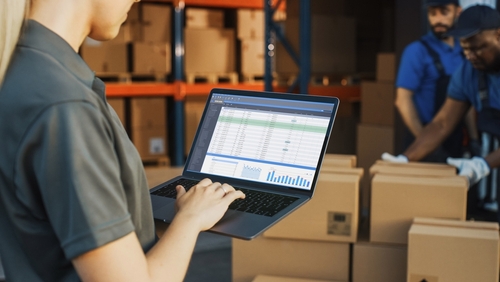
See how a goods receipt lands, the cost layer updates under the method your accountants use, plus the balance sheet inventory line moves in real time without anybody touching a spreadsheet. Live demo or a direct call.
Request a Demo Contact UsWhy does the inventory line on the balance sheet never match what the warehouse says is in stock?
In 2026, most operations carry two versions of the truth on inventory. The warehouse system tracks quantities. The accounting system tracks values. The two get reconciled at month-end by a controller plus a warehouse manager sitting in a conference room trying to figure out why the books show 1.2 million in inventory plus the floor count says 1.05 million. The variance gets booked as an adjustment. The auditor asks how it happened. Nobody can answer because the cost layer was rebuilt by hand instead of recorded at the moment goods moved.
The damage is more than the year-end adjustment. Under FIFO, every receipt should layer on top of the existing cost stack. Under LIFO, the newest layer comes off first when goods ship. Weighted Average rolls the cost into a single running figure that updates with each transaction. None of that math works retroactively. The moment a receipt or return is not valued at the time it happened, the cost layer drifts, plus the drift compounds for the rest of the period.
Stock Valuation closes the gap by valuing every transaction at the moment it lands. A goods receipt triggers a layer update under the method that SKU runs on. A return triggers a reversal. A stock transfer between warehouses carries the cost layer with the movement. The balance sheet inventory line reflects what the warehouse holds plus what those goods actually cost to acquire.
How does automatic revaluation handle FIFO, LIFO, plus Weighted Average in the same system?
Each SKU carries its own cost method assignment. Some businesses run FIFO across the board for tax reporting. Other industries run LIFO on commodity inputs plus FIFO on finished goods, with the methods coexisting under one roof. Many companies pick Weighted Average for everything because it simplifies the books. Stock Valuation supports all three simultaneously. The cost engine reads the method on each SKU plus applies the right math at the moment a transaction posts.
FIFO works as a stacked layer model. Each receipt adds a layer at the unit cost from that receipt. When stock ships out, the oldest layer drains first. LIFO runs the same model in reverse: shipments pull from the newest layer. Weighted Average recalculates the running unit cost on every receipt by weighting the new units against the existing balance. Every transaction logs the method, the layer affected, plus the resulting value change. The audit trail shows exactly how today's number was built from the history of receipts plus shipments.
Batch plus lot-level valuation runs underneath the method choice. A SKU under FIFO can also carry batch identity so a recall on Batch 4422-A reports the exact unit cost of the affected units. Snapshots capture the full valuation state at user-defined points (month-end, quarter-end, year-end) so the books a controller closed in March can be reproduced in November without anyone reconstructing the math.
What apps does Stock Valuation connect to inside FireFlight?
Your valuation is your evidence in an audit. We treat it that way.
Stock Valuation data lives in encrypted storage hosted by PCG. Role-based access separates the controller who reviews the books from the auditor who validates them plus the procurement lead who needs the unit costs for negotiation. Each role sees the slice they are authorized to see.
Every revaluation, every adjustment, plus every manual override is logged with user identity, timestamp, plus the underlying transaction reference. Historical snapshots preserve the full valuation state at every period close so a regulator, a tax authority, or an internal auditor receives the exact numbers that were on the books on that day.
Ikhana shows your finance team how to assign a cost method, review a layer history, plus pull an audit snapshot.
Every field, every dropdown, every audit export option is explained the moment somebody asks. New finance hires pull their first valuation snapshot the same week they start. No training queue. No tickets to IT.
Learn more about IkhanaWhat does Stock Valuation give your finance team?
- Real-time inventory value calculations across warehouses, batches, plus transaction types. The balance sheet inventory line stays current to the last receipt that landed on the dock.
- Native support for FIFO, LIFO, plus Weighted Average Cost. The cost method is assigned per SKU so different inventory classes can run different methods in one system.
- Historical valuation snapshots at user-defined period ends. The books closed in March can be reproduced in November without rebuilding the math.
- Batch-level plus lot-level valuation views. A recall on a specific lot reports the exact unit cost of the affected stock.
- Financial audit reporting with export-ready formats including PDF, CSV, plus QuickBooks-compatible outputs ready for auditors plus tax filings.
- Filter the valuation by product, warehouse, vendor, or date range. Slice the inventory line however the controller or the auditor needs it.
- Depreciation tracking plus market-driven adjustments. Stock that loses value due to obsolescence or market shifts gets written down with the full audit trail.
- Direct connection to Custom Reporting plus scheduled reports. Month-end valuation packages assemble automatically instead of being rebuilt manually.
- Automatic revaluation after every goods receipt or return. Cost layers update at the moment the transaction posts, not at month-end.
"The cost layers update at the moment goods arrive. Our balance sheet inventory line finally matches what the floor is holding."ControllerDistribution and Light Manufacturing
31 years of operational software, with AI reporting built in for 2026.
Phoenix Consultants Group has built custom operational software since 1995. Stock Valuation is one app inside the FireFlight platform, the same platform running fleet fueling for municipal operators, physician credentialing for staffing firms, plus airport ground equipment management for aviation services.
The AI layer added in 2026 means a CFO can query Stock Valuation in plain English. "Show me every SKU whose Weighted Average cost moved more than 8 percent in the last quarter, grouped by vendor." The system answers from live data. No report request to IT. No waiting.
What changes operationally after Stock Valuation goes live?
- The balance sheet inventory line stops being a guess. Every receipt plus return values immediately at the unit cost from that transaction.
- Month-end reconciliation drops from days to hours. The valuation already exists in the system, not as a spreadsheet exercise to be assembled.
- Audit prep stops being a reconstruction project. Historical snapshots preserve the exact state of inventory value on every period close that ever ran in the system.
- Procurement gets the unit cost trend it needs for vendor negotiation. Pricing patterns surface from the valuation history with one filter, no manual export required.
- Obsolescence writedowns get caught in the period they occur. Depreciation tracking flags stagnant stock before the auditor finds it.
Frequently Asked Questions
How is Stock Valuation different from Inventory Control?
How is Stock Valuation different from Inventory Control?
Can different SKUs run different cost methods in the same system?
Can different SKUs run different cost methods in the same system?
What happens when a goods receipt lands at a different unit cost than the prior layer?
What happens when a goods receipt lands at a different unit cost than the prior layer?
How do historical snapshots work?
How do historical snapshots work?
How are depreciation plus market-driven adjustments handled?
How are depreciation plus market-driven adjustments handled?
Does Stock Valuation export to QuickBooks or other accounting systems?
Does Stock Valuation export to QuickBooks or other accounting systems?
How long does Stock Valuation take to deploy?
How long does Stock Valuation take to deploy?Phoenix Consultants Group founded 1995. FireFlight Data Systems is the proprietary modular platform hosted by PCG. Page prepared May 2026.