





quality hold is not a sticker.
It’s a short, clear process that leads to a decision.
When that process is visible and time-limited, inventory numbers stop lying, month-end adjustments shrink, and cash starts moving again.
Here’s how a quality hold should work in real life.
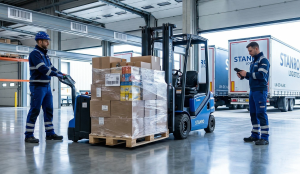
An employee sees a dented box, broken seal, or bad temperature reading.
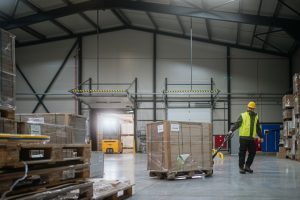
They scan the item into Quality Hold-01, a real, labeled location near receiving.
That scan does two things immediately:
🐦🔥The item becomes non-pickable
🐦🔥A timer starts
Planning no longer promises inventory that can’t ship.
To avoid arguments later, capture just three things:
🐦🔥One photo (damage, label, or seal)
🐦🔥One reason code (damage, temp issue, wrong item)
🐦🔥One reading, if needed (temperature, torque, voltage, etc.)
No long notes.
Evidence beats memory every time.
A quality hold is not a parking spot.
The system should show four clear options, all on one screen:
🐦🔥Release – recheck, take a photo, return to stock
🐦🔥Rework – create a small job (repack, relabel, retest)
🐦🔥Return to Vendor (RTV) – open a case using the intake evidence
🐦🔥Scrap – require a second scan into a scrap location with a bright tag
No guessing. No wandering.
Every quality hold lane needs aging:
🐦🔥Green: under 24 hours
🐦🔥Yellow: 24–72 hours
🐦🔥Red: over 72 hours
The red lane has a physical limit. It cannot grow.
Someone owns the yellow and red items every morning.
Decisions speed up because “I’ll deal with it later” disappears.
We are thrilled that you are interested in the FireFlight Data Systems. Very shortly, we’ll be opening our demo site up for FireFlight Data Systems Release 5. It’s an exciting time and the new release has so many features we can’t even list them here. Please put in your Name and Email Address and we will keep you up to date on the latest launch date. The FireFlight Design Team at Phoenix Consultants Group.
Different problems need different lanes:
🐦🔥Returns go to Returns
🐦🔥Project parts go to Projects
🐦🔥Quality questions go to Quality Hold
Clear separation improves accuracy and stops accidental picks.
Quality hold data feeds vendor scorecards:
🐦🔥Hold frequency
🐦🔥Top failure reasons
🐦🔥Time to resolution
🐦🔥Repeat issues
A fast vendor with frequent problems costs more than a slower vendor with clean shipments.
Photos and trend lines fix packaging faster than emails ever will.
Good systems reduce thinking at the moment of work:
🐦🔥Labels that scan easily
🐦🔥Clear photo examples posted at the rack
🐦🔥Simple reason codes
🐦🔥One-minute training video at the station
People follow processes that respect their time.
🐦🔥Inventory counts become reliable
🐦🔥Planning stops padding numbers
🐦🔥Month-end adjustments shrink
🐦🔥Good inventory releases same day
🐦🔥Bad inventory exits fast with proof
🐦🔥Audits become boring (in a good way)
Day 1:
Label a Quality Hold lane and make it non-pickable on scan
Day 2:
Add photo, reason code, and reading to intake
Day 3:
Connect release, rework, RTV, and scrap actions
Day 4:
Install aging visuals and assign daily ownership
Day 5:
Send vendor cases with photos and start tracking time-to-decision
Want a one-screen Quality Hold setup mapped to your floor layout?
I’ll tailor it so you can start using it Monday.
Schedule your FireFlight demo today and unlock a clearer path.