

Company Categories: The Top-Level Structure for Every Outside Relationship
Define the top-level classification your team uses for every external organization: Vendor, Customer, Partner, Manufacturer, Service Provider, or whatever your operation actually needs. The category sets the structure. Every downstream app reads from it.
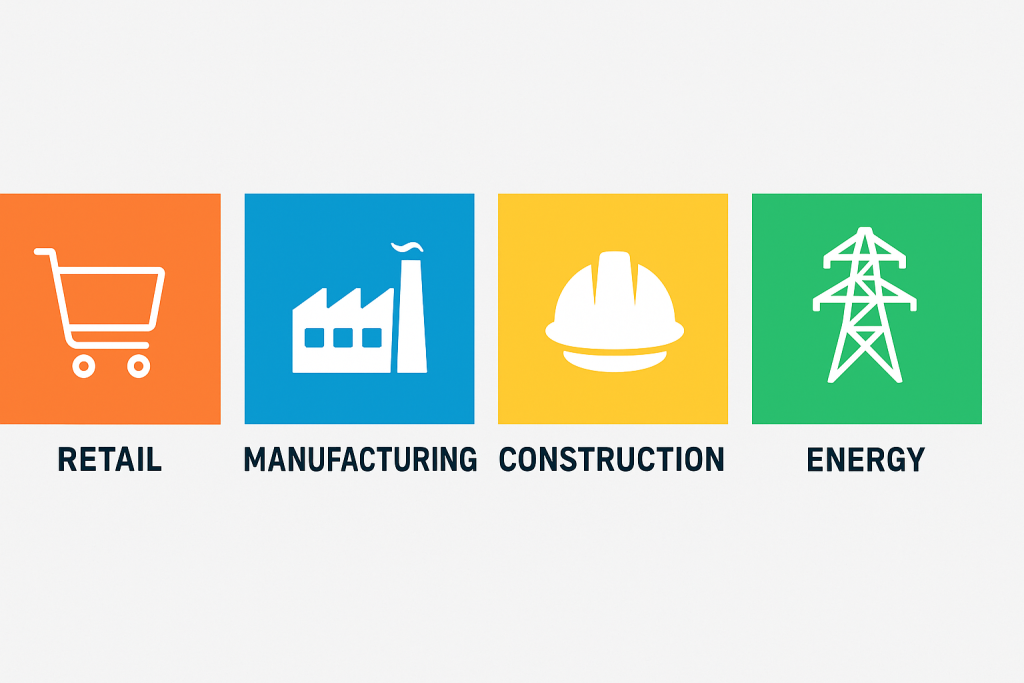
Most operations platforms in 2026 ship with a fixed list of company types that worked for the platform vendor's first ten customers and has not been touched since. Your operation probably needs different ones. The legal exposure of mixing licensed Service Providers with general contractors, or treating an OEM Manufacturer the same as a parts reseller, shows up the moment an auditor asks for a breakdown. Company Categories lets your team define the top-level taxonomy that matches how your business actually works, and applies it everywhere a company record appears.
Request Access to Live DemoWhat is the difference between Categories and Subtypes in FireFlight?
Categories are the top level of the company classification hierarchy. Subtypes sit underneath. A category answers the question "what type of organization is this." A subtype answers "what kind of that type." For example, the category might be "Vendor." The subtypes underneath it could be "OEM Vendor," "Wholesale Distributor," or "Consumables Supplier." Categories define the broad shape of how your team thinks about external relationships. Subtypes fill in the operational detail.
Most platforms force a choice between flat categories and a separate tagging system that does not connect cleanly to anything else. FireFlight handles both as structured data. Categories live in this app. Subtypes live in the Company Subtypes app and reference back to their parent categories. The two work together. Reports and workflows can filter at either level, depending on what the team actually needs to see.
For a team setting up FireFlight for the first time, Categories is where the work starts. Define the top-level taxonomy first. Subtypes come later as the operational complexity reveals itself.
How do Categories drive reporting and permissions across FireFlight?
A category assignment is not just a label. Once a company carries a category, every report and dashboard in FireFlight can act on it, and so can the workflow engine. Procurement spending by vendor category shows up in one query. Service quality by service provider category lives on one dashboard. Permission scopes can reference category values, so that junior staff can see Customer records but not Manufacturer records, or so that compliance officers see every Service Provider while accounting sees the financial side only.
This matters more in 2026 than when these platforms first launched. Operational segmentation at the category level used to be a nice-to-have. It now sits at the foundation of everything from audit response to vendor risk scoring. A platform that cannot scope by company category forces those workflows into spreadsheets and email threads that nobody owns.
PCG has been building classification structures like this for operational platforms since 1995. The Company Categories architecture reflects what happens when business segmentation needs to live inside the system of record, not in a side document that drifts out of sync within a quarter.
What apps does Company Categories integrate with inside FireFlight?
Categories sit at the foundation of the FireFlight company data model. Every app that handles external relationships reads category assignments. Those assignments drive filters and lookups in each app, and the reporting layer reads them too.
 Companies
 Vendors
 Manufacturers
 Service Providers
 Freight Companies
 CRM
CRM
 Work Orders
 Invoices & Quotes
VA note: All 8 app card icons confirmed from original Company Categories page reference.
What outside systems benefit from clean category structure?
 ERP & Procurement
 Compliance & Audit Tools
 Reporting & BI
Why inconsistent categorization becomes a real risk over time.
When categories are loose, the consequences look minor at first. A few duplicate records. Some inconsistent labels in reports. Then comes the audit, or the recall, or the vendor risk review, and the team discovers that "Vendor," "Supplier," "Vendor (Approved)," and "Vendor - Materials" all exist as separate values across different parts of the system. Aggregating across them takes manual cleanup. The numbers nobody can defend get presented anyway because there is no time to redo them.
FireFlight Company Categories stores classification as structured data with central definitions. One source of truth. Every record using a category points back to that definition automatically. Rename or merge a category, and every affected record updates without manual intervention. The audit trail records every change. The numbers hold up under follow-up questions because the underlying data is clean.

Your Personal Guide on Every Page
From the first click to the final step, Ikhana, your on-screen tutor, shows you how it all works. Every field, every button, every page explained with clarity, right where you need it.
In Company Categories, Ikhana walks you through defining a new category, assigning it to existing companies, mapping permission scopes, and connecting subtypes underneath. The guidance lives inside the interface. Admin users get up to speed without a separate training session.
Learn more about IkhanaWhat does the Company Categories app give your team?
-
 Create custom categories that match how your team actually thinks about external relationships. Not a fixed list. Your operation defines the taxonomy and refines it as the business changes.
-
Assign multiple categories to one company record when the relationship spans more than one. A firm that supplies materials and also provides field service carries both categories on the same record, with no duplication.
-
Filter vendors, partners, or service providers by category during lookup. Procurement finds Approved OEM Vendors in seconds. Compliance officers find every Service Provider with active certifications just as fast.
-
Sync categories automatically across every company-related app. Add a category in one place. It is available everywhere. No re-creating the same taxonomy in three different parts of the system.
-
View category usage and assignments at a glance, with the full audit history of changes attached. Know which categories are being used. Know which sit dormant. Know which need cleanup before the next review cycle hits.
-
Support role-based access and edit permissions on category definitions. Admin users define and maintain the taxonomy. Regular staff use it without being able to modify the structure.
-
Link categories directly to reporting filters and dropdowns in custom forms. The classification vocabulary your team uses spreads automatically wherever someone needs to pick or filter.
-
Update category definitions without disrupting historical data. Rename a category, merge two together, or split one apart. The historical records keep pointing to the right place. No orphaned references.
"We went from messy lists to clean, segmented company records. Now our vendor searches take seconds, not minutes."Procurement CoordinatorGlobal Manufacturing Firm
What PCG learned building classification structures for 31 years.
The teams that struggle most with company categorization are not the ones with the most vendors. They are the ones whose platform shipped with a fixed taxonomy nobody questioned at launch. Three years later, the business has new vendor types, new partnership models, and fresh compliance distinctions to track at the top level. The platform still ships with the same six category options it had on day one. So the team works around it: free-text fields, naming conventions, spreadsheet attachments. Each workaround makes sense on its own. Together, they bury the data that leadership needs when an audit arrives.
The Company Categories app came out of watching that pattern across PCG clients in regulated industries since 1995. The architecture lets your team define and evolve the taxonomy as the business changes, with structural integrity that downstream workflows and reports rely on. That is the difference between a platform that ages well and one that becomes a constraint on growth.
What changes operationally after Company Categories is deployed?
-
Every external company carries a clean top-level category that matches how your team actually thinks. Reports filter by category in one query instead of pulling from inconsistent free-text fields.
-
Permission scopes reference category values directly. Junior staff see Customer records but not Manufacturer records, automatically.
-
Audit responses pull from structured category data. The auditor asks for spending by vendor category and gets one report instead of a manual reconstruction.
-
New category definitions deploy in minutes across every connected app. No three-week project to update the data model for a new business reality.
-
Subtypes attach cleanly underneath each category. The two-level structure handles broad classification at the top and operational nuance below without forcing the team to choose between them.
Frequently Asked Questions
What are Company Categories in FireFlight and how do they work?
What are Company Categories in FireFlight and how do they work?
How are Categories different from Subtypes?
How are Categories different from Subtypes?
Can a single company belong to more than one category?
Can a single company belong to more than one category?
Can categories drive permissions or just describe records?
Can categories drive permissions or just describe records?
What happens if we rename or merge a category later?
What happens if we rename or merge a category later?
We classify vendors using spreadsheet columns today. Can we migrate that into Categories?
We classify vendors using spreadsheet columns today. Can we migrate that into Categories?
How long does it take to deploy Company Categories?
How long does it take to deploy Company Categories?
If your team is working around a fixed category list in 2026 by using free-text fields, naming conventions, or shadow spreadsheets, you have a classification problem that compounds quietly. FireFlight's Company Categories app brings that top-level taxonomy back into the system of record, with the structural integrity that workflows and reports rely on, audits included. Deployments take weeks, not months.
Request Access to Live Demo
FireFlight Data Systems is a product of Phoenix Consultants Group. PCG founded 1995. Every system configuration is custom-built per deployment. Implementation timelines, module availability, and integration scope vary by organization. Contact PCG directly to discuss requirements specific to your operation.







