

Asset Management and Compliance: Track Every Asset. Prove Every Action.
Barcode tagging, preventive maintenance scheduling, and linked compliance documentation for every physical and digital asset in your operation.

If your operation manages equipment, tools, IT hardware, or fixed assets across multiple locations and cannot instantly produce the maintenance history, compliance documentation, and current status of any specific asset, this workspace is the direct answer to that problem.
Schedule your free consultationHow does FireFlight tag and track assets across equipment types?
Asset Tagging and Labeling in FireFlight assigns barcodes or labels to each asset at the point of registration. From that moment, the tag is the link between the physical asset and its system record. When a tagged asset is scanned, the full record is immediately accessible: maintenance history, compliance status, assigned location, owner, and current condition. No manual lookup, no searching by description.
Serial number capture is built into the registration workflow. An asset without a serial number is flagged as a data quality gap rather than being allowed to enter the system without a unique identifier. That discipline at registration is what makes physical audits accurate. Scanning assets against system records during an audit produces a discrepancy list rather than requiring a ground-up manual count.
Assets are tracked by type, location, and condition simultaneously. A manager checking equipment at a specific site sees only the assets assigned to that location. A compliance officer reviewing the status of a specific asset class across all sites queries the full portfolio in a single view. Both perspectives are available from the same asset record structure without maintaining separate tracking systems for different purposes.

Audit trail: every asset action, every change, every timestamp
Every action taken on every asset record in FireFlight carries a timestamp and user attribution. Tag assignments, location changes, maintenance completions, document attachments, and status updates each create an audit entry that cannot be edited after the fact. When a regulator, insurer, or internal auditor asks what the status of a specific asset was on a specific date, that question is answered from the record without reconstructing history from memory or scattered paperwork.
For regulated operations where asset compliance documentation is a condition of operation rather than a best practice, that audit integrity is not optional. PCG has been building asset tracking systems for industrial, aviation, and infrastructure operations since 1995. The record structure in this workspace reflects what those audits actually ask for.
How does preventive maintenance scheduling work for assets?
Maintenance Scheduling for Assets in FireFlight assigns preventive maintenance schedules to individual asset records. Schedules are configured based on time intervals, usage thresholds, or condition readings depending on the asset type. When a threshold is reached, the system generates a maintenance task automatically. A maintenance coordinator does not need to check each asset against a calendar to determine what is due. FireFlight generates the list and surfaces it before the due date rather than after.
Service logs are captured at the asset level as each maintenance event is completed. The history of every scheduled task, every completion, and every exception is accessible from inside the asset record. A technician assigned to a recurring maintenance job can see every prior completion of that same task before they start. That context is what catches the technician who would otherwise repeat a repair that did not hold the last time it was performed.
The connection between maintenance scheduling and compliance documentation is direct. When a maintenance task requires a specific certification from the technician completing it, the scheduling layer can verify certification currency before the assignment is confirmed. When a maintenance completion requires documentation to be attached, the document is linked to the asset record at the moment of completion rather than filed separately and connected later.
How does compliance documentation attach to individual asset records?
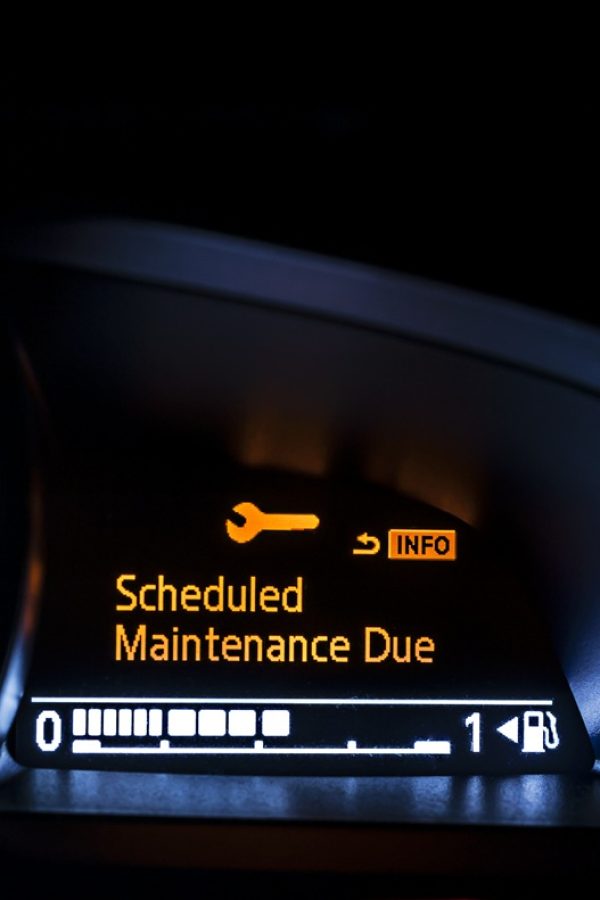
Manuals, warranties, inspection records, certifications, and regulatory compliance documents are attached directly to the asset record they relate to. An asset that has five years of inspection history, two warranty claims, and a set of operational manuals has all of that documentation accessible from the same record as its maintenance history and current status.
The compliance documentation layer is not a file storage add-on. Documents attached to asset records are version-controlled, which means the history of what documentation was attached and when is maintained alongside the document itself. If a manual was updated and the new version was attached on a specific date, the prior version remains accessible and the attachment date of each version is recorded. For operations where procedure version history matters in an audit context, that versioning is available without a separate document management system.
Inspections, certifications, and their associated deadlines are tracked at the asset level and flagged in advance of expiration. An asset whose inspection is due in 30 days appears on the relevant report before the deadline, not after. The compliance documentation required to close the inspection is attached to the record at completion, creating a self-contained compliance history for each asset that does not depend on anyone remembering to file a document correctly.

Your Personal Guide on Every Page
From the first click to the final step, Ikhana, your on-screen tutor, shows you how it all works. Every field, every button, every page explained with clarity, right where you need it.
In the Asset Management and Compliance workspace, Ikhana guides operations staff through asset registration, tagging workflows, maintenance schedule setup, and document attachment without requiring a separate training session or helpdesk call.
Learn more about IkhanaWhat apps are included in this workspace?
The Asset Management and Compliance workspace includes five apps covering asset tracking, maintenance automation, fixed asset financial management, and reporting.


Workspace Highlights
 Trackable equipment, tools, IT systems, and infrastructure - Every asset type managed in one record structure. Physical and digital assets tracked together without requiring separate systems for each category.
- Tagging and labeling with barcode support - Each asset gets a unique tag at registration. Scanning the tag pulls the full asset record instantly. Physical audits run against system records rather than requiring manual counts.
- Preventive maintenance scheduling and logging - Schedules configured per asset based on time, usage, or condition. Tasks generated automatically at threshold. Service logs captured at the asset level at completion.
- Fixed asset lifecycle and depreciation tracking - Capitalization, depreciation schedules, and disposal tracking connected to the same record as physical maintenance and compliance history.
- Linked document compliance for audits and inspections - Manuals, warranties, inspection records, and certifications attached directly to asset records with version history preserved. Compliance documentation available on demand without searching a separate file system.
- Integrated asset reporting with real-time visibility - Ad-hoc reporting tools let operations and compliance teams build the views they need from live asset data without waiting on IT or scheduled report runs.
Connected enterprise systems
This workspace is fully integrated with five enterprise systems inside FireFlight. Asset tracking, maintenance, and compliance data flows into each connected system without a manual export step.
 ERP (Enterprise Resource Planning)
 System Infrastructure / Platform Tools
 Facility Management System
 IT Asset Management System
 Compliance Management System
What PCG has learned across 31 years of asset tracking implementations
The most consistent asset compliance failure PCG sees is not a missing document. It is a document that exists somewhere but cannot be connected to the specific asset it covers when an auditor asks for it. The document was filed in a shared drive, or emailed to someone, or printed and put in a binder. The asset record shows the asset exists. The compliance documentation shows inspections were performed. The two records cannot be connected without manual effort. FireFlight's approach, attaching documents directly to asset records at the point of creation, removes that connection problem entirely.
The second consistent pattern: preventive maintenance programs that look adequate on paper but produce high corrective work order rates in practice. The scheduled tasks exist. The completion rates are reasonable. But the tasks are not calibrated to the specific failure patterns of the specific assets in the portfolio. FireFlight's service log history at the asset level is what makes that calibration possible, because it shows which assets are returning for the same repair after a PM rather than only showing aggregate completion statistics.
"We can finally track every asset down to the serial number, and our audits are faster because everything is documented and linked. What used to take days to pull together now takes minutes."Gregory Shaw Asset Systems Analyst, large public utility
What changes once every asset is tracked and documented?
- Physical audits complete faster because barcode scanning produces a discrepancy list rather than a full manual count
- Compliance documentation requests are answered in minutes rather than days because documents are attached to asset records rather than stored separately
- Unplanned maintenance decreases because preventive schedules generate tasks automatically before failure rather than after
- IT and physical assets are managed from a single system, which removes the reconciliation step between IT asset records and operations records
- Fixed asset depreciation posts to financial records automatically rather than through a separate monthly accounting process
- Certification and inspection expiration alerts arrive in advance of the deadline rather than after a missed compliance event
The Asset Management and Compliance workspace is part of FireFlight EAM. It activates alongside the other EAM workspaces as part of the standard deployment process. Most EAM deployments are operational in weeks, not months. The asset tracking and compliance documentation layer is live from go-live day, which means audit readiness starts in weeks, not months after a separate setup phase.
Frequently Asked Questions
What types of assets does the FireFlight Asset Management and Compliance workspace track?
How does barcode tagging work for assets in FireFlight?
How does preventive maintenance scheduling work for assets in FireFlight?
How are compliance documents linked to asset records in FireFlight?
What is Fixed Asset Management in this workspace and how does it differ from general asset tracking?
Can FireFlight manage IT assets alongside physical equipment in the same workspace?
How does this workspace support audit readiness for regulated operations?
Ready to give your operations and compliance teams full visibility into every asset, its maintenance history, and its compliance documentation in one place?
Schedule your free consultation
FireFlight Data Systems is a product of Phoenix Consultants Group. PCG founded 1995. All system configurations are custom-built for each deployment. Implementation timelines, module availability, and integration scope vary by organization. Contact PCG directly to discuss requirements specific to your operation.