

Item Categorization: Multi-Level Taxonomy With Inherited Attributes for Every Part, Material, plus Tool
Item Categorization is the FireFlight app that organizes SKUs, parts, materials, plus tools into a hierarchical taxonomy. Type to Category to Subtype, with the depth your business actually uses on the floor. Attributes defined at a parent tier inherit automatically to every child. Tags handle the specialized filters (critical use, hazmat, recyclable) that cross the taxonomy.
Can FireFlight classify thousands of parts plus materials into a multi-level taxonomy with inherited attributes? Yes. Item Categorization supports multi-level classification (Type to Category to Subtype) with unlimited customization of naming, codes, plus hierarchies. Attributes defined at any tier inherit to every child item. Tags layer on specialized filtering across the taxonomy. Cross-links to inventory, material, plus vendor records. Deployment runs weeks, not months.
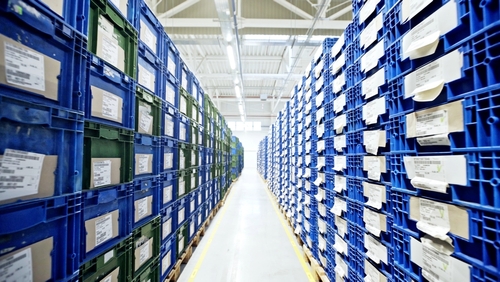
See how a 12,000-SKU catalog gets organized into a clean Type-Category-Subtype tree, with hazmat plus critical-use tags layered across, plus every inventory plus vendor record reading from the same taxonomy. Live demo or a direct call.
Request a Demo Contact UsWhy does searching for a part turn into a 20-minute scavenger hunt even with a modern inventory system?
In 2026, most operations carry thousands of SKUs with no working classification model. The original founder's spreadsheet captured items in one flat list. The new ERP imported that flat list. A new procurement hire spent six months adding more items, also as a flat list. The taxonomy was never built. When the maintenance tech needs a specific stainless-steel 1/2-inch elbow fitting, they search the system, get 87 results, plus walk the floor anyway because the search returns are useless.
The cost shows up in three places at once. Lookup time per part climbs. Duplicate SKUs proliferate because new items get added rather than discovered. Reporting becomes useless because the controller cannot roll spend up by category when no category exists. Procurement orders the same part from three vendors at three different price points because nobody knows the system already carries it under a slightly different description. Every quarter the SKU count grows plus the search results get worse.
Item Categorization fixes this by giving every item a place to live in a hierarchy that matches how your business actually thinks. Top-level types (raw materials, finished goods, tools, consumables, parts) split into categories (hand tools, power tools, safety equipment) plus into subtypes as deep as the business needs. Attributes defined at any tier inherit to every child, so all hand tools share a default storage class plus a default depreciation schedule without anybody re-entering it 400 times. Search returns useful results because every item lives in a known taxonomy.
How do inherited attributes plus tagging work together without duplicating data?
Inherited attributes flow down the hierarchy. A storage class defined at the Type level (say, Hazardous Materials) applies automatically to every Category plus Subtype below it. A required PPE attribute set at the Category level (Welding Consumables) applies to every Subtype underneath. Override is possible at any level when a specific item needs different handling. The system records both the inherited value plus the override, so the audit trail explains why a particular SKU diverges from the default. Inheritance alone saves the data entry team thousands of clicks across a 12,000-SKU catalog over the first year.
Tags handle the cross-cutting filters that do not fit the hierarchy. Critical-use is a tag, not a category, because critical parts exist across many categories. Recyclable is a tag because recyclability cuts across material types. Hazmat may be a Type at the top of the hierarchy in one business plus a tag in another, depending on whether hazmat handling drives the entire workflow or layers on top of normal SKU treatment. The system supports either model. Tags can be combined in filters so a search for "critical-use plus hazmat plus low-stock" returns exactly the items the operations lead needs to act on.
Cross-links pull the taxonomy through to the rest of the stack. The inventory record at the bin level reads its category from the master item record automatically. A vendor catalog entry inherits attributes from the category the vendor's part maps into. A material record carries its full taxonomy path through every report. Reporting plus forecasting tools read the taxonomy so spend, usage, plus turnover can be rolled up by Type, by Category, or by any combination of tags. The classification model becomes the spine of every analytical query the controller asks.
What apps does Item Categorization connect to inside FireFlight?


Classification choices drive financial reporting. We treat them that way.
Taxonomy data lives in encrypted storage hosted by PCG. Role-based access separates the catalog administrators who define new categories from the procurement staff who classify new items plus the controllers who read the spend roll-ups. Sensitive classes (regulated chemicals, controlled tools, defense items) can require additional sign-off before any new SKU joins the category.
Every category creation, every attribute override, plus every reclassification is logged with user identity, timestamp, plus the affected SKU count. The audit trail shows how an item moved between categories, who approved the move, plus what attributes changed as a result, ready for a financial audit, an external compliance review, or an internal reorganization review.

Ikhana shows your team how to define a category, set inherited attributes, plus apply tags for cross-cutting filters.
Every field, every hierarchy prompt, every tag combination is explained the moment somebody asks. New catalog hires classify their first batch of SKUs the same week they start. No training queue. No tickets to IT.
Learn more about IkhanaWhat does Item Categorization give your operations team?
 Multi-level classification (Type to Category to Subtype) with depth that matches how your business actually organizes its parts plus materials.
- Unlimited customization of naming, codes, plus hierarchies. No vendor-imposed taxonomy. Your codes, your structure, your business language.
- Visual indicators for item groupings: parts, tools, materials, consumables, finished goods. The team sees the category at a glance, no decoding required.
- Tagging support for specialized filtering across the hierarchy. Critical-use, hazmat, recyclable, temperature-sensitive, plus any custom tag your operations team needs.
- Cross-links to inventory, material, plus vendor records. The taxonomy stays consistent from procurement through receipt through usage to retirement.
- Inherited attributes across category tiers. A storage class set at Type cascades to every Category plus Subtype, with overrides logged when an item diverges.
- Direct connection with reporting plus forecasting tools. Spend, usage, plus turnover roll up by any level of the taxonomy or by tag.
"The classification system cut our lookup plus retrieval times in half. No more chasing mislabeled items."Operations DirectorLarge-Scale Distributor
31 years of operational software, with AI reporting built in for 2026.
Phoenix Consultants Group has built custom operational software since 1995. Item Categorization is one app inside the FireFlight platform, the same platform running fleet fueling for municipal operators, physician credentialing for staffing firms, plus airport ground equipment management for aviation services.
The AI layer added in 2026 means a procurement lead can query Item Categorization in plain English. "Show me every SKU tagged critical-use under the Power Tools category where inventory has dropped below safety stock, grouped by vendor." The system answers from live data. No report request to IT. No waiting.
What changes operationally after Item Categorization goes live?
- Lookup time drops from minutes to seconds. The maintenance tech finds the right part on the first search instead of walking the floor for backups.
- Duplicate SKU creation stops. New items get discovered in the taxonomy before procurement adds another version of something already in stock.
- Spend reporting rolls up cleanly. The controller sees procurement by category at quarter-end instead of staring at a flat 12,000-line spreadsheet.
- Compliance attributes propagate automatically. Hazmat handling rules cascade down the hierarchy so no SKU gets stocked without its required attributes.
- Onboarding new catalog staff stops requiring senior overhead. The taxonomy gives newcomers a working mental model on day one.
Frequently Asked Questions
How is Item Categorization different from Materials and Parts List?
How is Item Categorization different from Materials and Parts List?
How deep can the taxonomy go?
How deep can the taxonomy go?
What exactly are inherited attributes?
What exactly are inherited attributes?
When should I use a tag instead of a category?
When should I use a tag instead of a category?
How do we migrate an existing flat catalog into a hierarchy?
How do we migrate an existing flat catalog into a hierarchy?
Can the taxonomy change after go-live without breaking historical reports?
Can the taxonomy change after go-live without breaking historical reports?
How long does Item Categorization take to deploy?
How long does Item Categorization take to deploy?
Phoenix Consultants Group founded 1995. FireFlight Data Systems is the proprietary modular platform hosted by PCG. Page prepared May 2026.







